EasyManua.ls Logo

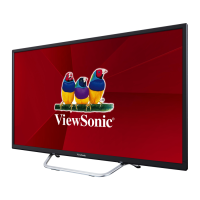
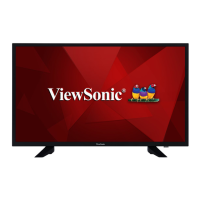
ViewSonic CDX4652-L - User Manual

ViewSonic CDX4652-L
52 pages
Print Icon
To Next Page IconTo Next Page
Loading...
CDP4260-L/CDP4262-L/CDX4652-L/
CDP5560-L/CDP5562-L
LCD Monitor
User Guide
Model No. VS15673/VS15674/VS15662/VS15663/VS15664
IMPORTANT: Please read this User Guide to obtain important information on installing
and using your product in a safe manner, as well as registering your product for future
service. Warranty information contained in this User Guide will describe your limited
coverage from ViewSonic Corporation, which is also found on our web site at http://
ZZZYLHZVRQLFFRPLQ(QJOLVKRULQVSHFL¿FODQJXDJHVXVLQJWKH5HJLRQDOVHOHFWLRQ
box in the upper right corner of our website. “Antes de operar su equipo lea cu
idadosamente las instrucciones en este manual”

Table of Contents

Questions and Answers

  • V
    Victor ChristensenSep 4, 2025
    Why some pixels of ViewSonic Monitor do not light up?
    • E
      Erin CarlsonSep 4, 2025
      If some picture elements on your ViewSonic Monitor do not light up, it is because some pixels of the display may not turn on. The display is manufactured using an extremely high level of precision technology; however, sometimes some pixels of the display may not display and this is not a malfunction.
  • E
    Elizabeth ZimmermanSep 18, 2025
    How to prevent after-images on my ViewSonic CDX4652-L?
    • J
      Jessica JonesSep 18, 2025
      To prevent after-images from appearing on your ViewSonic monitor after it's powered off, avoid displaying a still picture for an extended period of time, as this can cause a permanent after-image to remain on the display.
  • B
    brianjimenezSep 16, 2025
    Why some picture elements do not light up on my ViewSonic monitor?
    • J
      Jacqueline JordanSep 16, 2025
      This ViewSonic display is manufactured using an extremely high level of precision technology; however, sometimes some pixels of the display may not display. This is not a malfunction.
  • R
    Rachel ReidSep 14, 2025
    What to do if I can hear sound, but no picture on my ViewSonic CDX4652-L Monitor?
    • D
      David AllenSep 14, 2025
      If you can hear sound but there is no picture on your ViewSonic monitor, the source signal cable might be improperly connected. Make sure that both video inputs and sound inputs are correctly connected.
  • L
    leslie27Sep 13, 2025
    What to do if the picture is distorted with abnormal patterns on my ViewSonic CDX4652-L Monitor?
    • S
      Sydney SmithSep 13, 2025
      If the picture on your ViewSonic monitor is distorted with abnormal patterns, it could be due to a couple of reasons. First, ensure that the signal cable is firmly attached. Second, the input signal might be beyond the display's capabilities. Check the video signal source to see if it is beyond the range of the display and verify its specifications.
  • J
    Jeff MckenzieSep 12, 2025
    How to fix abnormal color on ViewSonic CDX4652-L?
    • K
      katie14Sep 12, 2025
      If the color on your ViewSonic monitor appears abnormal, the signal cable might not be properly connected. Ensure that the signal cable is firmly attached to the back of the display.
  • R
    Roberto GarciaSep 9, 2025
    Why is there interference displayed on my ViewSonic CDX4652-L?
    • C
      Charles DuncanSep 9, 2025
      If you are experiencing interference or audible noise with your ViewSonic monitor, it may be caused by surrounding electrical devices or fluorescent lights. Try moving the display to another location to see if the interference is reduced.
  • M
    Matthew BanksSep 7, 2025
    How to fix no picture on my ViewSonic CDX4652-L?
    • B
      Brenda Smith MDSep 7, 2025
      If your ViewSonic monitor displays no picture, check the following: Ensure the power cord is properly connected and the main power switch on the back of the display is turned on. Also, verify that the selected input has a signal connection to the display and that the display is not in standby mode. Connect a signal connection to the display.
  • R
    Robert TurnerSep 5, 2025
    What to do if I can see the picture but no sound is heard on my ViewSonic CDX4652-L?
    • T
      Tiffany MullenSep 5, 2025
      If you can see the picture on your ViewSonic monitor but cannot hear any sound, there are several potential causes. First, ensure that both video and sound input cables are correctly connected. Second, the volume might be turned down; press the [VOL UP] or [VOL DOWN] button. Third, check if [MUTE] is on and switch it off. Lastly, if you are not using built-in speakers, connect external speakers and adjust the volume.
  • R
    rebecca55Aug 21, 2025
    How to fix a ViewSonic CDX4652-L Monitor when no picture is displayed?
    • D
      Dr. Shawn JonesAug 21, 2025
      If your ViewSonic Monitor displays no picture, first ensure the power cord is properly connected. Then, check if the main power switch on the back of the display is turned on. Also, verify that a signal connection is properly connected to the display. Finally, check if the display is in standby mode.

Summary

Safety Precautions

Parts and Functions

Control Panel and Functions

Overview of the display's control panel and detailed functions of its buttons.

Remote Control

General Remote Functions

Explanation of the functions of various buttons on the remote control.

Connecting External Equipment

Connecting a PC

Instructions for connecting a PC via VGA, DVI, and HDMI inputs.

OSD Menu Navigation and Settings

Navigating the OSD Menu

How to access and control the On-Screen Display menu using buttons or remote.

Picture, Screen, and Audio Settings

Adjusting image, screen geometry, and audio parameters via OSD menus.

PIP and Configuration Settings

Configuring PIP modes, schedules, timers, language, and tiling via OSD.

Advanced Option Menu

Advanced settings for input switching, scan conversion, color system, and network.

Input Mode and Resolutions

VGA Input Specifications

Table of supported VGA resolutions, refresh rates, and aspect ratios.

HDTV Input Specifications

Table of supported HDTV resolutions (720p, 1080i, 1080p).

Cleaning and Troubleshooting

Troubleshooting Common Issues

Common problems like no picture, interference, and distorted images with solutions.

Technical Specifications

CDP4260-L; CDP4262-L Specs

Detailed technical specifications for CDP4260-L and CDP4262-L models.

CDX4652-L Specs

Detailed technical specifications for the CDX4652-L model.

CDP5560-L; CDP5562-L Specs

Detailed technical specifications for CDP5560-L and CDP5562-L models.

Limited Warranty Details

ViewSonic CDX4652-L Specifications

General IconGeneral
Screen Size46 inches
Resolution1920 x 1080
Display TypeLED
Brightness500 cd/m²
Response Time8 ms
Aspect Ratio16:9
Speakers10W x 2
VESA Mount400 x 400 mm
Contrast Ratio4000:1
Viewing Angle178° / 178°
ConnectivityHDMI, VGA, DisplayPort
Display Colors16.7M

Related product manuals