EasyManua.ls Logo

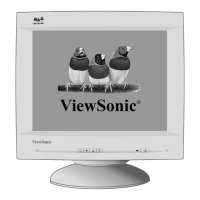
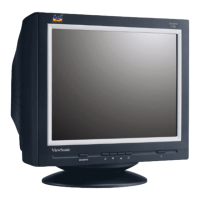
ViewSonic E70fb - User Manual

ViewSonic E70fb
17 pages
Print Icon
To Next Page IconTo Next Page
Loading...
ViewSonic
®
- User Guide
- Guide de lutilisateur
- Guía del usuario
- Guia do usuário
ViewSonic
®
E70fB/E70fSB
CRT Monitor
Model No. : VCDTS22355-6

Questions and Answers

  • C
    Cindy LopezAug 10, 2025
    How to fix a ViewSonic E70fb with no power?
    • C
      Christine CoxAug 10, 2025
      If your ViewSonic Monitor isn't powering on, ensure the power button or switch is turned ON. Check that the A/C power cord is securely connected to both the back of the monitor and the power outlet. To verify the outlet is working, plug another electrical device into it to check the voltage.
  • R
    Robert RuizAug 17, 2025
    What to do if my ViewSonic Monitor has power but no image?
    • K
      Karen JenkinsAug 17, 2025
      If your ViewSonic Monitor has power but no screen image, ensure the video cable is tightly secured to the video output port on your computer and the monitor. Also, try adjusting the brightness and contrast settings. Verify whether an adapter is required for proper signal continuity between your graphics card and monitor.
  • L
    lisaschwartzAug 23, 2025
    Why is my ViewSonic E70fb screen flickering?
    • A
      Amber BrooksAug 23, 2025
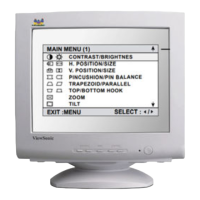
      Monitor flickering can occur for several reasons. Here's what to check: * Ensure the monitor is connected to a different outlet, or if using a surge protector, reduce the number of devices plugged in. * Check the ViewMeter from the main menu to verify the refresh rate (vertical frequency). * Remove any devices from the area around the monitor that emit magnetic fields, such as radios, surge protectors, unshielded speakers, fluorescent lights, AC power converters, desk fans, etc. * Make sure the graphics card in your computer can use non-interlaced mode at the desired frequencies. To enable your graphics card to support higher refresh rates, try selecting fewer colors or running lower resolutions.
  • M
    Mark WilsonAug 28, 2025
    How to troubleshoot wrong colors on ViewSonic Monitor?
    • P
      Paul PowersAug 28, 2025
      If your ViewSonic Monitor is displaying wrong or abnormal colors, check the video cable to ensure it's securely connected. Loose or broken pins in the cable connector could cause an improper connection. You can also try connecting the monitor to another computer. Select Degauss from the Main Menu, but only do this once. If you have an older graphics card, contact ViewSonic[®] Customer Support.
  • K
    Kathleen SullivanSep 3, 2025
    What causes the screen image to roll vertically on a ViewSonic Monitor?
    • S
      Sabrina WatkinsSep 3, 2025
      If the entire screen image rolls vertically on your ViewSonic Monitor, ensure the video input signals are within the monitor’s specified frequency range. Try the monitor with another power source, graphics card, or computer system. Also, make sure the video cable is securely connected.

ViewSonic E70fb Specifications

General IconGeneral
Display TypeCRT
Resolution1280 x 1024
Dot Pitch0.25 mm
Horizontal Refresh Rate30 - 70 kHz
Vertical Refresh Rate50 - 160 Hz
Screen Size17 inches
Viewable Size16 inches
Max Resolution1280 x 1024
Refresh Rate160 Hz

Related product manuals