17
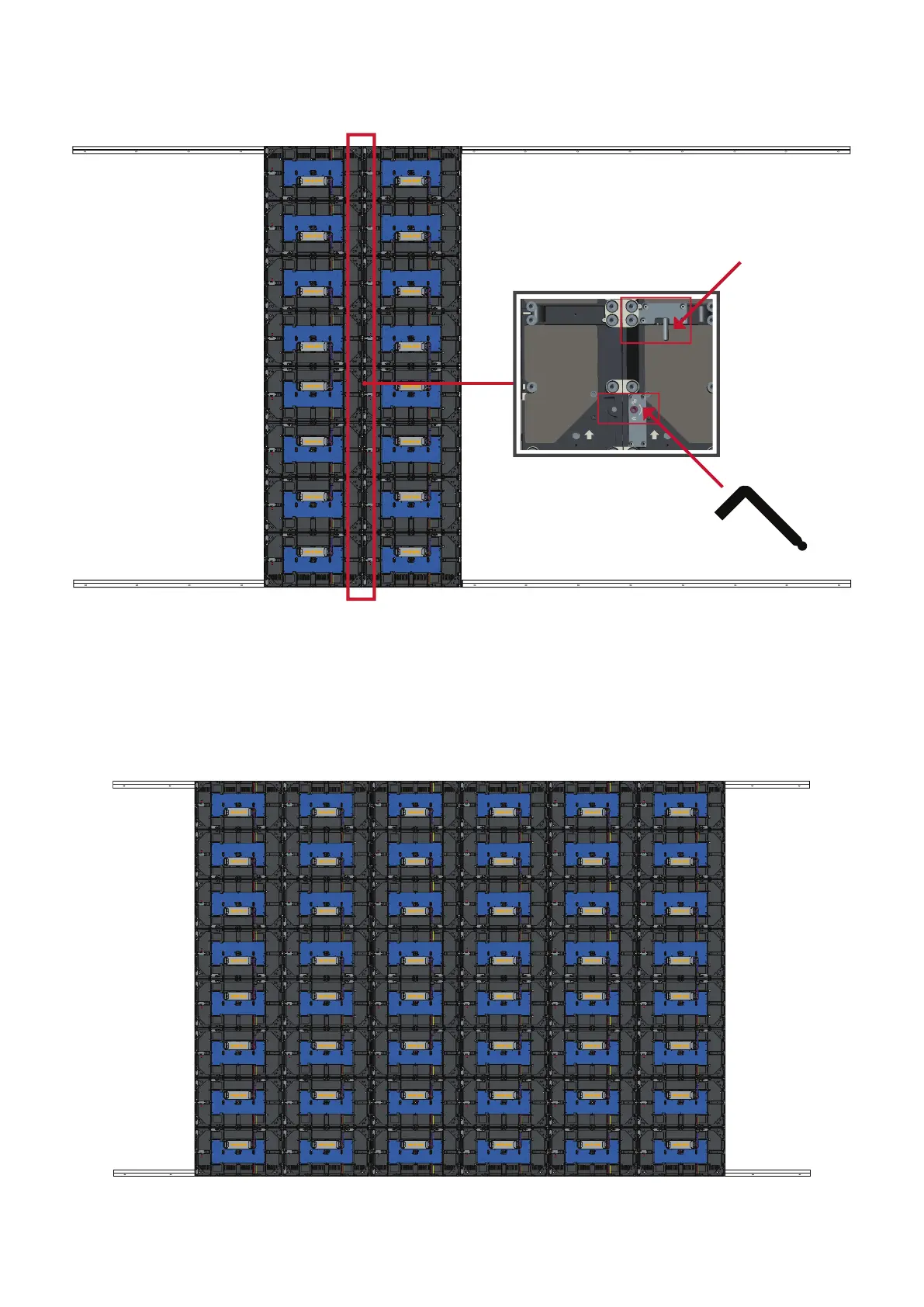
4. Push each Locking Bolt and lock each Hook with the hex tool to securely connect
each cabinet together.
NOTE: There are eight (8) Locking Bolts and 16 Hooks between each cabinet.
5. Li the remaining Middle Cabinet up onto the Upper Wall Mount Brackets,
ensuring the Mounng Brackets sit securely on the Wall Mount Brackets.
6. Repeat Step 4, securing the cabinets together with each Locking Bolt and Hook.
Push the Locking Bolt.
Lock each Hook with the hex tool.














 To Next Page