EasyManua.ls Logo

ViewSonic LD135-151 - User Manual

ViewSonic LD135-151
117 pages
Print Icon
To Next Page IconTo Next Page
Loading...
LD135-151
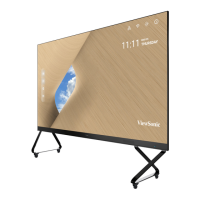
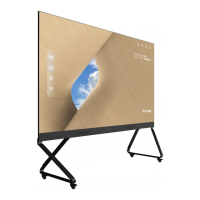
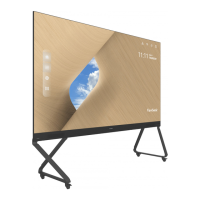
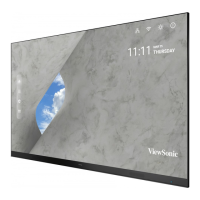
All-in-one Direct View LED Display
User Guide
Model No. VS18324
P/N: LD135-151
IMPORTANT: Please read this User Guide to obtain important information on installing and using your product in
a safe manner, as well as registering your product for future service. Warranty information contained in this User
Guide will describe your limited coverage from ViewSonic® Corporation, which is also found on our web site at
http://www.viewsonic.com in English, or in specific languages using the Regional selection box in the upper right
corner of our website. “Antes de operar su equipo lea cu idadosamente las instrucciones en este manual”

Table of Contents

Other manuals for ViewSonic LD135-151

Questions and Answers

  • T
    Tina LopezAug 20, 2025
    What to do if my ViewSonic Monitor has no picture or sound?
    • R
      rpattersonAug 20, 2025
      If your ViewSonic Monitor displays no picture or sound, first check the power status and ensure it is properly connected. Then, verify the signal cable connecting the monitor to your device. Finally, use the remote control to confirm that the input source setting matches the connected device.
  • A
    Andrew MirandaAug 21, 2025
    Why is there no sound on my ViewSonic LD135-151 Monitor?
    • X
      xwilsonAug 21, 2025
      If your ViewSonic Monitor has no sound, first, press the Mute/Unmute button to ensure the sound isn't muted. Next, adjust the volume to a comfortable level. Check the audio cable connection if you're using one. If you're using a computer with digital video and embedded audio, make sure the computer speakers are set to external speakers.
  • W
    William SullivanAug 25, 2025
    Why does my ViewSonic Monitor turn off unexpectedly?
    • J
      Jodi SullivanAug 25, 2025
      If your ViewSonic Monitor turns off unexpectedly, first check if Sleep mode is enabled. Also, check if there is a power outage in your area. Turn on the display, provide an active signal, and see if the problem is with the signal or external control system.
  • A
    Anthony JohnsonAug 26, 2025
    What to do if my ViewSonic LD135-151 Monitor has no picture or no sound?
    • A
      Anthony SmithAug 26, 2025
      If your ViewSonic Monitor displays no picture or sound, start by verifying the power status and ensuring it's properly connected. Next, inspect the signal cable for any issues. Finally, use the remote to confirm that the input source setting matches the connected device.
  • T
    Timothy HarrisAug 28, 2025
    How to troubleshoot no sound on ViewSonic Monitor?
    • A
      Angelica JonesAug 28, 2025
      If your ViewSonic Monitor has no sound, first press the Mute/Unmute button to ensure it's not muted. Then, adjust the volume to a suitable level. Check the audio cable connection, if one is used. If you're using a computer with digital video and embedded audio, verify that the computer speakers are set to external speakers.
  • C
    Cindy HallAug 29, 2025
    What to do if ViewSonic Monitor power indicator is off and there is no response?
    • Z
      zbutlerAug 30, 2025
      If your ViewSonic Monitor's power indicator is off and there is no response, ensure the power cable is securely connected. Also, check that the power outlet is functioning properly and meets the required electrical specifications.
  • L
    Lisa FloresAug 31, 2025
    How to improve poor picture quality on my ViewSonic LD135-151 Monitor?
    • E
      Erika MejiaSep 1, 2025
      If your ViewSonic Monitor displays a poor picture, try adjusting the chroma and brightness settings in the menu. Also, check the signal cable to ensure it's properly connected. For the best image quality, use the monitor's native resolution for the source.
  • T
    Thomas PooleSep 2, 2025
    What to do if the picture on my ViewSonic LD135-151 is unclear?
    • S
      sara84Sep 3, 2025
      If your ViewSonic Monitor's picture is unclear or cuts in and out, start by checking the signal cable for any loose connections or damage. Also, check if other electronics or different signal types are interrupting the signal. For long-distance sources, you might need an optional active video cable or video extender.
  • K
    Kenneth JenningsSep 5, 2025
    How to fix one speaker only working on ViewSonic LD135-151 Monitor?
    • J
      jennifer21Sep 5, 2025
      If your ViewSonic Monitor only has sound from one speaker, adjust the sound balance in the menu. Check the left and right sound control panel settings of the computer or media player source. Verify the audio cable connection, if used. Make sure the content has two audio channels and not mono.
  • M
    Michelle BrownSep 7, 2025
    What to do if my ViewSonic LD135-151 power indicator is off?
    • S
      Stephanie MontoyaSep 7, 2025
      If your ViewSonic Monitor's power indicator is off and there is no response, first ensure that the power cable is securely connected. Next, check that the power outlet is working properly and meets the required electrical specifications.

ViewSonic LD135-151 Specifications

General IconGeneral
BrandViewSonic
ModelLD135-151
CategoryMonitor
LanguageEnglish

Related product manuals