EasyManua.ls Logo

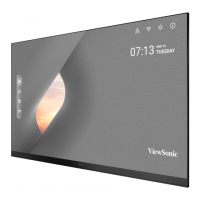
ViewSonic LDP216-121 - User Manual

ViewSonic LDP216-121
149 pages
Print Icon
To Next Page IconTo Next Page
Loading...
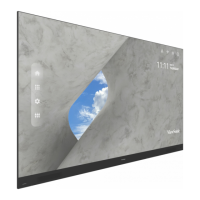
LDP216-121
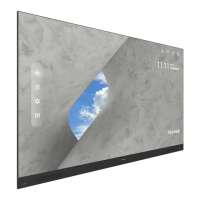
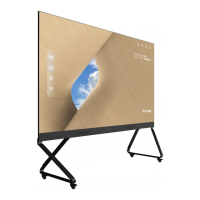
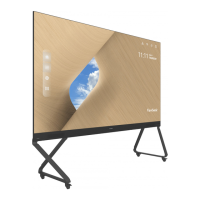
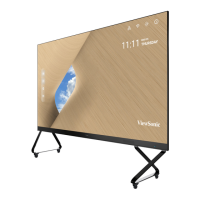
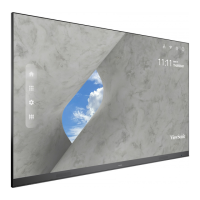
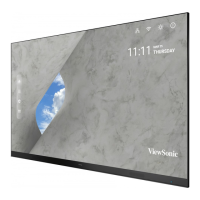
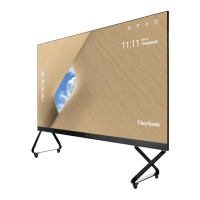
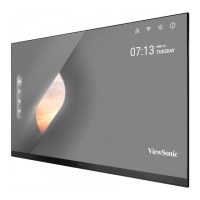
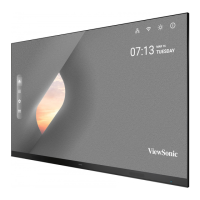
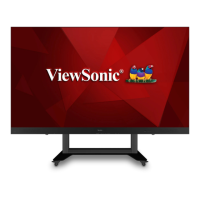
4K UHD All-in-One Direct View LED Display
User Guide
Model No. VS18889
P/N: LDP216-121
IMPORTANT: Please read this User Guide to obtain important information on installing and using your product in
a safe manner, as well as registering your product for future service. Warranty information contained in this User
Guide will describe your limited coverage from ViewSonic® Corporation, which is also found on our web site at
http://www.viewsonic.com in English, or in specific languages using the Regional selection box in the upper right
corner of our website.

Table of Contents

Other manuals for ViewSonic LDP216-121

Questions and Answers

  • G
    George Bauer Jr.Aug 15, 2025
    What to do if my ViewSonic Monitor has no picture or sound?
    • G
      greerbrittanyAug 15, 2025
      If your ViewSonic Monitor displays no picture or sound, first check the power status and ensure it is properly connected. Then, verify the signal cable connecting the monitor to your device. Finally, use the remote control to confirm that the input source setting matches the connected device.
  • J
    Jon PhillipsAug 18, 2025
    Why does my ViewSonic LDP216-121 turn off unexpectedly?
    • C
      courtneythompsonAug 18, 2025
      If your ViewSonic Monitor turns off unexpectedly, first check if Sleep mode is enabled. Also, check if there is a power outage in your area. Turn on the display, provide an active signal, and see if the problem is with the signal or external control system.
  • V
    vwangAug 21, 2025
    What to do if my ViewSonic Monitor power indicator is off?
    • M
      michellegutierrezAug 21, 2025
      If your ViewSonic Monitor's power indicator is off and there is no response, first ensure that the power cable is securely connected. Next, check that the power outlet is working properly and meets the required electrical specifications.
  • K
    Kenneth PottsAug 25, 2025
    How to improve poor picture quality on my ViewSonic LDP216-121 Monitor?
    • A
      Anthony FisherAug 26, 2025
      If your ViewSonic Monitor displays a poor picture, try adjusting the chroma and brightness settings in the menu. Also, check the signal cable to ensure it's properly connected. For the best image quality, use the monitor's native resolution for the source.
  • M
    Mitchell JordanAug 28, 2025
    Why is there no sound on my ViewSonic LDP216-121?
    • J
      Jennifer MortonAug 28, 2025
      If your ViewSonic Monitor has no sound, first, press the Mute/Unmute button to ensure the sound isn't muted. Next, adjust the volume to a comfortable level. Check the audio cable connection if you're using one. If you're using a computer with digital video and embedded audio, make sure the computer speakers are set to external speakers.
  • P
    Paula AvilaSep 1, 2025
    What to do if the picture on my ViewSonic Monitor is unclear?
    • J
      Joseph CooperSep 1, 2025
      If your ViewSonic Monitor's picture is unclear or cuts in and out, start by checking the signal cable for any loose connections or damage. Also, check if other electronics or different signal types are interrupting the signal. For long-distance sources, you might need an optional active video cable or video extender.
  • S
    Samantha HughesSep 3, 2025
    How to fix one speaker only working on ViewSonic LDP216-121 Monitor?
    • S
      scottgeraldSep 3, 2025
      If your ViewSonic Monitor only has sound from one speaker, adjust the sound balance in the menu. Check the left and right sound control panel settings of the computer or media player source. Verify the audio cable connection, if used. Make sure the content has two audio channels and not mono.
  • A
    Amber DeckerSep 7, 2025
    Why is my ViewSonic Monitor not recognizing my USB device?
    • S
      Sheryl MartinSep 7, 2025
      If your ViewSonic Monitor doesn't recognize the USB storage device, ensure the drive is formatted for either FAT32 or NTFS. If the USB storage device requires external power, connect its power adapter to an electrical outlet.
  • L
    Lauren ReyesSep 12, 2025
    How to fix a ViewSonic Monitor remote control that is not working?
    • A
      Anthony JensenSep 12, 2025
      If the remote control for your ViewSonic Monitor isn't working, make sure nothing is blocking the remote control receiver on the display. Also, check that the batteries are correctly installed according to the polarity markings. If it still doesn't work, try replacing the batteries with fresh ones.

ViewSonic LDP216-121 Specifications

General IconGeneral
Aspect Ratio16:9
Panel TypeTN
Display Size21.5 inches
Resolution1920 x 1080
Response Time5 ms
Brightness250 cd/m²
Contrast Ratio1000:1
ConnectivityHDMI
Viewing Angle170° horizontal / 160° vertical
Color Support16.7 million colors

Related product manuals