20
Connecng the System Control Box
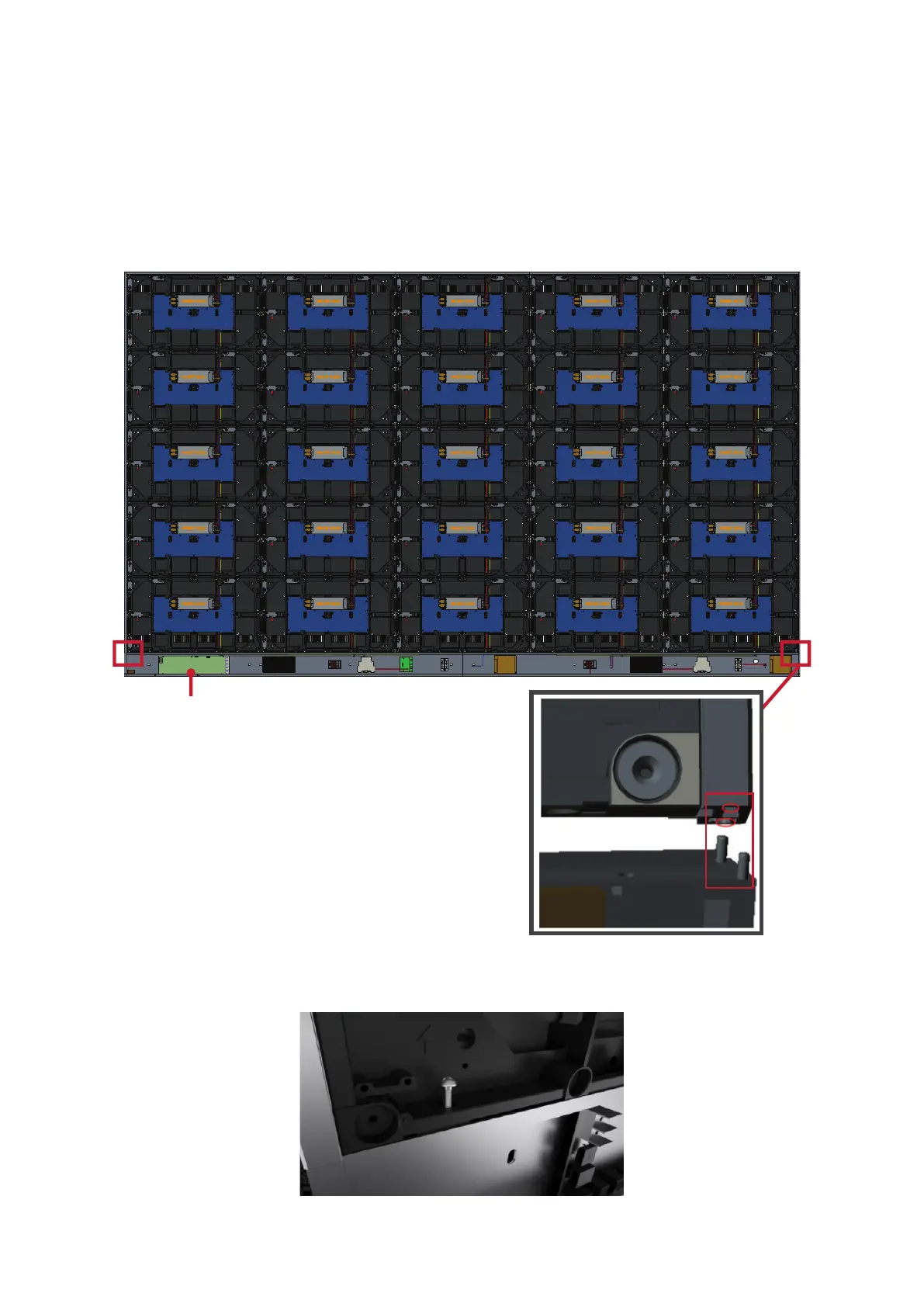
1. Carefully unfold the System Control Box panel. Ensure the main system control
board is on the le.
NOTE: Use cauon as the System Control Box panel will be separated into two
pieces, however the wires are connected.
2. Align the holes of the Cabinet with the System Control Box to aach.
System Control Board
3. Further secure the System Control Box to the Cabinets with the 20 provided
screws (M6x16mm).



 To Next Page