EasyManua.ls Logo

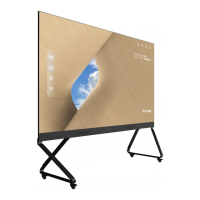
ViewSonic LD135-151 - User Manual

ViewSonic LD135-151
117 pages
Print Icon
To Next Page IconTo Next Page
Loading...
LD135-151
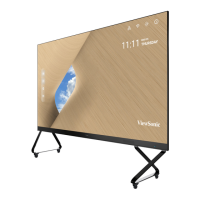
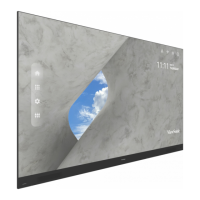
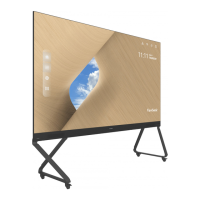
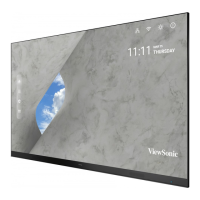
All-in-one Direct View LED Display
User Guide
Model No. VS18324
P/N: LD135-151
IMPORTANT: Please read this User Guide to obtain important information on installing and using your product in
a safe manner, as well as registering your product for future service. Warranty information contained in this User
Guide will describe your limited coverage from ViewSonic® Corporation, which is also found on our web site at
http://www.viewsonic.com in English, or in specific languages using the Regional selection box in the upper right
corner of our website. “Antes de operar su equipo lea cu idadosamente las instrucciones en este manual”

Table of Contents

Other manuals for ViewSonic LD135-151

Questions and Answers

  • H
    Hector NguyenSep 8, 2025
    Why is my ViewSonic LD135-151 not recognizing my USB device?
    • L
      Linda DeanSep 9, 2025
      If your ViewSonic Monitor doesn't recognize the USB storage device, ensure the drive is formatted for either FAT32 or NTFS. If the USB storage device requires external power, connect its power adapter to an electrical outlet.
  • S
    Shannon SmallSep 12, 2025
    How to improve poor picture quality on ViewSonic LD135-151?
    • S
      Sabrina JonesSep 12, 2025
      If you are experiencing poor picture quality on your ViewSonic Monitor, try the following: First, adjust the chroma and/or brightness settings in the menu. Second, check the signal cable for any issues. Finally, ensure that you are using the display’s native resolution for the source.
  • I
    ijohnsonSep 12, 2025
    What to do if ViewSonic Monitor picture is unclear or cuts in and out?
    • E
      Elizabeth RiosSep 13, 2025
      If the picture on your ViewSonic Monitor is unclear or cuts in and out, begin by checking the signal cable for any issues. Next, check for interference from other electronics or different signal types. For long-distance sources, consider using an optional active video cable or video extender.
  • M
    Michele NovakSep 15, 2025
    What to do if ViewSonic LD135-151 does not recognize the USB storage device?
    • L
      Lindsay HughesSep 15, 2025
      If your ViewSonic Monitor does not recognize the USB storage device, ensure the drive is formatted for FAT32 or NTFS. If the USB storage device requires external power, connect its power adapter to an electrical outlet.
  • K
    kwhiteSep 16, 2025
    How to fix a ViewSonic Monitor remote control that is not working?
    • D
      Debbie GuzmanSep 17, 2025
      If the remote control for your ViewSonic Monitor isn't working, make sure nothing is blocking the remote control receiver on the display. Also, check that the batteries are correctly installed according to the polarity markings. If it still doesn't work, try replacing the batteries with fresh ones.

ViewSonic LD135-151 Specifications

General IconGeneral
BrandViewSonic
ModelLD135-151
CategoryMonitor
LanguageEnglish

Related product manuals