464646
Sub-menu Descripon
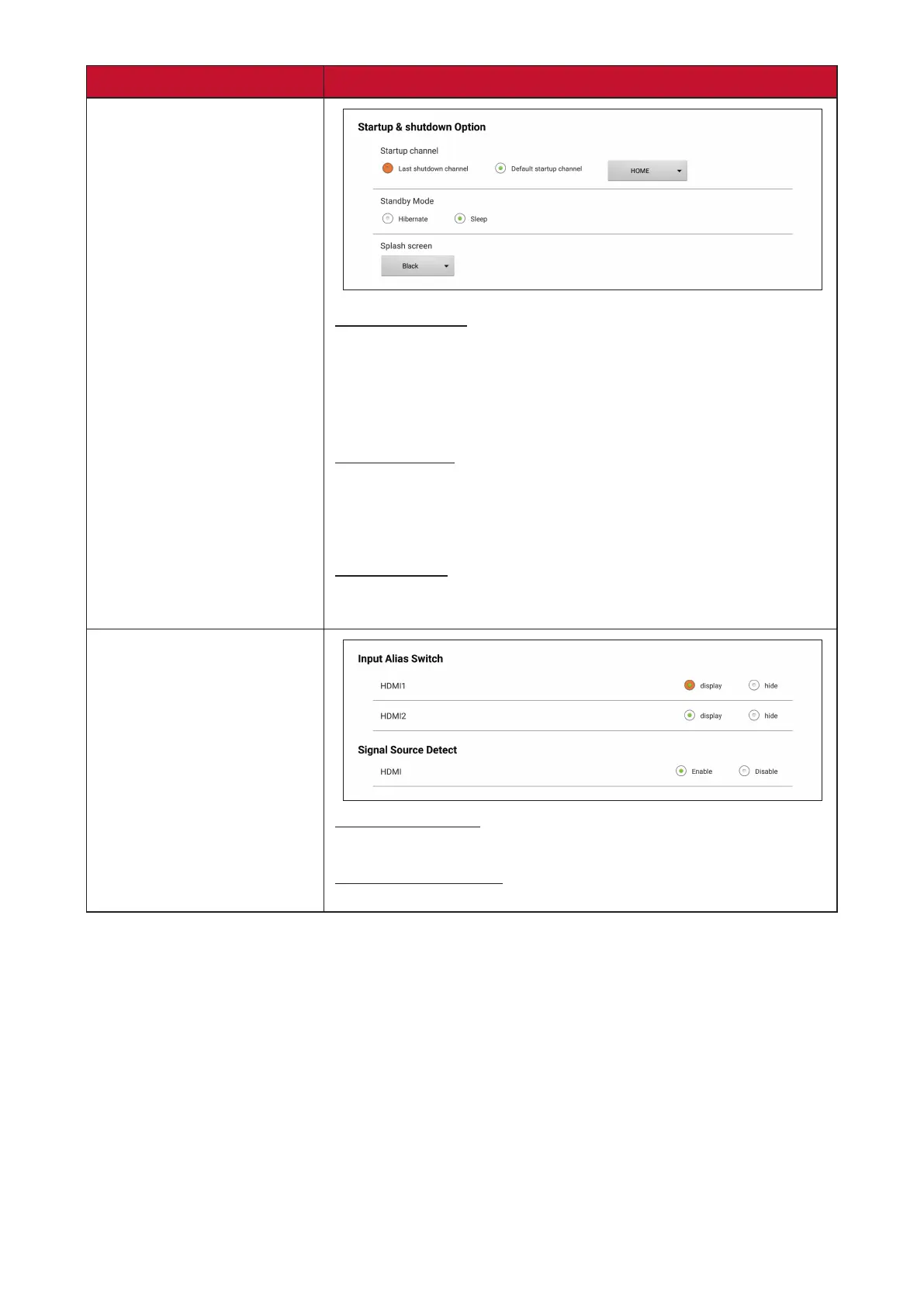
Startup & Shutdown
Startup Channel
Last Shutdown Channel: Start in the channel that was last
used before the previous shutdown.
Default Startup Channel: Select a specic startup channel
(Home, HDMI 1/2, APP(Display), APP(vCastReceiver)).
Standby Mode
Hibernate: Power o the screen only.
Sleep: Power down the display to minimal power
consumpon (0.5W).
Splash Screen
Change the boot screen to black, blue, or the ViewSonic
logo.
Input Seng
Input Alias Switch
Display or hide HDMI 1 or HDMI 2 input source.
Signal Source Detect
Enable or disable HDMI input detecon.



 To Next Page