20
PIR Sensor Setup
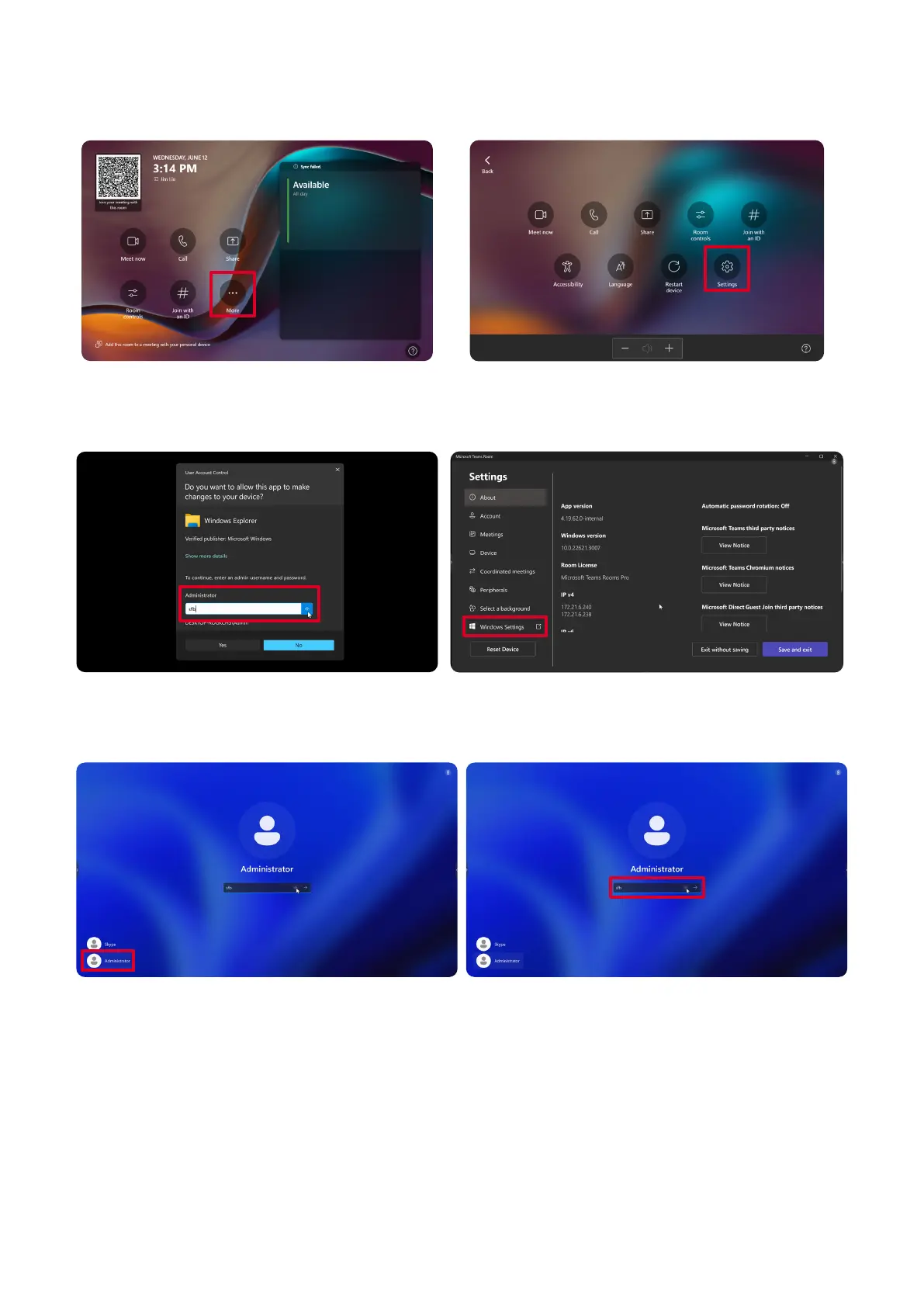
1. On the Touch Console, select More and then Sengs.
2. Enter the Administrator password “s” and select Windows Sengs and Go to
Admin Sign-in.
3. The MTR computer will log out of MTR and the Windows 11 login screen will be
presented. Select the Administrator account and enter the password “s”.
4. In the Search Box on the Windows Task Bar, search for and open Device Manager.



 To Next Page