36
Problem or Issue Possible Soluons
MRC1010-TN Touch
console built-in PIR
sensor wake-up
seng.
Switch from the MTR account to the administrator
account:
1. Go to the MTR sengs page.
2. Select Windows Sengs.
3. Select Administrator and enter the administrator
password, "s".
4. In the Search Box on the Windows Task Bar, search
for and open Device Manager.
5. In Device Manager, select: Sensors > HID Human
Presence Sensor Properes > Power Management.
6. Select the checkbox next to "Allow this device to
wake the computer".
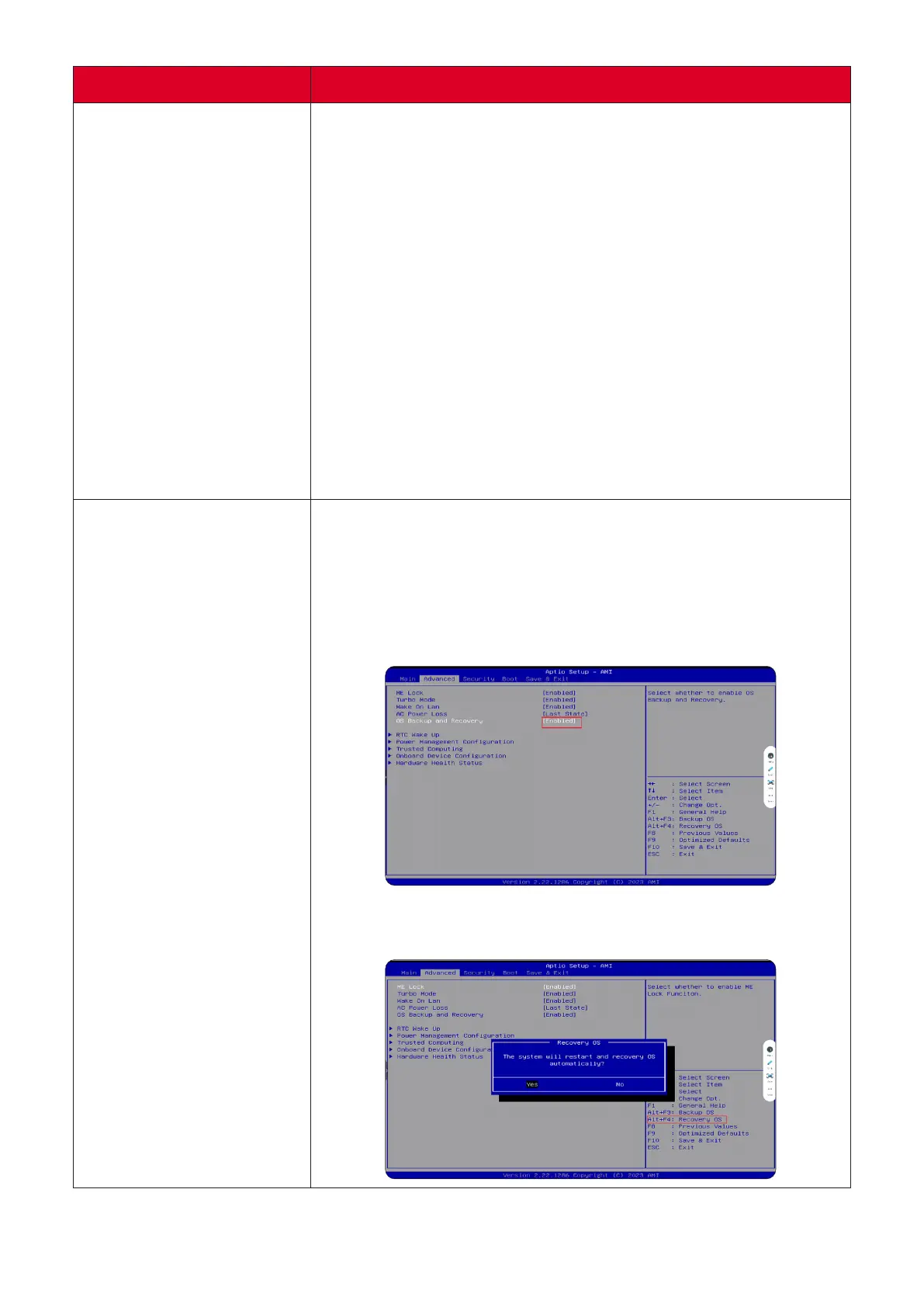
How to restore the
MTR system to original
factory sengs.
1. Connect a keyboard to the MPC310-W31-TU and
power it on.
2. Press F2 on the keyboard to enter the BIOS.
3. Go to: Advanced > OS Backup and Recovery > select
[Enabled]
4. Press Alt + F4 on the keyboard. In the Recovery OS
dialogue box select Yes.



 To Next Page