Location, Date and Time
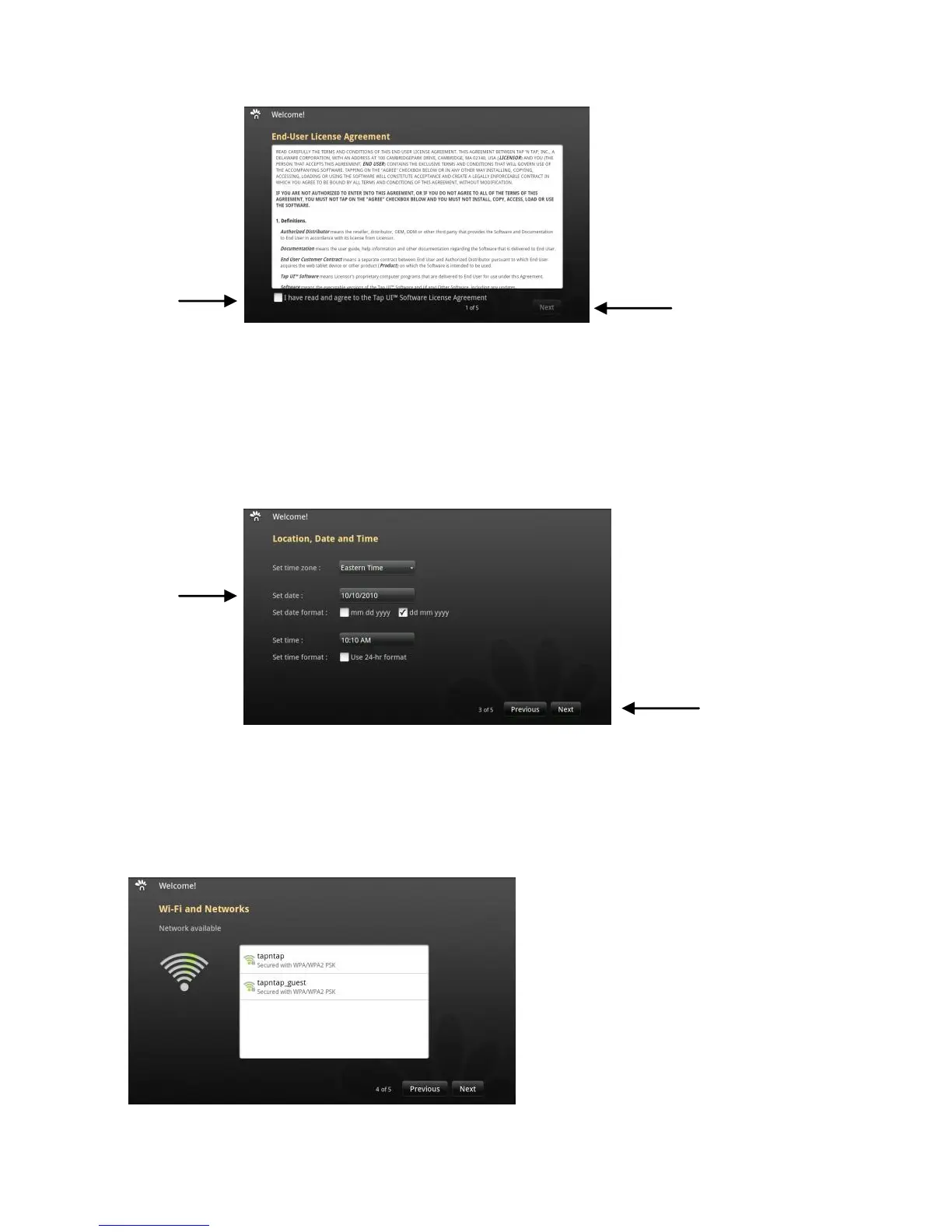
2. Set up your Location, Date and Time (1). When complete, tap on
“Next” (2).
Setti
ng Up Your Wireless Network – Wi-Fi and Networks
3. After setting up your Location, Date and Time, you will be prompted to
set up your wireless network, and the following screen will appear.


 To Next Page