EasyManua.ls Logo

ViewSonic ViewPad 10pro - User Manual

ViewSonic ViewPad 10pro
30 pages
Print Icon
To Next Page IconTo Next Page
Loading...
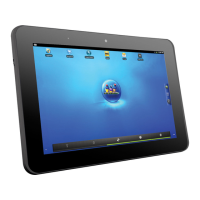
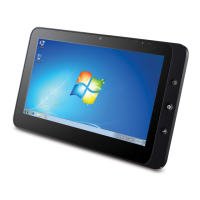
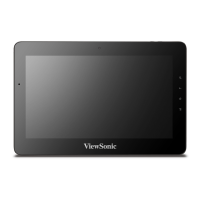
ViewPad 10pro
User Guide
Model No. VS14140

Other manuals for ViewSonic ViewPad 10pro

Questions and Answers

  • A
    Amanda CuevasAug 13, 2025
    How to fix ViewSonic Tablet if system locks up?
    • C
      Charles DrakeAug 13, 2025
      If your ViewSonic Tablet system locks up, press the reset button to restart it. Regularly perform Windows updates for the latest system and device updates and install the latest device drivers and application versions.
  • L
    Laurie LeonardAug 17, 2025
    Why is the touch panel on my ViewSonic ViewPad 10pro Tablet not working properly?
    • W
      Wendy EwingAug 17, 2025
      If the touch panel on your ViewSonic Tablet isn't working right, it could be due to a couple of things. First, the environmental conditions might be different from the factory settings, so try recalibrating the touch screen. Also, make sure your finger is dry and clean, or if you're using a stylus, ensure it's approved for capacitive touch panels.
  • L
    Lauren HarrisAug 20, 2025
    What to do if my ViewSonic Tablet battery is not charging?
    • J
      James MillerAug 21, 2025
      If your ViewSonic Tablet's battery isn't charging, make sure you're using the AC power adapter that came with the device. This tablet does not support charging via USB.
  • N
    Nicole OrtizAug 25, 2025
    What to do if I have no 3G data connection on my ViewSonic ViewPad 10pro?
    • R
      Ricardo HarrisAug 25, 2025
      If you're not getting a 3G data connection on your ViewSonic Tablet, there are a few things to check: 1. Make sure the APN is in the device’s APN list; if not, add it manually. 2. Verify that your 3G service is activated with your network service provider. 3. Ensure a valid 3G SIM is properly inserted; check for damage or if it's missing.
  • A
    April MeyersAug 27, 2025
    How to fix no audio via HDMI output on ViewSonic Tablet?
    • R
      Rebecca DrakeAug 27, 2025
      If you're not getting audio through the HDMI output on your ViewSonic Tablet, go to the Windows control panel and set the default audio to HDMI digital. Note that switching in the audio mixer will not work due to an Intel bug.
  • K
    kylewalshAug 31, 2025
    Why is multi touch not working on my ViewSonic Tablet?
    • D
      Dr. Derrick MooreAug 31, 2025
      If multi-touch isn't working on your ViewSonic Tablet, consider these points: * If you're using Windows 7 Starter or Basic, upgrade to Windows 7 Home Premium or higher, as these versions only support single touch. * Ensure that the application you're using supports multi-touch functionality. * Make sure you're performing the hand gestures correctly.
  • M
    melindawalkerSep 5, 2025
    How to correct incorrect image size via HDMI output on ViewSonic Tablet?
    • S
      Susan OwenSep 5, 2025
      If the image size is incorrect via HDMI output on your ViewSonic Tablet, ensure your monitor is set to PC HDMI (disable monitor overscan). Also, set the Intel GPU overscan control to zero, which is located in the Intel Graphics control panel.
  • W
    wendywardSep 8, 2025
    What to do if the external display is not working on my ViewSonic Tablet?
    • F
      franklinronaldSep 8, 2025
      If the external display is not working with your ViewSonic Tablet, try changing the HDMI cable. Also, ensure that the connected display supports the selected output resolution and frame rate.

ViewSonic ViewPad 10pro Specifications

General IconGeneral
Resolution1280 x 800 pixels
WirelessWi-Fi 802.11 b/g/n
Display10.1-inch IPS LCD
RAM2 GB
Storage16 GB
Camera2 MP rear
PortsUSB 2.0
Dimensions170 mm

Related product manuals