
EasyManua.ls Logo

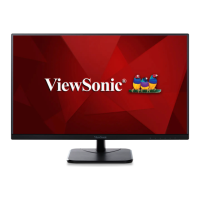
ViewSonic VA2456-MIKU - User Manual

ViewSonic VA2456-MIKU
59 pages
Print Icon
To Next Page IconTo Next Page
Loading...
Model No. VS17295
P/N: VA2456-MIKU
VA2456-MIKU
LCD Monitor
User Guide
Art by Fukahire © Crypton Future Media, INC.
www.piapro.net

Questions and Answers

  • T
    Tiffany BakerSep 10, 2025
    How to center the screen correctly on a ViewSonic VA2456-MIKU?
    • B
      Brenda TranSep 10, 2025
      If the screen isn’t centered correctly on your ViewSonic Monitor, adjust the horizontal and vertical controls via the OSD Menu. Also, check the Aspect Ratio and reset the monitor to factory settings.
  • J
    john41Sep 12, 2025
    Why are some menus not selectable in the OSD of my ViewSonic VA2456-MIKU?
    • C
      christopherrosarioSep 12, 2025
      If some menus aren’t selectable in the OSD on your ViewSonic Monitor, adjust the ViewMode or the input source. Resetting the monitor to factory settings may also resolve this issue.
  • D
    Dr. Daryl Estrada DVMSep 14, 2025
    Why does the screen on my ViewSonic Monitor appear yellow?
    • E
      edwardsrachelSep 14, 2025
      If the screen on your ViewSonic Monitor appears yellow, make sure the 'Blue Light Filter' is turned Off.
  • J
    Jessica WilliamsSep 16, 2025
    What to do if the control panel keys on my ViewSonic Monitor do not work?
    • A
      ann31Sep 16, 2025
      If the control panel keys on your ViewSonic Monitor do not work, press only one key at a time. You can also try restarting the computer.

ViewSonic VA2456-MIKU Specifications

General IconGeneral
Screen Size24 inches
Resolution1920 x 1080 (Full HD)
Panel TypeIPS
Aspect Ratio16:9
Refresh Rate75 Hz
Brightness250 cd/m²
Contrast Ratio1000:1
Response Time5 ms
ConnectivityHDMI, VGA
Viewing Angle178° (H) / 178° (V)
Color Support16.7 million colors
Weight3.5 kg

Related product manuals