4
Replacing the Remote Control Battery
If the remote control stops working or works improperly, replace the battery (CR2025 lithium
battery) with a new one.
1. Pull out the battery tray.
2. Remove the old battery from the tray and put a new battery with “+” facing up.
3. Push the battery tray back in.
Warning
Battery may explode if mistreated. Do not recharge,
disassemble or dispose of in fire
Notes
z When the lithium battery becomes weak, the operating distance of the Remote Control may
shorten, or the Remote Control may not function properly. In this case, replace the battery with a
CR2025 lithium battery. Use of another battery may present a risk of fire or explosion.
z Dispose the used batteries as specified by the local authorities.
z Do not leave the Remote Control in a very hot and humid place.
z Incorrect use of the battery may cause leaking and corrosion.
- When the Remote control will not be used for a long period of time, remove the battery from
the remote control to prevent leaking and corrosion.
- Incorrectly inserting, shorting, dismantling, or heating the battery, or throwing it into a fire
may cause the battery to rupture and leak.
Product Specification
Specification
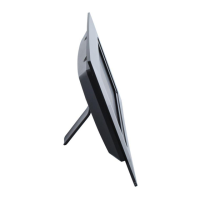
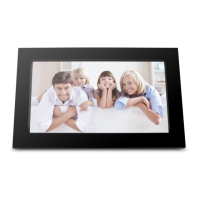
Product 10w Digital P hoto Frame
Resolution 1024 x600 Pixel
Memory Card Formats Secure Digital™, Multi-Media Card™, Memory Stick™,
Memory Stick Pro™, Memory Stick Duo™, xD Picture
CardTM and USB flash drives
Image Formats JPEG, BMP, PNG, GIF, TIFF
Audio Formats MP3
Video Formats MPEG1/4, M-JPEG, AVI, Divx
USB Ports USB 2.0 (Host) x 1, mini-USB x 1
Power Input AC 100V~240V, 50~60Hz
Power Output DV 5V / 2A
Internal Speakers 0.5W x 2
Certification CE / FCC / RoHS
ViewSonic VFM1024W







 To Next Page