ViewSonic Corporation Confidential - Do Not Copy
3
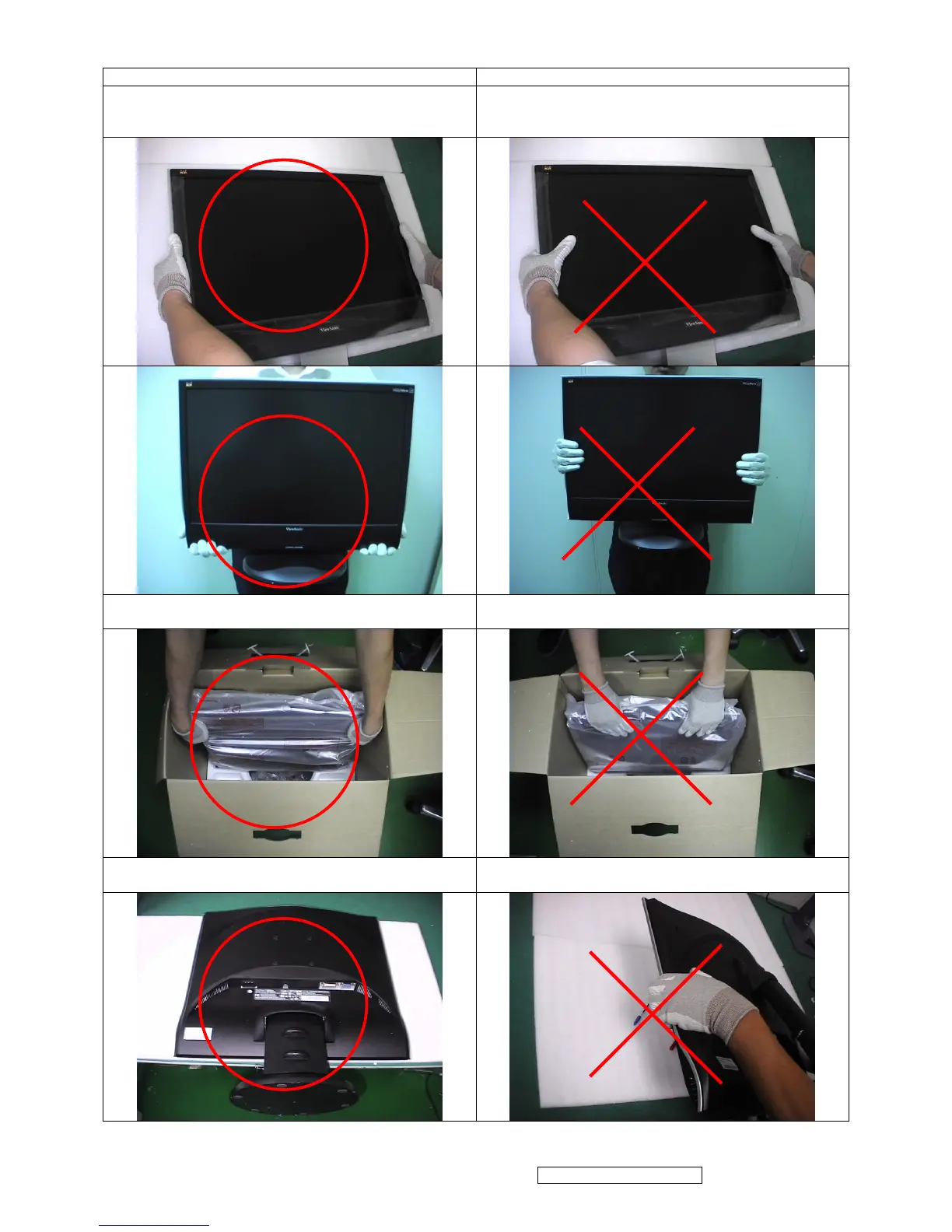
Correct methods : Incorrect Methods :
Only touch the metal-frame of the panel or the front
cover of the monitor.
Do not touch the surface of the polarizer .
Surface of the panel is pressed by fingers & this may
cause “ MURA “
Take out the monitor form carton.
Take out the monitor by grasping the LCD panel.
That may cause “ MURA“.
Place the monitor on a clean & soft foam pad .
Place the monitor on foreign objects .
That could scratch the surface of panel
VG2030m-1



 To Next Page