
EasyManua.ls Logo

ViewSonic VP3D1 - User Manual

ViewSonic VP3D1
18 pages
Print Icon
To Next Page IconTo Next Page
Loading...
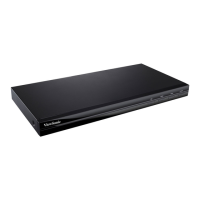
VP3D1
3D Video Processor
User Guide
IMPORTANT: Please read this User Guide to obtain important information on installing
and using your product in a safe manner, as well as registering your product for future
service. Warranty information contained in this User Guide will describe your limited
coverage from ViewSonic Corporation, which is also found on our web site at http://www.
viewsonic.com in English, or in specic languages using the Regional selection box in
the upper right corner of our website. “Antes de operar su equipo lea cu idadosamente
las instrucciones en este manual”

Other manuals for ViewSonic VP3D1

Questions and Answers

  • R
    Ryan MarquezAug 8, 2025
    What to do if no image appears on ViewSonic DVD Player screen?
    • C
      Craig PalmerAug 8, 2025
      If no image appears on the screen of your ViewSonic DVD Player, ensure that all cables and power connections are correctly and securely connected. Also, ensure that all the pins of connectors are not bent or broken. Finally, make sure you have powered on all the devices.
  • H
    Howard HawkinsAug 22, 2025
    Why ViewSonic DVD Player shows blurry double image?
    • H
      hsnyderAug 22, 2025
      If your ViewSonic DVD Player shows a blurry double image, it might be due to the SBS Mode setting. To resolve this: * Press the "SBS Mode" button to "Off" to avoid a normal 2D image appearing as a blurry double image. * Alternatively, press the "SBS Mode" button to "On" if the input signal is HDMI 1.3 2D 1080i side-by-side.

Summary

Important Safety Instructions

General Safety Precautions

Comprehensive safety guidelines for installation, operation, and maintenance of the product.

Connection

Using the 3 D Video Processor

Operation

Specifications

Timing Chart

Details supported video timings and frequencies for 3D input.

Computer Compatibility

Lists compatible computer input and output resolutions.

Troubleshooting

Troubleshooting Common Issues

Addresses common problems like no image, blurry images, and 3D display issues.

Limited Warranty

Warranty Details

Explains warranty coverage, duration, exclusions, and how to obtain service.

ViewSonic VP3D1 Specifications

General IconGeneral
BrandViewSonic
ModelVP3D1
CategoryComputer Hardware
LanguageEnglish

Related product manuals
