EasyManua.ls Logo

ViewSonic VS11770-2M - User Manual

ViewSonic VS11770-2M
50 pages
Print Icon
To Next Page IconTo Next Page
Loading...
ViewSonic
®
ViewSonic
®
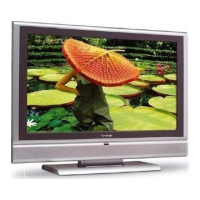
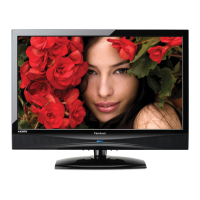
N3235w
N3735w
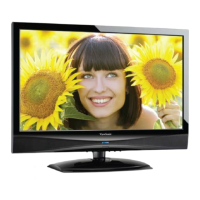
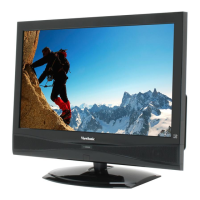
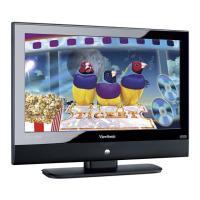
LCD TV
- User Guide
- Guide de l’utilisateur
- Guía del usuario
IMPORTANT: Please read this User Guide to obtain important information on
installing and using your product in a safe manner, as well as registering your
product for future service. Warranty information contained in this User Guide will
describe your limited coverage from ViewSonic Corporation, which is also found
on our web site at http:// www.viewsonic.com in English, or in specic languages
using the Regional selection box in the upper right corner of our website.
“Before operating the equipment, read the instructions in this manual carefully.”
Model No. : VS11770-2M
VS11771-2M

Questions and Answers

  • R
    Ryan WilsonAug 14, 2025
    How to troubleshoot no power on my ViewSonic LCD TV?
    • T
      Tara GambleAug 15, 2025
      If your ViewSonic LCD TV has no power, ensure the power cord is properly connected to both the TV's AC power socket and the wall outlet. Also, check that the DC power button is turned ON (Blue LED). To verify the outlet is supplying power, plug another electrical device into it.
  • N
    nicholas72Aug 18, 2025
    What to do if there is no sound on ViewSonic LCD TV?
    • L
      Larry McguireAug 18, 2025
      If your ViewSonic LCD TV has no sound, check that your audio connections are properly connected. Ensure that the MUTE button hasn't been pressed; if it has, press it again. Also, check your TV's audio settings to make sure the volume isn't set to minimum. Finally, press the Volume + (Up) button on the remote control.
  • B
    Brett CaseyAug 21, 2025
    Why is my ViewSonic LCD TV remote control unit not operating?
    • S
      Shawn LeeAug 21, 2025
      If your ViewSonic LCD TV remote control isn't working, first ensure the batteries are inserted correctly. If they are weak or dead, replace them with new ones. Check for any fluorescent lights near the remote control sensor, as these can interfere with the signal. Make sure there are no obstructions blocking the path of the remote control beam and that you are aiming it directly at the remote control sensor on the TV. Try pressing the POWER button on the remote to see if you can turn on the TV or the MENU button to see if a MENU is displayed on the screen. Press only one button at a time and ensure it is the correct one for the desired operation.
  • E
    Emily DavisAug 25, 2025
    What to do if my ViewSonic VS11770-2M LCD TV has no picture?
    • J
      John BryanAug 25, 2025
      If your ViewSonic LCD TV shows no picture, try switching to another channel. Make sure that connections to other components are correct and that setup has been done correctly after connections. Verify the correct input is selected and that the input signal is compatible. If none of these steps work, contact your local cable operator.
  • S
    Sarah HayesAug 28, 2025
    Why does my ViewSonic VS11770-2M have strange color, light color, or color misalignment?
    • J
      Jeffrey CollinsAug 28, 2025
      If your ViewSonic LCD TV displays strange, light, or misaligned colors, first ensure that the video cable is securely connected. If the issue persists, adjust the brightness, contrast, saturation (color), and tint. Also, check the input signal setting.
  • N
    Natalie ButlerAug 31, 2025
    What to do if my ViewSonic LCD TV unit cannot be operated?
    • J
      Joseph DuncanAug 31, 2025
      If your ViewSonic LCD TV unit cannot be operated, it may be due to external influences such as lightning or static electricity. Turn the power of the LCD TV and the AVC System off and then on again, or unplug the AC cord for 1 to 2 minutes, then replug it.
  • K
    Kevin MurphySep 3, 2025
    Why does my ViewSonic LCD TV power cut off suddenly?
    • M
      mary21Sep 3, 2025
      If your ViewSonic LCD TV power is cut off suddenly, check if the sleep timer is set in advance. Also, check if there is no signal in PC mode or HDMI mode. If the internal temperature of the unit has increased, remove any objects blocking the vent or clean as necessary.
  • C
    Christopher BurnsSep 7, 2025
    How to fix no CATV reception on ViewSonic VS11770-2M LCD TV?
    • P
      powellchristopherSep 7, 2025
      If your ViewSonic LCD TV has no CATV reception (or no reception above CH13), ensure the AIR/CABLE option is set to CABLE. Check all CATV connections to make sure CATV is connected properly. If the issue persists, the cable TV service may be interrupted; contact your cable operator.
  • U
    uchaseSep 12, 2025
    Why is the picture cut off or with sidebar screen on my ViewSonic VS11770-2M LCD TV?
    • A
      Allison AndersonSep 12, 2025
      If the picture on your ViewSonic LCD TV is cut off or has a sidebar screen, ensure the image is positioned correctly. Also, check if screen mode adjustments such as picture size are set correctly. Try pressing the WIDE button repeatedly on the remote control to see if you can get the picture you prefer.

Summary

Getting Started

List of Features

Lists the key features of the LCD TV.

Installing the LCD TV

Mounting ViewSonic LCD TV to the wall

Guidelines for securely mounting the TV to a wall.

WARNING

Safety

Installation

Important Safety Instructions

Electric shock

Precautions to avoid electric shock.

CARRYING THE TV

VENTILATION

MOISTURE

Handling of broken glass and liquid crystal leakage

SERVICING

Using the TV Features

Remote Control and TV Controls

Explains operation of remote and TV buttons.

Operation

Adjusting the Settings

Using the Parent Controls

Troubleshooting

Specifications

Limited Warranty

Mexico Limited Warranty

ViewSonic VS11770-2M Specifications

General IconGeneral
Aspect Ratio16:9
Response Time5 ms
Brightness300 cd/m²
Viewing Angle178° (H/V)
Input ConnectorsHDMI, VGA

Related product manuals