EasyManua.ls Logo

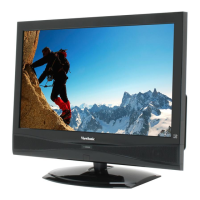
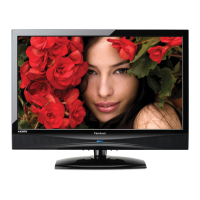
ViewSonic VT2405LED - User Manual

ViewSonic VT2405LED
64 pages
Print Icon
To Next Page IconTo Next Page
Loading...
Model No. : VS13750-1M
- User Guide
- Guide de l’utilisateur
- Guida dell’utente
VT2405LED
LCD TV
IMPORTANT: Please read this User Guide to obtain important information on
installing and using your product in a safe manner, as well as registering your
product for future service. Warranty information contained in this User Guide will
describe your limited coverage from ViewSonic Corporation, which is also found
on our web site at http://www.viewsonic.com in English, or in specic languages
using the Regional selection box in the upper right corner of our website.
“Antes de operar su equipo lea cuidadosamente las instrucciones en
este manual”

Other manuals for ViewSonic VT2405LED

Questions and Answers

  • J
    Joseph FisherAug 19, 2025
    What to do if my ViewSonic VT2405LED has no picture or sound?
    • G
      gloriagilbertAug 19, 2025
      If your ViewSonic LCD TV has no picture or sound, here are a few things you can check: * Ensure the display is turned on; the power indicator should be blue. * Try a different input source to see if the issue persists or if the original source is the problem. * Check the cables to ensure they are correctly connected. * Adjust the volume to make sure it isn't muted or set too low. * Verify that the 'Speaker Out' option in the Audio menu is not set to 'Off'.
  • G
    grhodesAug 21, 2025
    How to fix a ViewSonic VT2405LED that does not turn on?
    • T
      Terry SmithAug 22, 2025
      If your ViewSonic LCD TV doesn't turn on, make sure the power plug is securely inserted into both the AC-IN socket on the display and the wall outlet, and that the wall outlet is switched on, if applicable. Also, check if the power outlet is working by plugging in another appliance, such as a desk lamp.
  • J
    Juan RoyAug 23, 2025
    Why is the screen position or size incorrect on my ViewSonic VT2405LED?
    • D
      deannastephensAug 25, 2025
      If the screen position or size on your ViewSonic LCD TV is incorrect, try selecting a different aspect ratio. You might also want to try a different input source to rule out any issues with the original source.
  • J
    Justin DavisAug 26, 2025
    What to do if the image is distorted on my ViewSonic VT2405LED?
    • R
      Rebecca HicksAug 26, 2025
      If the image on your ViewSonic LCD TV appears distorted, ensure that the display's aspect ratio is correctly set to suit the image source. Also, try using a different input source to see if the problem persists, which would help determine if the issue is with the TV or the source.
  • Y
    yreynoldsAug 27, 2025
    Why does 'Not supported' appear on my ViewSonic LCD TV?
    • K
      Kimberly OnealAug 27, 2025
      If you see a 'Not supported' message on your ViewSonic LCD TV, it's likely because the PC VGA output signal resolution is set too high. The highest acceptable PC timing is 1920 × 1080 @ 60Hz.
  • L
    Lori EstradaAug 30, 2025
    How to troubleshoot no power on my ViewSonic LCD TV?
    • R
      Richard BryanAug 30, 2025
      If your ViewSonic LCD TV has no power, ensure the power cord is properly connected to both the TV's AC power socket and the wall outlet. Also, check that the DC power button is turned ON, indicated by a blue LED. To rule out outlet issues, plug another electrical device into the same outlet to verify it's supplying the correct voltage.
  • C
    carolineleonardSep 1, 2025
    Why is there no sound on my ViewSonic LCD TV?
    • D
      dorseychristopherSep 1, 2025
      If you're experiencing a lack of sound on your ViewSonic LCD TV, there are a few things to check. First, ensure your audio connections are properly connected. The MUTE button may have been accidentally pressed, so try pressing it again. Also, verify your TV audio settings to make sure the volume isn't set to minimum. Finally, press the Volume + button on the remote control to increase the volume.
  • M
    Maria ReyesSep 3, 2025
    What to do if there is no picture on ViewSonic LCD TV?
    • C
      Christine MorenoSep 3, 2025
      If your ViewSonic LCD TV shows no picture, first try switching to another channel, as the TV station might be experiencing problems. If you're using cable TV, the signal may be scrambled or encoded, so contact your local cable operator. Ensure all connections to other components are correct and that setup has been done correctly after connections. Finally, confirm that the correct input is selected and the input signal is compatible.
  • J
    jacksonbrittanySep 5, 2025
    Why is my ViewSonic LCD TV remote control not working?
    • S
      Sabrina NavarroSep 5, 2025
      If your ViewSonic LCD TV remote control isn't working, ensure the batteries are inserted correctly. Replace the batteries with new ones if they are weak or dead. Check if a fluorescent light is interfering with the remote control sensor. Make sure there are no obstructions blocking the path between the remote and the TV's sensor. Try pressing the POWER button on the remote to turn on the TV, or press the MENU button to see if the menu appears on the screen. Press only one button at a time and ensure it is the correct one for the desired operation.
  • P
    Peter ColemanSep 7, 2025
    How to fix strange color on ViewSonic LCD TV?
    • S
      Sara SchroederSep 7, 2025
      If you're experiencing strange color, light color, or color misalignment on your ViewSonic LCD TV, ensure that the video cable is securely connected. You can also adjust the brightness, contrast, saturation (color), and tint. Finally, check the input signal setting.

ViewSonic VT2405LED Specifications

General IconGeneral
BrandViewSonic
ModelVT2405LED
CategoryLCD TV
LanguageEnglish

Related product manuals