EasyManua.ls Logo

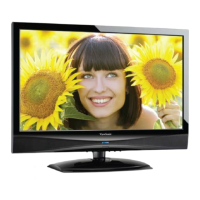
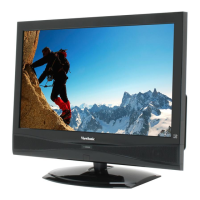
ViewSonic VT2405LED - User Manual

ViewSonic VT2405LED
64 pages
Print Icon
To Next Page IconTo Next Page
Loading...
Model No. : VS13750-1M
- User Guide
- Guide de l’utilisateur
- Guida dell’utente
VT2405LED
LCD TV
IMPORTANT: Please read this User Guide to obtain important information on
installing and using your product in a safe manner, as well as registering your
product for future service. Warranty information contained in this User Guide will
describe your limited coverage from ViewSonic Corporation, which is also found
on our web site at http://www.viewsonic.com in English, or in specic languages
using the Regional selection box in the upper right corner of our website.
“Antes de operar su equipo lea cuidadosamente las instrucciones en
este manual”

Other manuals for ViewSonic VT2405LED

Questions and Answers

  • M
    Matthew HansenSep 10, 2025
    Why does my ViewSonic LCD TV power cut off suddenly?
    • J
      James MillerSep 10, 2025
      Your ViewSonic LCD TV might be cutting off suddenly because the sleep timer is set. Also, check if there is no signal in PC mode or HDMI mode. Another reason could be that the internal temperature of the unit has increased, in which case, remove any objects blocking the vent or clean as necessary.
  • A
    Amanda AguilarSep 12, 2025
    How do I fix a cut-off picture on my ViewSonic LCD TV?
    • P
      Patrick LeeSep 12, 2025
      If the picture on your ViewSonic LCD TV is cut off or has a sidebar screen, ensure the image is positioned correctly and that screen mode adjustments such as picture size are set correctly. Try pressing the WIDE button repeatedly on the remote control to see if you can get the picture you prefer.
  • J
    John WardSep 14, 2025
    What to do if no CATV reception on ViewSonic LCD TV?
    • D
      Dr. Anna CamachoSep 14, 2025
      If you're experiencing no CATV reception (or no reception above CH13) on your ViewSonic LCD TV, first check that all the CATV connections are correct. Also, the cable TV service may be interrupted, so contact your cable operator.
  • D
    Donna GreenSep 16, 2025
    What to do if ViewSonic LCD TV unit cannot be operated?
    • C
      carlos11Sep 16, 2025
      External influences such as lightning or static electricity may cause improper operation of your ViewSonic LCD TV. In this case, operate the unit after first turning on the power of the LCD TV and the AVC System, or unplug the AC cord for 1 to 2 minutes, then replug it again.

ViewSonic VT2405LED Specifications

General IconGeneral
BrandViewSonic
ModelVT2405LED
CategoryLCD TV
LanguageEnglish

Related product manuals