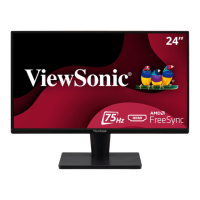
24
Item Category Specicaons
Resoluon
and Timings
1
Recommended 2560 x 1440 @ 60 Hz
Supported
• 2560 x 1440 @ 60, 75 Hz
• 2560 x 1080 @ 60 Hz
• 2048 x 1152 @ 60 Hz
• 1920 x 1440 @ 50, 60, 75 Hz
• 1920 x 1200 @ 60, 75 Hz
• 1920 x 1080 @ 50, 60, 75 Hz
• 1680 x 1050 @60 Hz
• 1600 x 1200 @ 60 Hz
• 1600 x 900 @ 60 Hz
• 1440 x 900 @ 60, 75 Hz
• 1440 x 576 @ 50 Hz
• 1400 x 1050 @ 60, 75 Hz
• 1366 x 768 @ 60 Hz
• 1360 x 768 @ 60 Hz
• 1280 x 1024 @ 50, 60, 75 Hz
• 1280 x 960 @ 50, 60, 75 Hz
• 1280 x 800 @ 60, 75 Hz
• 1280 x 768 @ 50, 60, 75 Hz
• 1280 x 720 @ 50, 60 Hz
• 1152 x 900 @ 66 Hz
• 1152 x 870 @ 75 Hz
• 1152 x 864 @ 60, 75 Hz
• 1024 x 768 @ 50, 60, 70, 72, 75 Hz
• 1024 x 600 @ 60 Hz
• 848 x 480 @ 60 Hz
• 832 x 624 @ 75 Hz
• 800 x 600 @ 56, 60, 72, 75 Hz
• 720 x 576 @ 50 Hz
• 720 x 480 @ 60 Hz
• 720 x 400 @ 70 Hz
• 640 x 480 @ 50, 60, 66, 72, 75 Hz
• 640 x 400 @ 60, 70 Hz
• 640 x 350 @ 70 Hz
Power
Adapter
2
Input Voltage AC 100-240V, 50/60 Hz (auto switch)
Display Area
Acve Size
(H x V)
698.11 x 392.68 mm
27.48” x 15.46”
1 - Do not set the graphics card in your computer to exceed these ming modes; doing so may result in permanent damage to the display.
2 - Please use the power adapter from ViewSonic® or an authorized source only.


 To Next Page