EasyManua.ls Logo

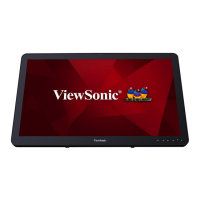
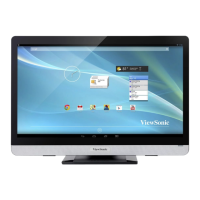
ViewSonic VSD241 - User Manual

ViewSonic VSD241
64 pages
Print Icon
To Next Page IconTo Next Page
Loading...
Model No. VS15197
VSD241
Smart Display
User Guide

Table of Contents

Other manuals for ViewSonic VSD241

Questions and Answers

  • H
    Heather WagnerAug 13, 2025
    How to troubleshoot a ViewSonic Monitor that has no power?
    • E
      Emily KingAug 14, 2025
      If your ViewSonic Monitor has no power, touch the LED power light for at least 1-2 seconds. If the LED does not light blue when the device is booting up: - Ensure that the power adapter is plugged into a suitable power socket. - Ensure that the DC connector is fully inserted into the correct socket on the rear of the device. - Check the power socket with another device.
  • C
    costadanielAug 17, 2025
    What to do if my ViewSonic Monitor is unable to connect to the network because of poor signal?
    • R
      regina80Aug 17, 2025
      If your ViewSonic Monitor is unable to connect to the network, it could be due to a poor signal. Try moving to an open space, or, if you're inside a building, move closer to a window.
  • R
    Rodney NguyenAug 21, 2025
    Why is my ViewSonic Monitor unable to connect to the network?
    • C
      cassandraadamsAug 21, 2025
      If your ViewSonic Monitor is unable to connect to the network, you might not be within the network’s service area. Check the service area with your service provider.
  • Y
    ymoonAug 25, 2025
    How to fix ViewSonic Monitor touch screen that doesn't respond?
    • L
      laurieschwartzAug 26, 2025
      If the touch screen on your ViewSonic Monitor isn't responding to hand gestures or rendering them properly, it may be due to dust, particles, or any foreign material on the camera’s or reflector’s surface. To resolve this: 1. Remove any dust or particles from the reflector and camera using compressed air. 2. Gently clean the cameras and reflector surface carefully with a soft antistatic brush to avoid scratches. 3. Clean any remaining dust with a clean, dry dust-free cloth.
  • P
    Peter WoodAug 28, 2025
    What to do if my ViewSonic VSD241 is unable to send or receive e-mail?
    • J
      Jackie HowardAug 28, 2025
      If your ViewSonic Monitor can't send or receive e-mails, it might be due to an improperly configured Internet connection or e-mail settings. Check your network connection. Confirm with your e-mail service provider that your e-mail settings are configured correctly.
  • E
    Ellen HarveySep 1, 2025
    How to troubleshoot no network on ViewSonic Monitor?
    • L
      lindadunnSep 1, 2025
      If your ViewSonic Monitor has no network connection, check the WiFi settings and try Ethernet if available.
  • R
    ramirezmichaelSep 4, 2025
    What should I do if my ViewSonic VSD241 Monitor locks up?
    • R
      Roberto BurgessSep 5, 2025
      If your ViewSonic Monitor experiences a lock-up, restart it by touching the LED power light.
  • K
    kjacobsSep 8, 2025
    How do I fix no audio on my ViewSonic VSD241?
    • D
      Douglas BrooksSep 8, 2025
      If there is no audio from your ViewSonic Monitor, check the volume level setting.

Summary

Compliance and Safety Information

Regulatory Compliance Details

Details FCC, Canada, CE, and EU regulatory compliance standards.

Important Safety Instructions

Provides critical guidelines for safe device operation and handling.

Getting Started with Your VSD241

Features, Installation, and Initial Setup

Introduces device features, installation, and basic setup steps.

Navigating the Interface and Basic Operations

Explains touch screen, home screen navigation, apps, and basic operations.

Advanced Operations and Customization

Connectivity, Data Management, and Customization

Covers internet, Bluetooth, contacts, Google sync, and various settings.

Device Protection and Power Management

Details screen unlock security options and power saving features.

Troubleshooting and Support

Resolving Issues and Technical Information

Provides solutions for common problems, specs, and support contacts.

ViewSonic VSD241 Specifications

General IconGeneral
Full HDYes
Display diagonal24 \
Tilt angle range15 - 70 °
Touch technologyDual-touch
Display brightness250 cd/m²
Native aspect ratio16:9
Processor cores4
Processor modelTegra 3
Processor familyNVIDIA Tegra
Processor frequency1.7 GHz
Processor manufacturerNVIDIA
Product typeAll-in-One PC
Motherboard chipset-
Internal memory1 GB
Memory clock speed- MHz
Internal memory typeDDR3-SDRAM
Maximum internal memory- GB
Storage mediaFlash
Optical drive typeNo
Total storage capacity8 GB
Compatible memory cardsSD
AC adapter output current3.4 A
Discrete graphics card modelNot available
RMS rated power4 W
Wi-Fi standards802.11b, 802.11g, Wi-Fi 4 (802.11n)
Bluetooth version2.1+EDR
Top Wi-Fi standardWi-Fi 4 (802.11n)
USB 2.0 ports quantityUSB 2.0 ports have a data transmission speed of 480 Mbps, and are backwards compatible with USB 1.1 ports. You can connect all kinds of peripheral devices to them.
USB 3.2 Gen 1 (3.1 Gen 1) Type-A ports quantity0
Operating system installedAndroid 4.2
Product colorWhite
Total megapixels2 MP
AC adapter power65 W
AC adapter input voltage100 - 240 V
AC adapter output voltage19 V
Operating temperature (T-T)0 - 40 °C
Operating relative humidity (H-H)20 - 90 %
Cables includedUSB
Weight and Dimensions IconWeight and Dimensions
Package depth164 mm
Package width735 mm
Package height520 mm
Package weight8500 g
Depth (with stand)75 mm
Width (with stand)610 mm
Height (with stand)480 mm
Weight (with stand)7200 g

Related product manuals