EasyManua.ls Logo

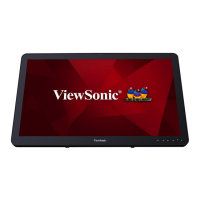
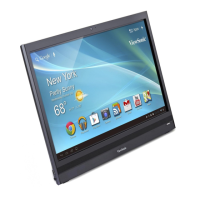
ViewSonic VSD242 - User Manual

ViewSonic VSD242
129 pages
Print Icon
To Next Page IconTo Next Page
Loading...
VSD242
Smart Display
User Guide
Guide de l’utilisateur
Guía del usuario
使用手册
Model No. VS16340

Table of Contents

Other manuals for ViewSonic VSD242

Questions and Answers

  • K
    Kelly MasonAug 1, 2025
    How to troubleshoot no power on ViewSonic Monitor?
    • J
      Jacob JimenezAug 1, 2025
      If your ViewSonic Monitor isn't receiving power, ensure the power adapter is correctly plugged into a suitable power socket and that the DC connector is fully inserted into the correct socket on the rear of the VSD242. Test the power socket with another device. If there is still no power, contact ViewSonic support or the reseller from whom you purchased the device.
  • C
    Corey LeeAug 15, 2025
    Why is the touch function not working on my ViewSonic VSD242 HDMI Mode?
    • M
      Mr. Joshua BrownAug 15, 2025
      If the touch function on your ViewSonic VSD242 HDMI Mode isn't working properly when the USB cable is connected, it might be due to incorrect PC screen resolution settings. Change the PC screen resolution settings from "duplicate these displays" to "show desktop only on 2" (VSD242).

Summary

Compliance Information

CE Conformity for European Countries

Device compliance with EMC and Low Voltage Directives for European countries.

EU Regulatory Conformance

Compliance with RF Exposure Requirement and specific standards for EU.

EU Member States Information

WEEE Directive compliance and battery labeling requirements for EU member states.

Declaration of RoHS2 Compliance

Important Safety Instructions

Product Registration and Disposal

VSD242 Smart Display Features

Front View Overview

Description of front-panel camera and microphone components.

Back View Ports and Connectivity

Details of left and right side ports including HDMI, USB, SD card, and network.

Setting Up Your VSD242 Smart Display

Connection Guide

Connecting the device to various peripherals and networks.

Getting Ready for Use

Initial setup steps including inserting an SD card.

Powering On Your Device

Steps to connect power and turn on the smart display.

Powering Off Your Device

Procedure for safely shutting down the smart display.

About Your VSD242 Smart Display

Touch Screen Interaction

Explains various touch gestures like touch, drag, zoom, and swipe.

Applications, Widgets, and Shortcuts

Overview of software elements for device functionality and customization.

Home Screen Navigation

Describes the primary screen, its panels, and customization options.

Navigation Buttons

Explanation of system bar buttons like Back, Home, and Recent Apps.

Status Bar Information

Details on displaying current time, icons, and device status.

Customizing Your Home Screen

Guides on adding, moving, deleting items, and changing wallpapers.

Navigating Applications

How to access and launch applications from the Apps screen.

Application Shortcuts and Recent Apps

Creating shortcuts and managing recently used applications.

Screen Lock and Wallpaper

Managing screen lock behavior and changing the wallpaper.

HDMI Connectivity Guide

Instructions for connecting external HDMI-compliant devices for video output.

OSD Menu Operations

Adjusting Display Settings

How to use adjustment bars for contrast, brightness, and volume.

OSD Function Items

Explains input selection, color adjust, information, manual image, setup, and memory recall.

OSD Notices and Key Settings

Covers OSD idling, no signal conditions, and hotkey configurations.

Troubleshooting Common Issues

Touch Screen Problems

Solutions for touch screen unresponsiveness or improper rendering.

Other Device Problems

Solutions for power, display, lock-up, network, and audio issues.

Appendix: Specifications

Hardware and Software Specifications

Detailed technical specifications for LCD, hardware, I/O ports, and system software.

Customer Support Information

Limited Warranty Details

ViewSonic VSD242 Specifications

General IconGeneral
BrandViewSonic
ModelVSD242
CategoryMonitor
LanguageEnglish

Related product manuals