EasyManua.ls Logo

ViewSonic VSD221 - User Manual

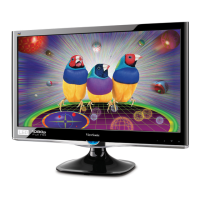
ViewSonic VSD221
59 pages
Print Icon
To Next Page IconTo Next Page
Loading...
Model No. VS15006
VSD221
Smart Display
User Guide

Table of Contents

Questions and Answers

  • N
    nsullivanAug 10, 2025
    How to fix ViewSonic VSD221 when unable to send or receive e-mail?
    • P
      Paula BennettAug 10, 2025
      If your ViewSonic Monitor is unable to send or receive e-mail, the Internet connection or e-mail settings may not be configured correctly. Check your network connection and confirm with your e-mail service provider that your e-mail settings have been configured correctly.
  • J
    John ThompsonAug 20, 2025
    What to do if my ViewSonic Monitor has no power?
    • C
      craigsweeneyAug 21, 2025
      To resolve the 'no power' issue on your ViewSonic Monitor, press and hold the power button for at least three seconds. If the LED doesn't light up green, ensure the power adapter is plugged into a suitable power socket and the DC connector is fully inserted into the correct socket on the rear of the device. Check the power socket with another device. If there is still no power then contact ViewSonic support or the Reseller from whom the device was purchased.
  • A
    Alexis MoralesAug 29, 2025
    What to do if my ViewSonic Monitor locks up?
    • Y
      yriveraAug 30, 2025
      If your ViewSonic Monitor locks up, restart it by pressing and holding the power button.

Summary

VSD221 Smart Display Features

Installing Wall Mount Bracket

Guide to installing the VSD221 with a VESA-compliant wall mount.

Set Up Your VSD221 Smart Display

Connection

Steps for connecting various devices and networks to the VSD221.

Get Your Smart Display Ready for Use

Initial setup procedures for the VSD221.

About Your VSD221 Smart Display

Using Your VSD221 Smart Display

Managing Your Device Settings

How to configure device settings like storage and data.

Bluetooth Connection

Steps to connect and manage Bluetooth devices.

Internet Connectivity

Connecting to the Internet

Instructions for connecting to the internet via LAN or Wi-Fi.

Customizing Your VSD221 Smart Display

Protecting Your VSD221 Smart Display

Screen Unlock Pattern

How to set up and manage a screen unlock pattern.

Protect Device Data with PIN

How to set up and manage a PIN for device security.

Protect Device Data with Password

How to set up and manage a password for device security.

Troubleshooting

Touch Screen Problems

Solutions for issues with the touch screen functionality.

ViewSonic VSD221 Specifications

General IconGeneral
Resolution1920 x 1080 (Full HD)
Panel TypeIPS
Brightness250 cd/m²
Contrast Ratio1000:1
Response Time5 ms
RAM1 GB
Internal Storage8 GB
Speakers2 x 2W
Aspect Ratio16:9
Built-in SpeakersYes
VESA Mount100 x 100 mm
ConnectivityHDMI, VGA
Operating SystemAndroid
Color Support16.7 million
Weight5.0 kg / 11.0 lb
Viewing Angle178° (H) / 178° (V)

Related product manuals