EasyManua.ls Logo

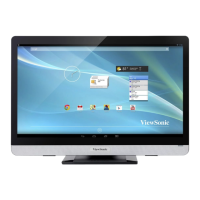
ViewSonic VSD224 - User Manual

ViewSonic VSD224
33 pages
Print Icon
To Next Page IconTo Next Page
Loading...
Model No. VS15959
VSD224
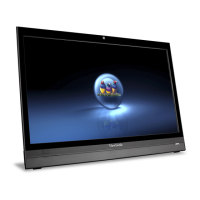
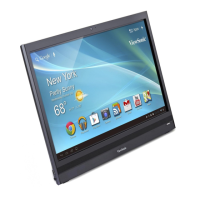
Smart Display
User Guide

Questions and Answers

  • M
    Maria YoderAug 2, 2025
    What to do if my ViewSonic Monitor has no power?
    • Z
      zachary35Aug 2, 2025
      If the LED doesn't light up blue when the device starts, ensure the power adapter is plugged into a working socket and the DC connector is fully inserted into the correct socket on the rear of the device. Test the power socket with another device.
  • T
    Tiffany Lopez DVMAug 8, 2025
    Why is the touch screen on my ViewSonic Monitor not responding correctly?
    • B
      Brian WatersAug 8, 2025
      Dust, particles, or foreign material on the camera or reflector surface can affect image quality and the touch function. To resolve this: * Remove any dust or particles from the reflector and camera using compressed air. * Gently clean the camera and reflector surface carefully with a soft antistatic brush to avoid scratches. * Clean any remaining dust with a clean, dry, dust-free cloth.
  • M
    Mitchell TurnerAug 14, 2025
    How to fix no network on ViewSonic VSD224?
    • C
      Christopher Choi MDAug 14, 2025
      Check your WiFi settings and try using Ethernet if it's available.
  • L
    Larry WalkerAug 20, 2025
    What should I do if my ViewSonic VSD224 is locked up?
    • S
      swansonjaneAug 20, 2025
      Restart the device.
  • J
    johnchoiAug 27, 2025
    What to do if ViewSonic Monitor app doesn't function?
    • T
      Thomas VillanuevaAug 27, 2025
      Check with the App author.

Summary

Important Safety Instructions

VSD224 Smart Display Features

Set Up Your VSD224 Smart Display

Connection

Instructions for connecting the smart display to various devices like PCs, DVD players, and audio equipment.

Get Your Smart Display Ready for Use

Guide for initial setup, including inserting a Micro SD card for expanded storage capacity.

Power on Your Device

Step-by-step guide on powering on the smart display and unlocking the screen.

Power Off Your Device

Instructions on how to safely shut down the smart display using the power button.

About Your VSD224 Smart Display

Connecting to HDMI-compliant Devices via HDMI Input

Instructions for connecting external devices via HDMI for high-definition video and audio display.

OSD Menu

Adjustment Bars

Details on adjusting Contrast, Brightness, and Volume using the OSD menu's slider bars.

Troubleshooting

Touch Screen Problems

Solutions for touch screen issues caused by dust or surface contamination.

Other Problems

Troubleshooting steps for common issues like power, display, lock-ups, app errors, network, and audio.

Appendix

Specification

Comprehensive technical specifications of the VSD224 smart display.

Customer Support

Limited Warranty

ViewSonic VSD224 Specifications

General IconGeneral
Screen Size22 inches
Panel TypeIPS
Brightness250 cd/m²
Contrast Ratio1000:1
Response Time5 ms
RAM1 GB
Internal Storage8 GB
Speakers2 x 2W
Aspect Ratio16:9
Viewing Angle178° (H) / 178° (V)
Color Support16.7 million colors
Built-in SpeakersYes
Resolution1920 x 1080
ConnectivityHDMI, VGA
Operating SystemAndroid
VESA Mount100 x 100 mm

Related product manuals