14
4 OSD Menu
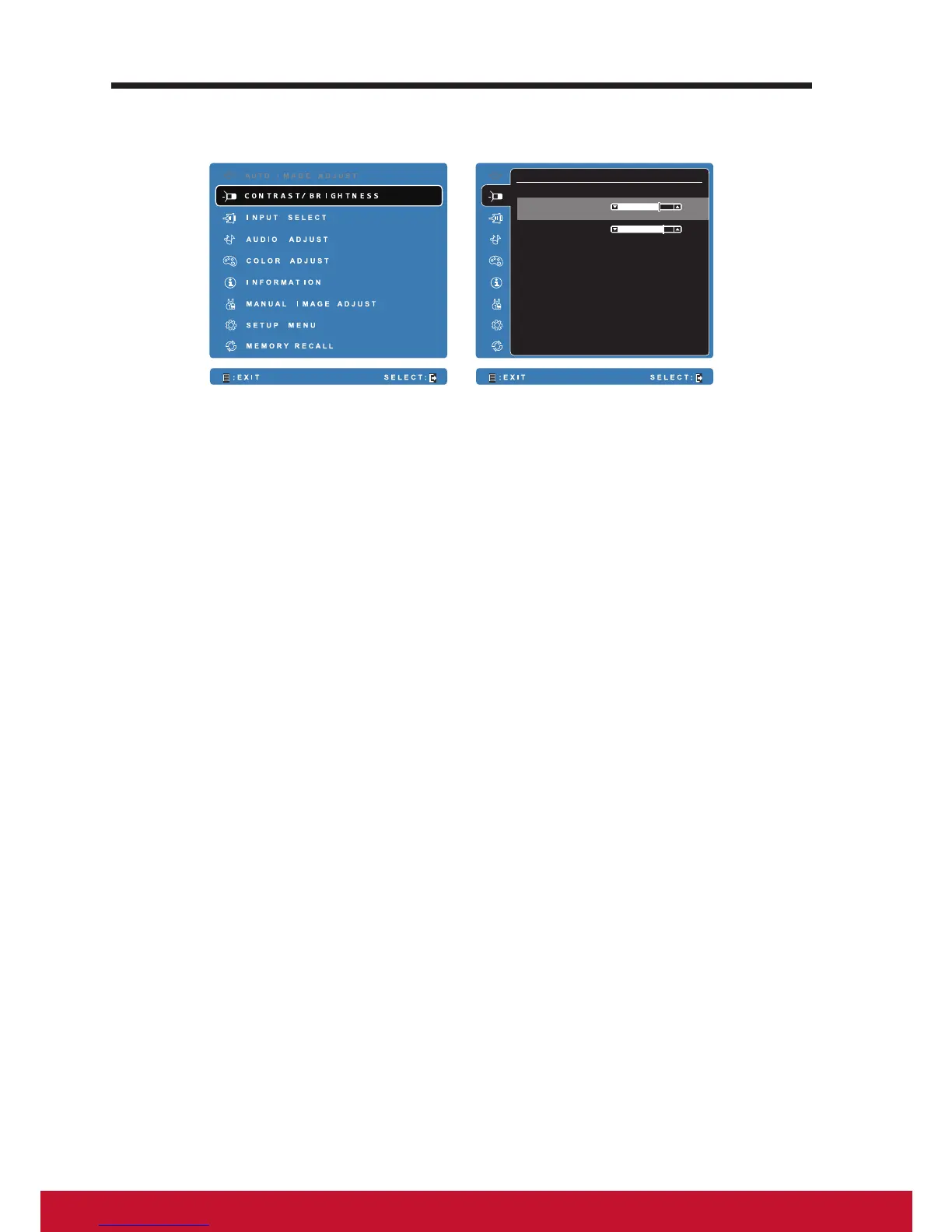
C O N T R A S T / B R I G H T N E S S
B R I G H T N E S S 8 0
7 0
C O N T R A S T
Select the Menu/Exit button on side of your VSD224 to launch OSD
conguration screen. The OSD conguration screen can be used to congure
the Contrast/Brightness, Input Select, Audio Adjust, Color Adjust, Information,
Manual Image Adjust, Setup Menu and Memory Recall.
4.1 Adjustment Bars
Contrast/Brightness:
Contrast: Select and drag the slider on the Contrast bar to adjust the
contrast of screen display. Drag the slider to the right, the contrast is larger.
By default, the contrast is set to 70.
Brightness: Select and drag the slider on the Brightness bar to adjust the
brightness of your screen. Drag the slider to the right, the screen is brighter.
By default, the brightness is set to 100.
Audio Adjust:
Select and drag the slider on the Volume bar to adjust the volume. Drag the
slider to the right, the volume is louder. By default, the volume is set to 50.
Here you can also set the volume to Mute or View other sounds.



 To Next Page