EasyManua.ls Logo

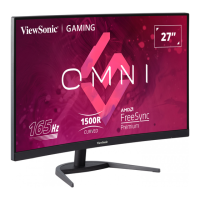
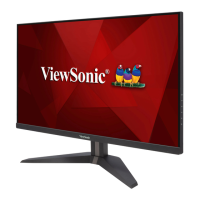
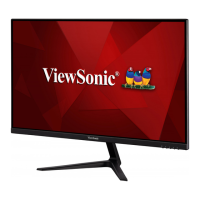
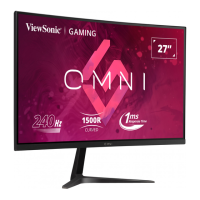
ViewSonic VX2768-2KPC-mhd - User Manual

ViewSonic VX2768-2KPC-mhd
45 pages
Print Icon
To Next Page IconTo Next Page
Loading...
VX2768-2KPC-mhd
VX2768-PC-mhd
Display
User Guide
Model No. VS18227 / VS18226
P/N: VX2768-2KPC-MHD/ VX2768-PC-MHD
IMPORTANT: Please read this User Guide to obtain important information on installing and using your product in
a safe manner, as well as registering your product for future service. Warranty information contained in this User
Guide will describe your limited coverage from ViewSonic® Corporation, which is also found on our web site at
http://www.viewsonic.com in English, or in specific languages using the Regional selection box in the upper right
corner of our website. “Antes de operar su equipo lea cu idadosamente las instrucciones en este manual”
Questo manuale d’istruzione è fornito da trovaprezzi.it. Scopri tutte le offerte per ViewSonic

VX2768-PC-MHD o cerca il tuo prodotto tra le migliori offerte di Monitor

Questions and Answers

  • Q
    qdyerSep 9, 2025
    How to center the screen correctly on a ViewSonic VX2768-2KPC-mhd?
    • D
      David RobertsonSep 9, 2025
      Adjust the horizontal and vertical controls via the OSD Menu. Check the Aspect Ratio. If problems persist, reset the monitor to factory settings.
  • M
    Matthew RichmondSep 12, 2025
    Why are some menus not selectable in the OSD of my ViewSonic monitor?
    • L
      Lori HoffmanSep 12, 2025
      Adjust the ViewMode or the input source. If that doesn't work, try resetting the monitor to factory settings.
  • D
    Danielle LaneSep 14, 2025
    What to do if the control panel keys do not work on my ViewSonic monitor?
    • D
      Derek BoydSep 14, 2025
      Press only one key at a time. If the keys still do not respond, restart the computer.
  • V
    vvasquezSep 16, 2025
    Why is there no audio output from my ViewSonic VX2768-2KPC-mhd Monitor?
    • S
      Sarah EllisSep 16, 2025
      If using ear-/headphones, ensure the mini stereo jack is connected. Make sure the volume is not muted, nor set to 0. Check the Audio Input setting.

Summary

Safety Precautions

Product Overview

I;O Ports

Identifies and describes the input/output ports on the monitor.

Initial Setup

Installing the Stand

Step-by-step instructions for attaching the monitor stand.

Wall Mounting

Guide for mounting the monitor on a wall using VESA standards.

Using the Security Slot

Instructions on securing the device with a lock to prevent theft.

Making Connections

Connecting to Power

Steps to connect the monitor to a power source.

Connecting External Devices

Guide on connecting video sources like HDMI and DisplayPort.

Using the Monitor

Adjusting the Viewing Angle

Instructions for tilting the monitor to achieve the desired viewing angle.

Using the Control Panel Keys

Overview of the buttons used for navigation and settings.

Quick Menu

How to access and use the quick menu for common settings.

Configuring the Settings

General Operations

Basic steps to navigate and select menus in the OSD.

Troubleshooting

Maintenance

Regulatory and Service Information

Customer Service

Contact information for technical support and product service.

Limited Warranty

Details of the product's warranty coverage and terms.

Mexico Limited Warranty

Specific warranty terms for products sold in Mexico.

How to get service

Steps to follow for obtaining warranty service and support.

ViewSonic VX2768-2KPC-mhd Specifications

General IconGeneral
Screen Size27 inches
Resolution2560 x 1440 (QHD)
Response Time1ms (MPRT)
Panel TypeVA
Aspect Ratio16:9
CurvatureFlat
Adaptive SyncAMD FreeSync Premium
VESA Mount100 x 100 mm
Contrast Ratio3000:1
ConnectivityHDMI, DisplayPort
Viewing Angle178º (H) / 178º (V)
Color Gamut120% sRGB
Ports1 x DisplayPort 1.2, 1 x 3.5mm Audio Out
Refresh Rate144Hz (DisplayPort)/144Hz (HDMI)
Weight4.5 kg (without stand)

Related product manuals