V1.0 Vig642M Motherboard Manual
Security - Use this menu to set supervisor and user passwords.
Boot - Use this menu to specify the priority of boot devices.
Save & Exit - This menu allows you to load the BIOS default values or factory
When enter the BIOS Setup utility, follow the processes below for general use.
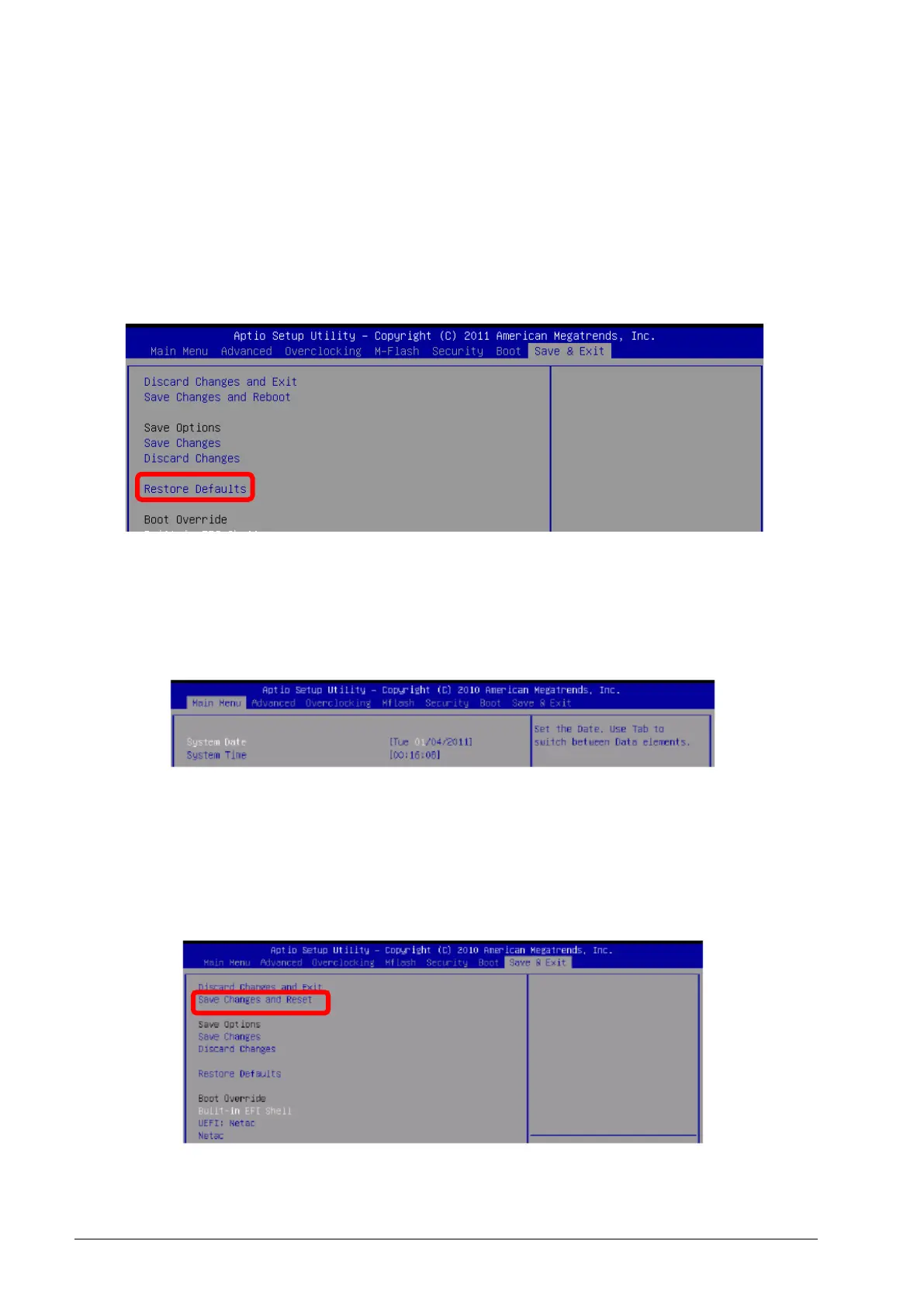
1. Load Optimized Defaults: Use the arrow keys (←, →, ↑, ↓) to select the [Restore
Defaults] in [Save & Exit] menu, and press <Enter>. A pop-up message will appear,
select [Yes] and press <Enter> to load the default settings for optimal system
performance.
Figure 27: Restore Defaults
2. Setup Date/Time: Use the arrow keys (←, →, ↑, ↓) to select the [System Date] /
[System Time] in [Main Menu] menu, and press <Enter>. And then, you can set the
Date, Time in their respective fields.
Figure 28: Setup Date/Time
3. Save & Exit Setup: Use the arrow keys (←, →, ↑, ↓) to select the [Save Changes &
Reset] in [Save & Exit] menu, and press <Enter>. A pop-up message will appear,
please select [Yes] and press<Enter> to save the configurations and exit BIOS setup
utility.
Figure 29: Save & Exit Setup



 To Next Page