XMA Limited, VHQ, 7 Handley Page Way, Old Parkbury Lane, Colney Street, St. Albans, Hertfordshire AL2 2DQ
Tel: 01727 201 850 | Fax: 01727 201858 | Email: technical@viglen.co.uk| Web: www.xma.co.uk
Windows\WinPE BIOS Update
Windows
1. Save the BIOS update file to a temporary directory.
2. Extract necessary files.
3. Open Commend Prompt
a. Type ‘CMD’ under Search.
b. Run Commend Prompt as Administrator
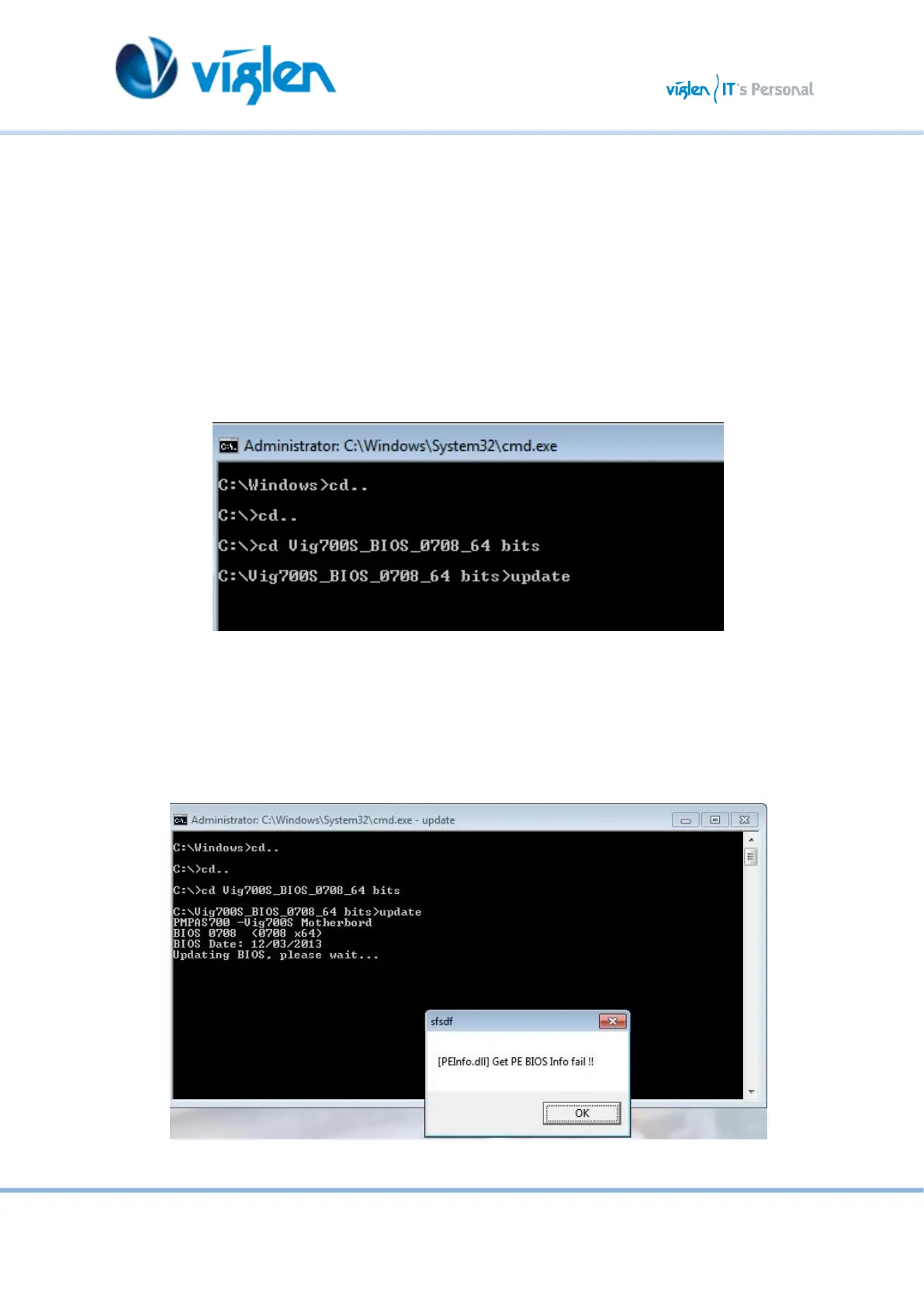
4. In commend prompt navigate to the extracted BIOS folder. (i.e. Vig700S_BIOS_0708_64 bits)
Figure 3
5. At the prompt, type update to launch the BIOS updates process.
During BIOS update process if pop message appears select OK to continue.
Figure 4



 To Next Page