4
2
2
.
.
2
2
V
V
i
i
g
g
o
o
r
r
2
2
7
7
6
6
5
5
V
V
a
a
c
c
/
/
V
V
i
i
g
g
o
o
r
r
2
2
7
7
6
6
6
6
V
V
a
a
c
c
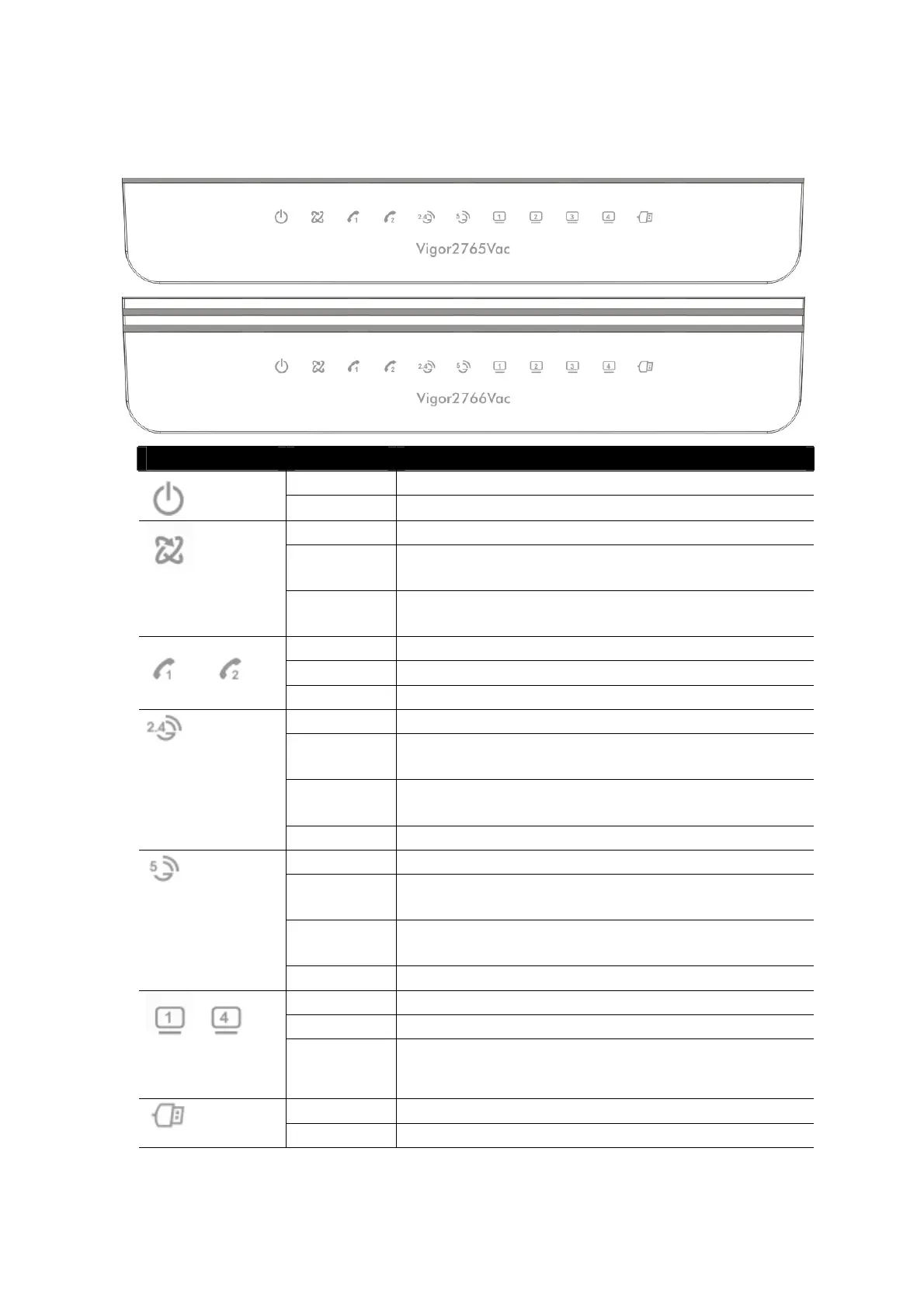
LED Status Explanation
Blinking The router is ready and operating normally
(Activity)
Off The router is powered off
On DSL connection synchronised
Blinking
(Slowly)
DSL connection not currently synchronising or
not detected
(DSL)
Blinking
(Quickly)
DSL connection is synchronising
On The phone connected to this port is off-hook
Off The phone connected to this port is on-hook
Blinking A phone call is incoming
On (Green)
2.4GHz Access Point is active
Blinking
(Green)
Data is being transmitted on the router’s 2.4
GHz wireless interface
Blinking
(Orange)
WPS pairing mode is active for two minutes
(Wireless LAN
On/Off/WPS)
Off 2.4GHz Access Point is turned off
On (Green)
5GHz Access Point is active
Blinking
(Green)
Data is being transmitted on the router’s 5GHz
wireless interface
Blinking
(Orange)
WPS pairing mode is active for two minutes
(Wireless LAN
On/Off/WPS)
Off 5GHz Access Point is turned off
On Ethernet LAN (RJ45) is connected
Blinking Data is transmitting (sending/receiving)
~
(LAN1/2/3/4)
Off Ethernet LAN is disconnected
On USB device is connected and ready for use
(USB)
Blinking Data is being transmitted over USB


 To Next Page