5
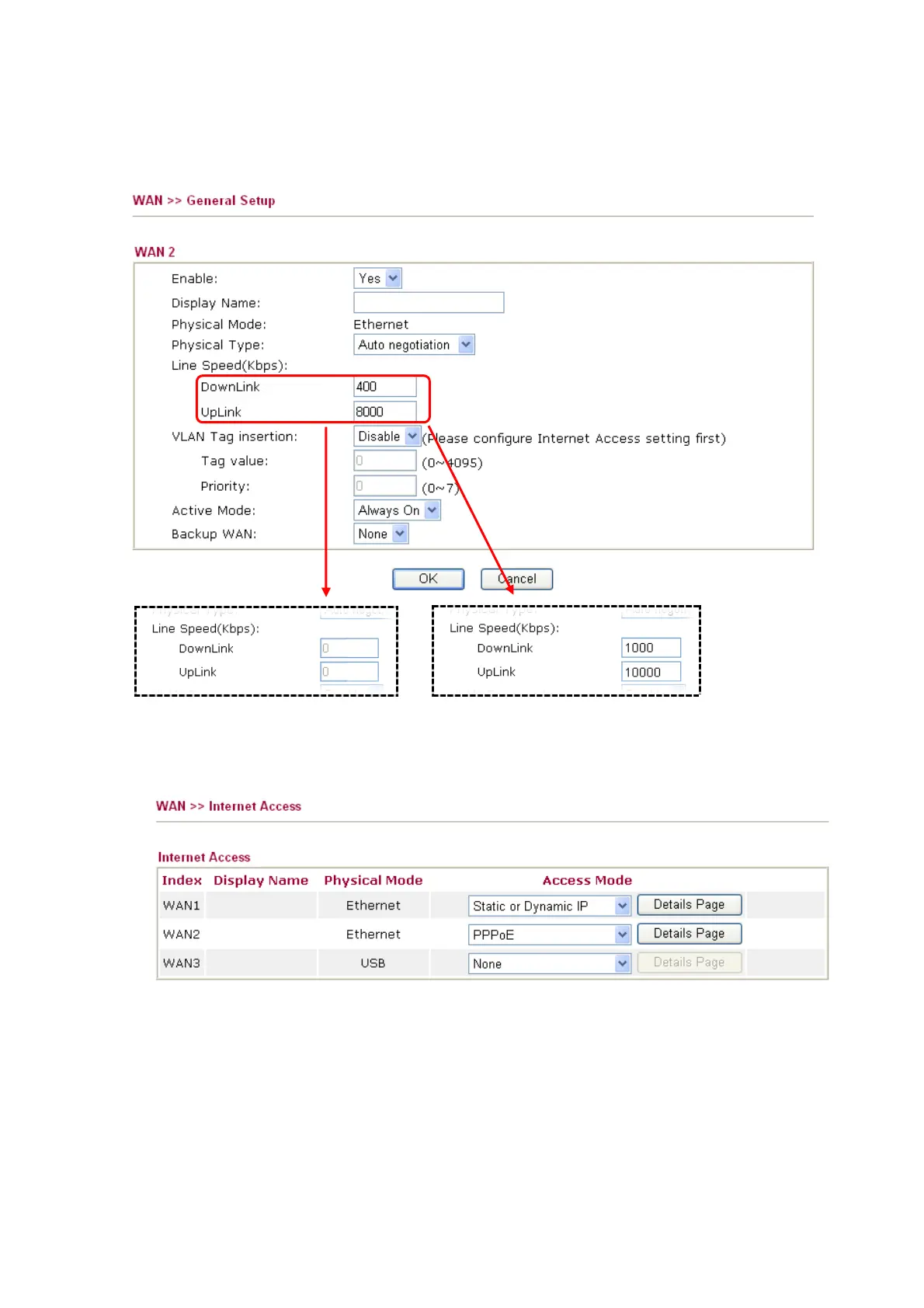
5. Click the WAN2 link. Choose Always On for Active Mode. If you know the real speed of
both lines, please enter the speed value (you have to select According to Line Speed as
Load Balance Mode first). Click OK to save it and exit the page.
or
6. Go to WAN >> Internet Access.
7. Select Static or Dynamic IP for WAN1 and PPPoE for WAN2 respectively. Then press the
Details Page button to display the corresponding configuration page.
8. Configure the proper settings for Cable line and DSL line connection in those pages
according to the information offered by ISP.


 To Previous Page