3.4 Multiple Recharging Methods
Wall Charging Solar Panels Car Charging
About 14 Hours
Electric Generator
About 2 Hours About 5.5 Hours About 2 Hours
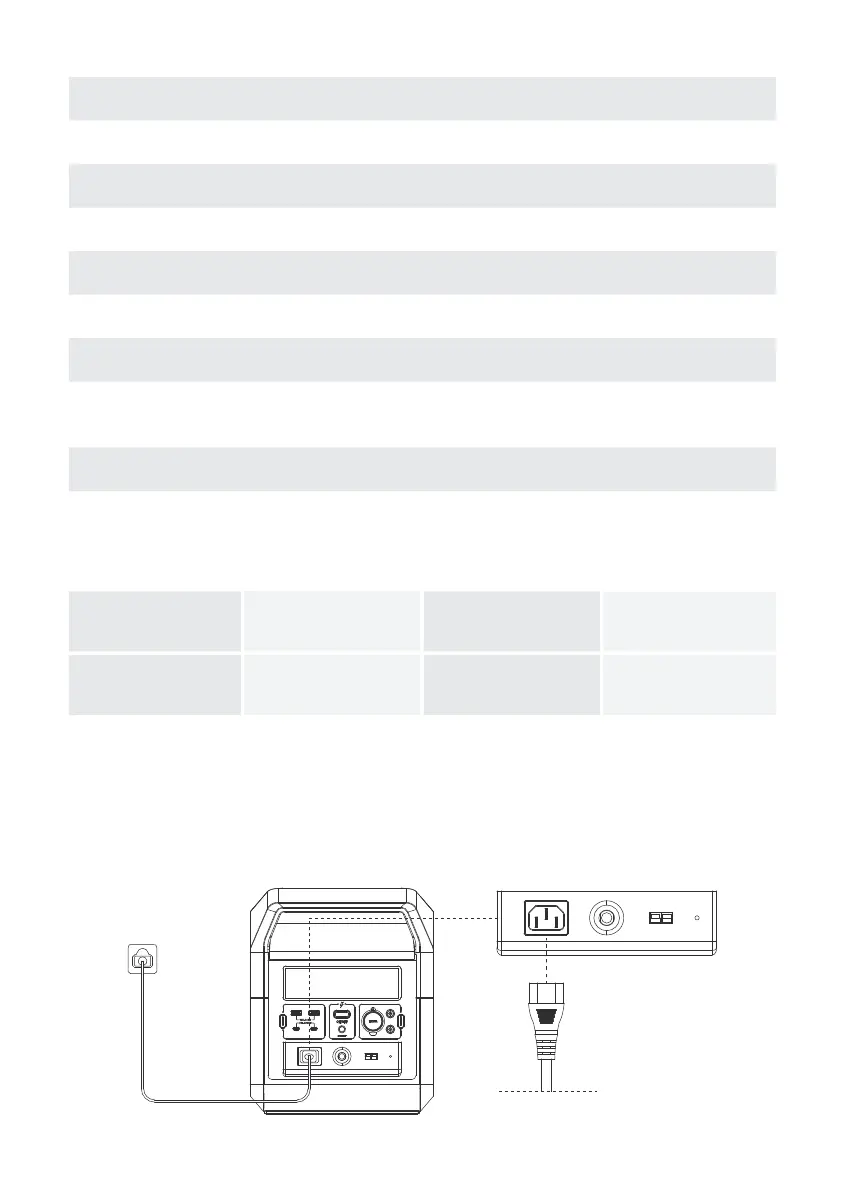
WALL CHARGING:
The CAPTAIN 1200 uses fast charging technology with a maximum input power of 800W; it can be charged up to 80% in 1.5
hours and fully charged in 2 hours. In addition, you can select fast charging 800W, slow charging 400W(silent charging), or
custom charging through the App. Default input power is 800W.
ICON CONTENTS ICON TYPE
Input Status
Indicates that the CAPTAIN 1200 is charging. There is a display of the remaining
charge time and a display of the current power input.
Output Status
Power Display Shows the current battery capacity.
Anderson Port
AC Input Indicates that the wall charger is being used to charge the CAPTAIN 1200.
Fan Run
Wi-Fi
1. Press and hold the IoT button until the Wi-Fi icon lights up.
2. Once the WiFi icon is lit, you can connect your phone to the device using the VIGORPOOL App.
3. Press and hold the IoT button until the icon disappears to turn off WiFi.
Ports Usage status
Indicates that the CAPTAIN 1200 is powering/charging a device. There is a display
of the remaining discharge time and the current power output.
Indicates that the CAPTAIN 1200 is being charged with a solar panel or a car.
Indicates that the CAPTAIN 1200 current temperature is too high and needs to
cool down. At this time, there will be some fan rotation sound.
Indicates the usage status of each port.
AC Cable
4



 To Next Page