PC Requirements
• IBM compatible personal computer with:
Windows 2000 (service pack 4 or higher)
Windows XP (service pack 2 or higher)
Windows Vista (SP2 or newer), 32 or 64 bit versions
Windows 7
Windows 8
• Adobe Acrobat Reader 8 or higher
• E-10/20/30/32-IP hardware
• Available LAN with PoE (class 1, <4 watts)
• Ethernet cable ( CAT5 min.)
• 1 MB minimum free hard drive space for installation
• 16MB of free physical RAM
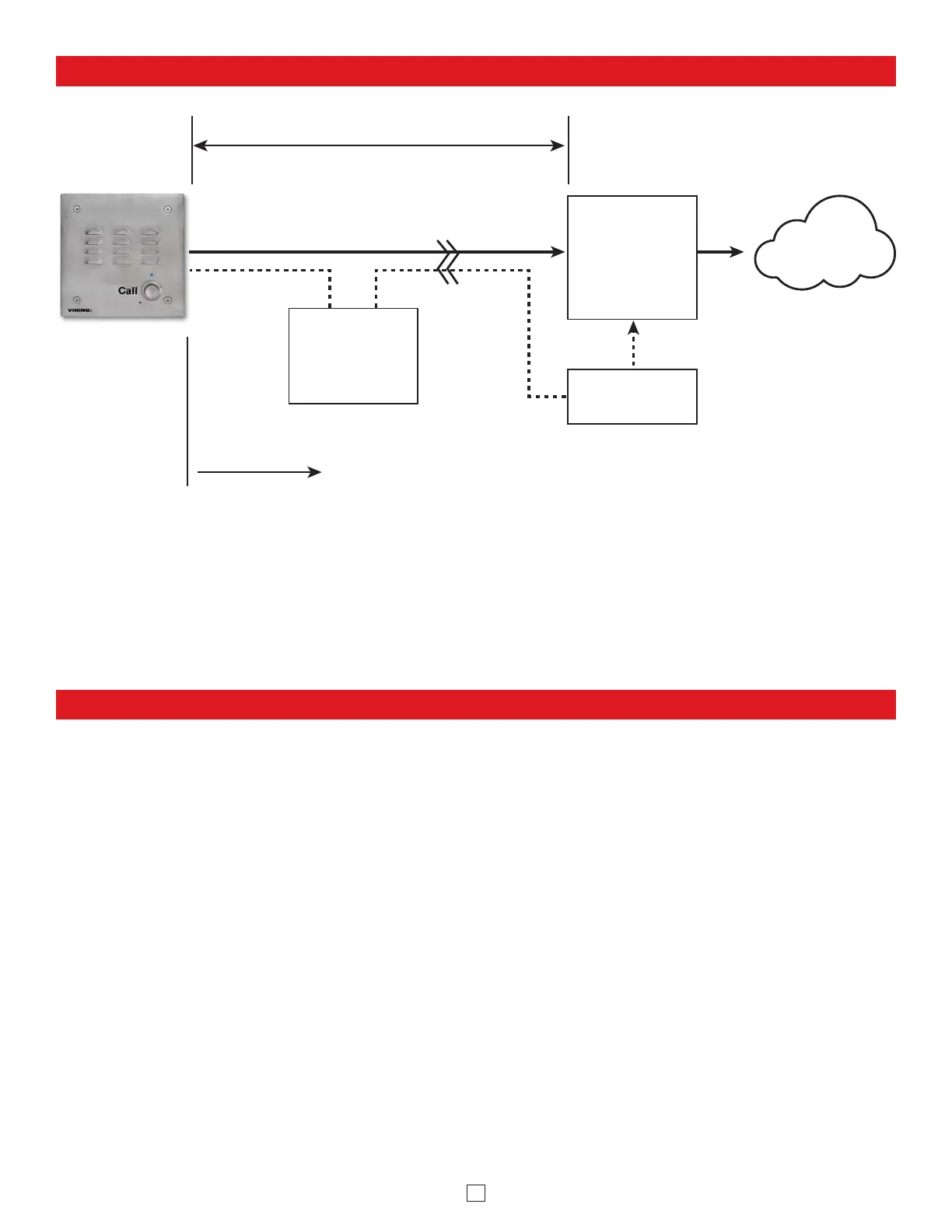
Typical Installation on SIP Based VoIP Phone System
(Extends range of cable, keeps
1 Gbps network speed for other
equipment on network)
SIP VoIP PBX
or
PC with
SIP Server
Software
100m (328 ft) max*
Viking
supplies
Customer’s
Responsibility
Internet
10/100 Mbps
Maximum
Viking
E-30-IP
Entry Phone
* Note: A PoE extender can be used for an additional 100 meters per extender. For longer runs (up to 2 km / 1.2 miles)
a ethernet to ber media converter can be used.
Optional
PoE Injector
(If VoIP PBX does
not have PoE)
Optional
Switch / Hub



 To Next Page