25
EN
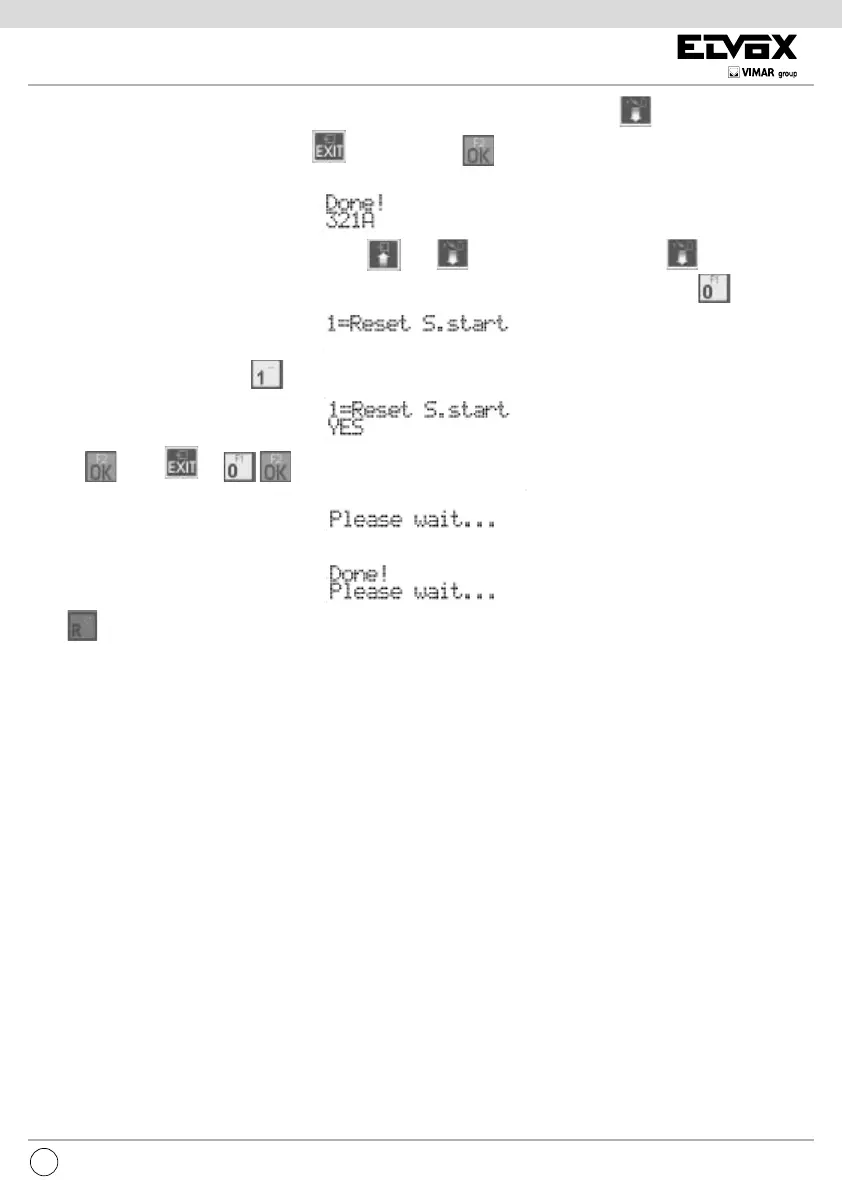
The user can terminate the current sequence, by moving to another interphone/monitor and pressing , thus recalling this memory
which replaces the one present. To cancel press
To conrm, press . Acceptance of the command, as in all cases, is shown
on the rst line of the display:
It is possible to move from one ID to another also by using and . From the position of ID 1, press to move to the next
item in the programming menu. To cancel all the sequences, starting from where the current value is shown, press
:
You are asked to conrm by pressing :
and then . Press or to cancel the procedure. If you choose to reset the sequences, the display shows:
And at the end:
Press to move quickly, skipping all the intermediate steps, to the previous item of the programming menu.





 To Next Page