Need help?
Do you have a question about the Vimar Plana and is the answer not in the manual?
Describes the two main operating modes: Bluetooth and Zigbee, for device configuration and control.
Details LED status indicators for Zigbee operation, including normal and configuration phases.
Specifies minimum load requirements for correct operation and load state signalling.
Provides instructions on how to restore the device to its original factory settings.
Key guidelines for safe and compliant installation by qualified personnel.
Lists essential technical specifications like rated voltage, power consumption, RF power, and frequency.
Explains how the device functions in Bluetooth mode and its capabilities with accessories.
Details parameters adjustable via the View Wireless App, including LED backlighting and relay operation.
Lists relevant directives, standards, and compliance declarations for the product.
Illustrates the physical layout and connection points of the device.
Shows a basic wiring diagram for connecting an individual lighting device.
Illustrates wiring examples for circuits using push buttons, relays, and switches.
Demonstrates a two-way switch setup with traditional push buttons for lighting.
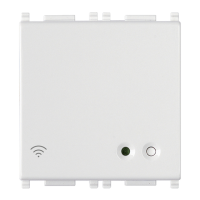
This document describes the Vimar Connected 2-way switch, a versatile device designed to integrate into modern smart home systems, offering both Bluetooth and Zigbee connectivity options. The switch is intended to be completed with 1- or 2-module interchangeable buttons and is equipped with two interlocked relay outputs for its primary switching function. It can also be connected to existing wired multi-way/two-way switches, allowing for the integration of traditional setups into a "connected" smart home environment.
The Connected 2-way switch serves as a control point for lighting and other loads, enabling both local and remote operation. It supports two main operating modes: Bluetooth technology and Zigbee technology, providing flexibility in how it integrates into a smart home ecosystem.
In Bluetooth technology mode, the device operates by default and allows for several functionalities. Users can recall scenarios involving lights, roller shutters, or socket outlets within the system. It can also be associated with radio control devices (e.g., Vimar art. 03925) to control the on-board actuator or recall a scenario. When used with a Vimar gateway (e.g., art. 20597-19597-16497-14597), the switch's functions can be managed locally or remotely via the View App. This mode also enables control via popular voice assistants like Amazon Alexa, Google Assistant, and Siri, and is compatible with Apple HomeKit. From firmware version 1.7.0 onwards, the device also functions as a repeater node for battery-operated devices (e.g., Vimar art. 03980), extending the range and reliability of the Bluetooth network.
In Zigbee technology mode, the switch can be directly associated with Zigbee gateways such as Amazon Echo Plus, Echo Show, or Echo Studio. This allows for integration into Zigbee-based smart home systems and control through the Alexa App.
The device features a front button that serves a dual purpose: controlling the connected load and acting as a configuration push button. An RGB LED provides visual feedback on the load status (customizable via the View Wireless App) and the configuration status (indicated by flashing blue).
The setup process for the Connected 2-way switch varies slightly depending on the chosen operating mode.
For Bluetooth configuration:
For Zigbee configuration: The initial steps (1-3) are similar to Bluetooth configuration. The 2-way switch is then directly associated with Amazon Echo Plus, Echo Show, or Echo Studio.
Setting actuator parameters in Zigbee mode:
The device's LED signaling provides clear feedback on its status:
The View Wireless App offers several customizable settings:
Resetting the device: To restore factory settings, press the button for 30 seconds until the white LED flashes, within the first 5 minutes of powering the device.
Controllable Loads: For correct load state signaling, a minimum 2 W load must be connected. The maximum loads supported are:
Important Note: When voltage returns after a power outage, the relay maintains the state it was in prior to the power supply cut-out.
 General
| Series | Plana |
|---|---|
| Mounting Type | Flush mounting |
| Color | White |
| Voltage | 230V |
| Current | 10A |
| Type | Switch |


 To Next Page