Vincent
27
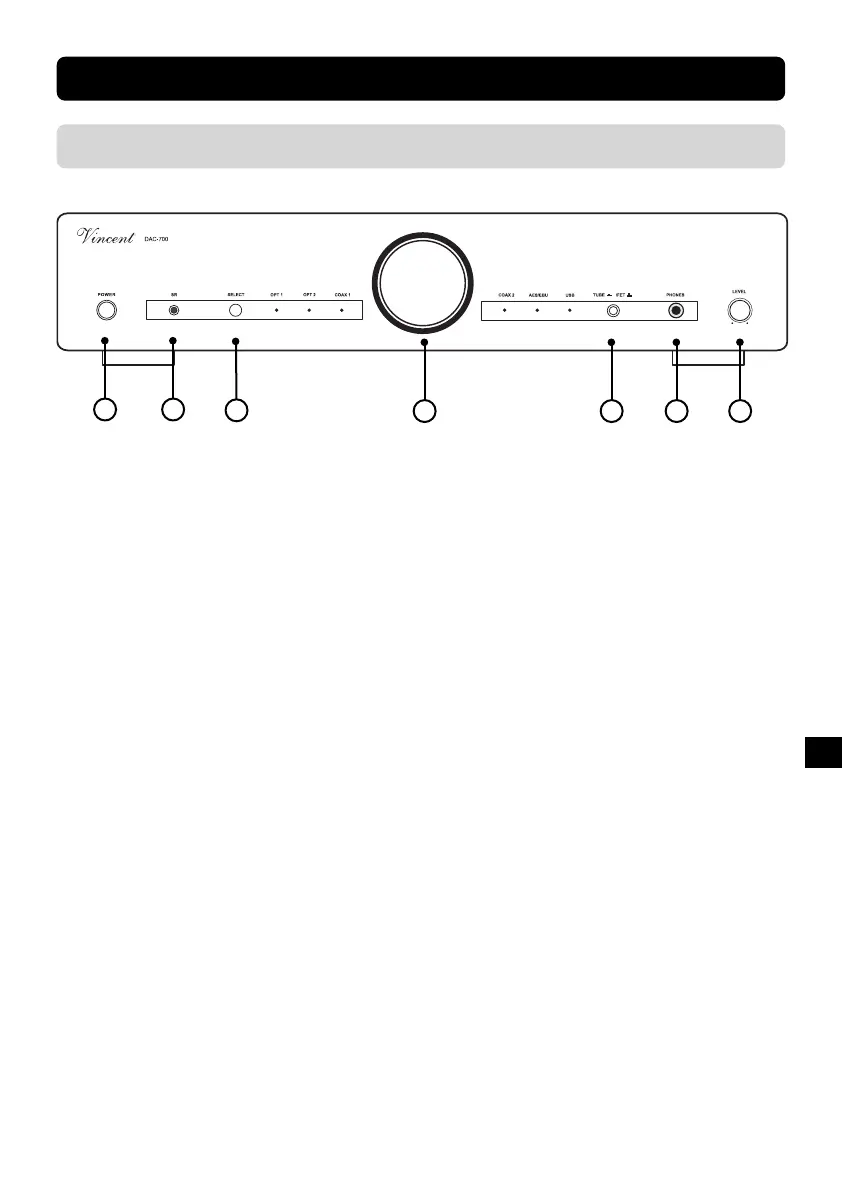
1. POWER
This is the main power switch for turning on and
off the device.
2. SR: sensor diode for the remote control
3. Select
Button for selecting one of the six Inputs
(AES/EBU, Digital IN, Coaxial IN, USB) for play-
back.
4. Display window for the tube
5. INPUT: Input Selector
This dial allows you to choose one of the six inputs.
The LED that is actually lit shows you what input
channel has been selected. Additionally these LEDs
show that the appliance is switched on.
6. TUBE/FET: amplification mode switch
Toggle between tube amplification and transistor
amplification.
7. PHONES
If desired, you can connect a set of headphones
with an impedance between 32
Ohm
and
600
Ohm
to this stereo jack.
FRONT VIEW
DESCRIPTION OF THE APPLIANCE
1 2
4 5 6
3
7



 To Next Page