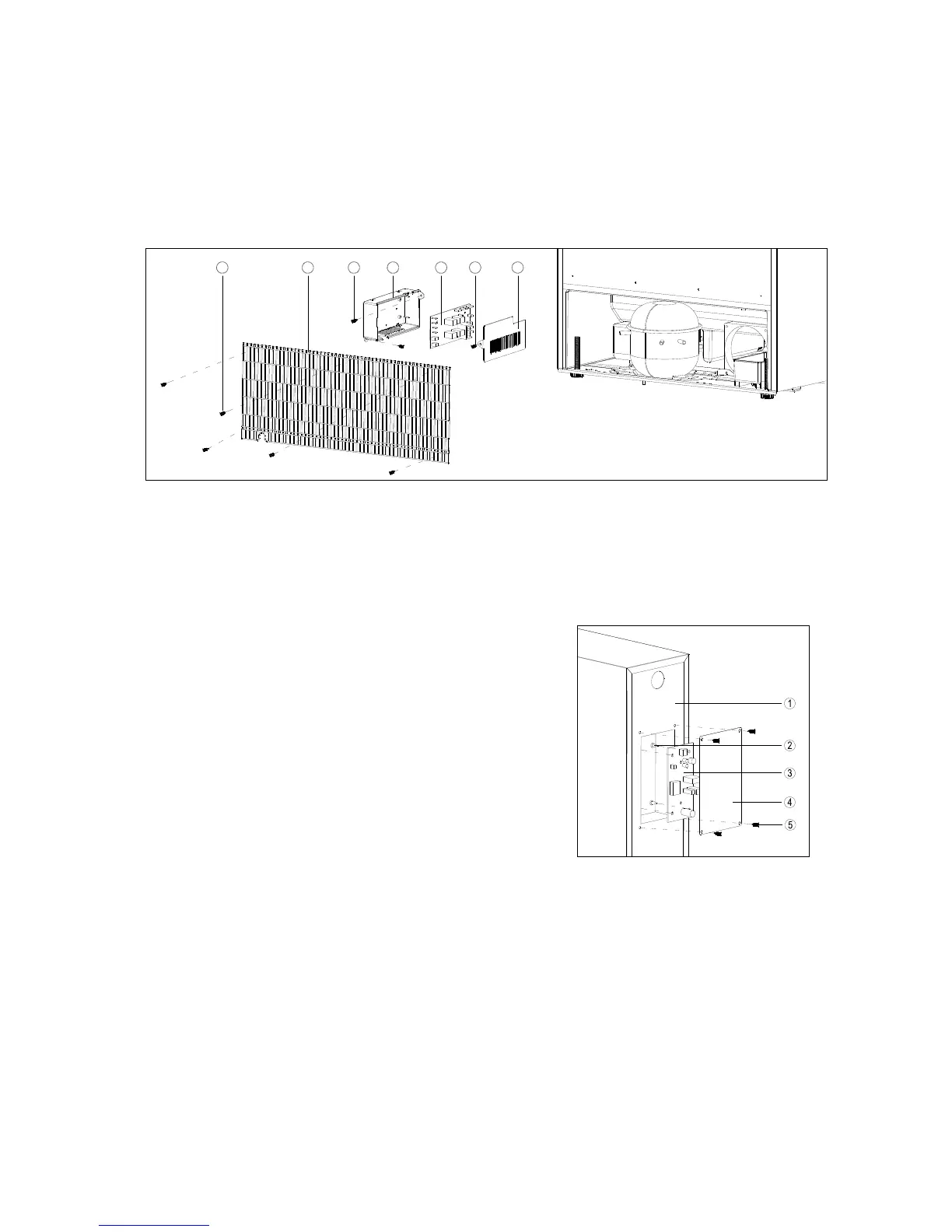
7.3 REPLACING THE POWER PCB (EXCEPT OF VC7S, VC20 AND VC33)
1. Remove the five screws
○
1 that fix the rear grille to the cabinet.
2. Remove the screws
○
3 and
○
6.
3. Pull out the electrical box base
○
4 & electrical box cover
○
7 and Power PCB
○
5.
4. Disconnect the cables from the Power PCB and then you can replace the Power PCB.
3
2541
7
6
7.3a REPLACING THE POWER PCB FOR VC7S
1. Remove the four screws
○
1 that fix the electrical box cover
○
4 to the cabinet.
2. Disconnect the cables from the Power PCB
○
3 and then you can replace the Power PCB.


 To Next Page