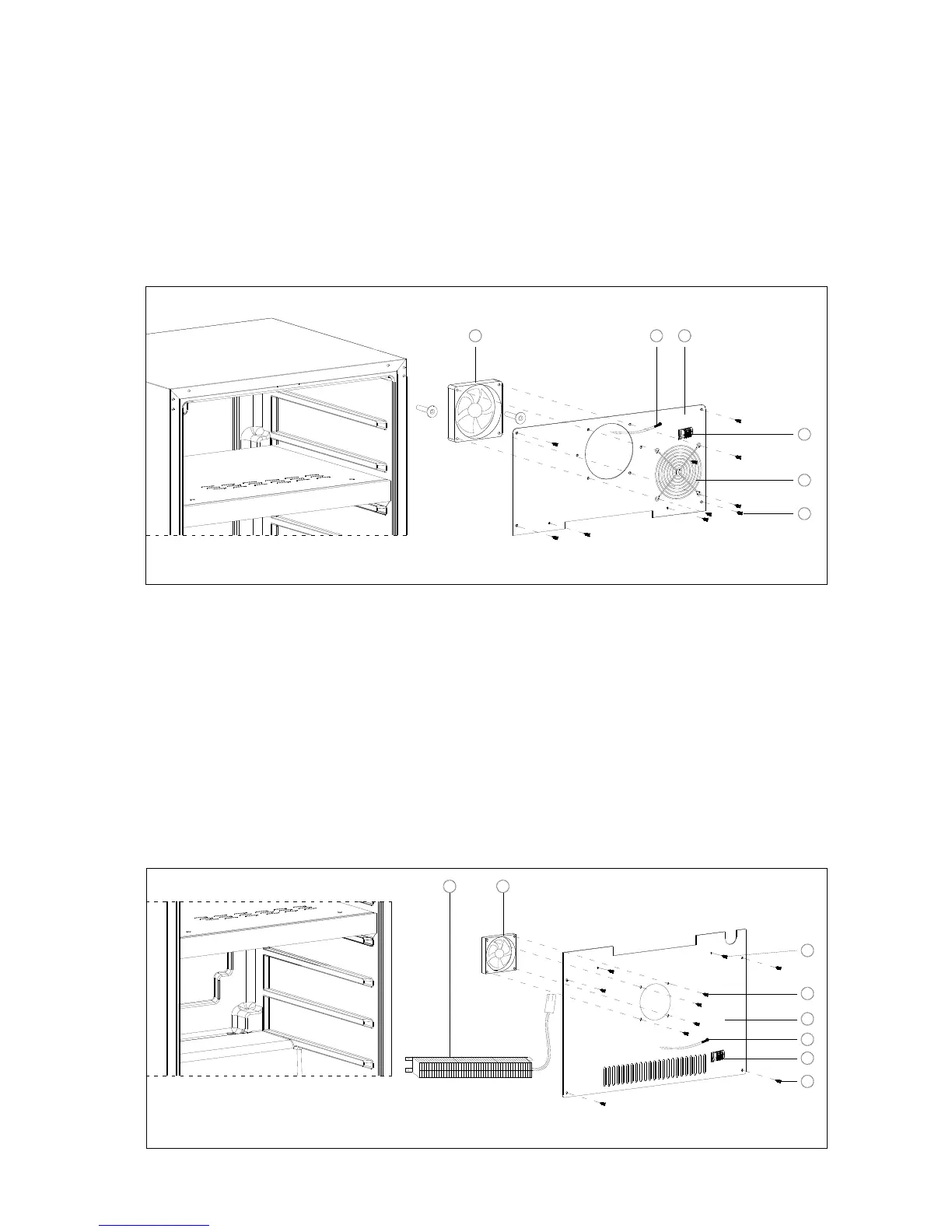
7.6 REPLACING THE EVAPORATOR FAN MOTOR AND TEMPERATURE SENSOR IN THE
UPPER ZONE FOR DUAL ZONE MODELS
1. Remove all shelves.
2. Remove the screws
○
1 that secure the upper air channel cover
○
4 to the cabinet.
3. Disconnect the evaporator fan motor F1C wires. Then pull out the upper air channel cover.
4. Unscrew the thermistor supporter
○
3 and now you can replace the temperature sensor
○
5
in the upper zone.
5. Remove/Disassemble the four screws that secure the fan motor F1C
○
6 to the upper air
channel cover and then you can replace the evaporator fan motor.
3
2
1
6 45
7.7 REPLACING THE PTC HEATER, HEATER FAN MOTOR AND TEMPERATURE SENSOR
IN THE LOWER ZONE FOR DUAL ZONE MODELS
1. Remove all shelves.
2. Remove the screws
○
1 that secure the lower air channel cover
○
4 to the cabinet.
3. Disconnect the fan motor wires. Then pull out the lower air channel cover.
4. Now you can see the PTC heater
○
8 for replacing.
5. Unscrew the thermistor supporter
○
2 and now you can replace the temperature sensor
○
3
in the lower zone.
6. Remove/disassemble the four screws
○
5 that secure the fan motor F2H
○
7 to the lower air
channel cover and then you can replace the evaporator fan motor.
1
6
87
2
3
4
5


 To Next Page