User's Manual
Arctic GPRS Gateway
Firmware Version 5.0.7 19 Document Version 1.6
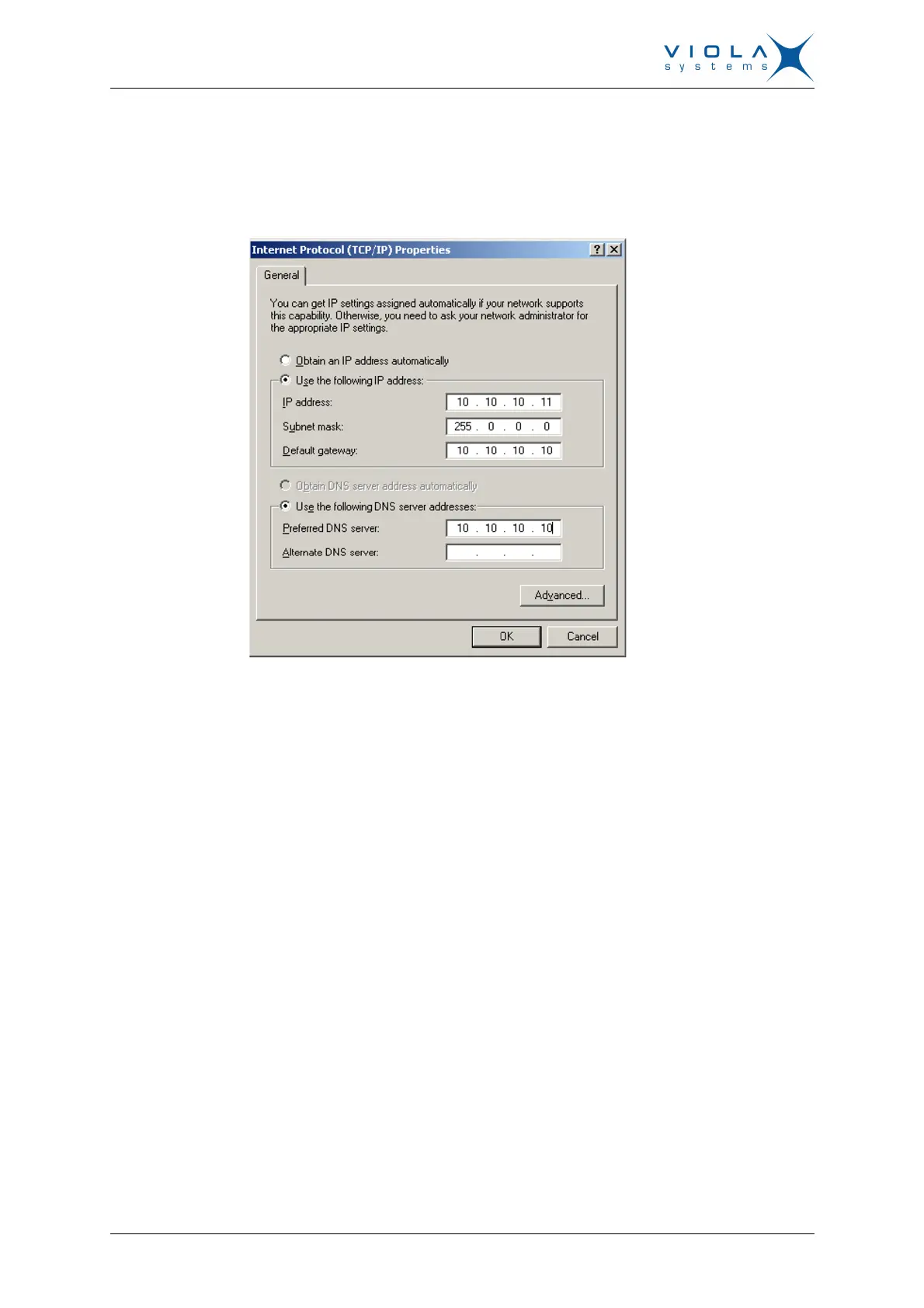
1. Connect to the Arctic using your HTML browser. The default IP address of
the Arctic is “10.10.10.10” (netmask “255.0.0.0”). Computer connected to
Viola Arctic device can use for example IP address 10.10.10.11.
Figure 10. IP Properties
2. From the initial page, click Start Configurator and enter login information
in the following page. Username is root and by default no password is set
(just leave the field empty).


 To Next Page