User's Manual
Arctic GPRS Gateway
Firmware Version 5.0.7 21 Document Version 1.6
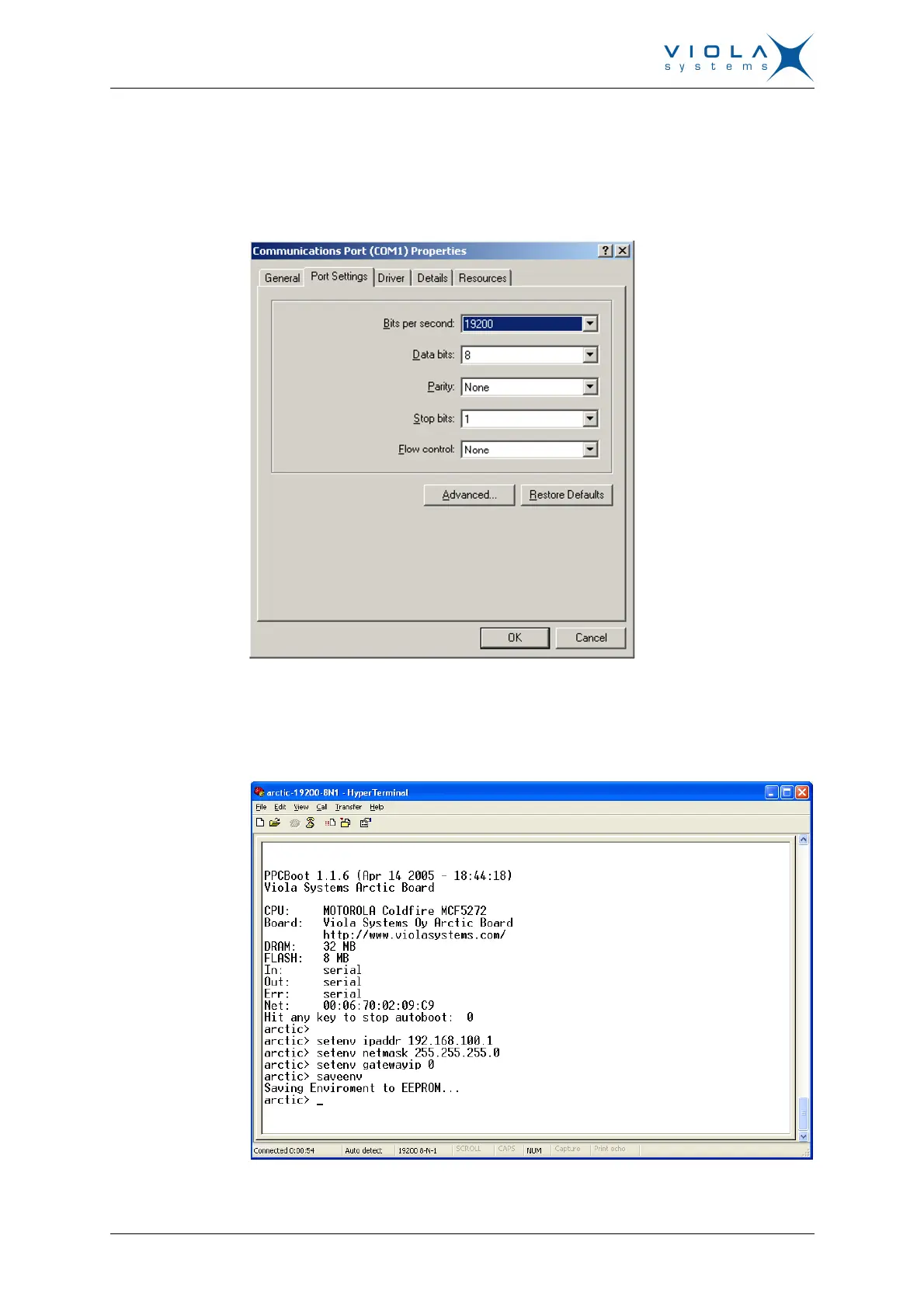
4. Connect to Arctic using COM port and terminal program (Hyperterminal).
Serial settings for console (RS1) are 19200-8-N-1 and "Flow control set to
none".
Figure 12. COM1 Properties
5. Stop the PPCboot to get the “Arctic>” command prompt. Set the IP
address and netmask using command “setenv”.
Figure 13. Arctic COM1 Hyperterminal


 To Next Page