Up Arrow Key
The Up key is used to select a certain option on a menu.
In some menu options the Up arrow key is mostly used to increase the value, such as:
Sensitivity value, noise reject value, depth, alarm value etc.
Down arrow key
The Down arrow key is used to select a certain option on a menu. In some menu options, the
Down arrow key is mostly used to decrease the value, such as:
Sensitivity value, noise reject value, depth alarm value, etc.
Sonar
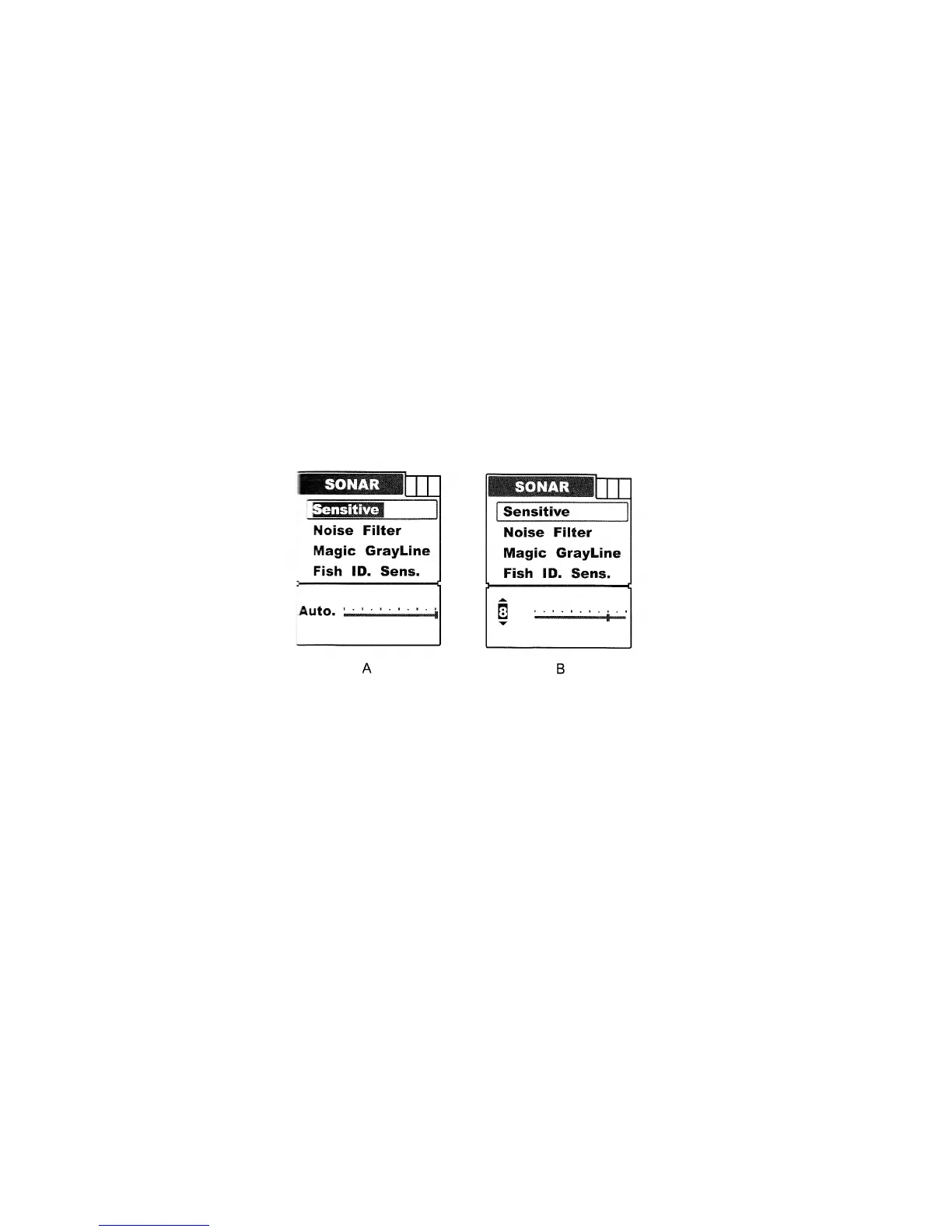
Sensitive
Sensitive determines how echoes will be displayed on the screen.
Increasing the sensitivity will enable you to see more details on the screen.
In deep water, increase the sensitivity and in shallow water, decrease the sensitivity.
In most situations, just setting sensitivity to “Auto” will work well.
To set the Sensitivity:
Press Menu to enter into menu setting.
Repeatedly press Menu to switch to Sonar menu.
Use the Up/Down arrow to select Sensitive option.
Press Ent to enter into setting.
Use the Up/Down Arrow to change the value.
Press Ent to confirm and exit the setting.
Note: The menu display will change from figure A to B as soon as entering menu setting.
Noise Filter
Noise Filter is used to filter the noise from the air or water environment to get a clear sonar image
on the screen.
In many situations, your FC500 fish finder display will be effected by undesired signal which may
be caused by your boat engine, turbulence, wiring, or other electrical and mechanical sources. Such
an undesired signal will produce an unwanted mark on the screen, which may cause a
misunderstanding of the underwater condition.


 To Next Page