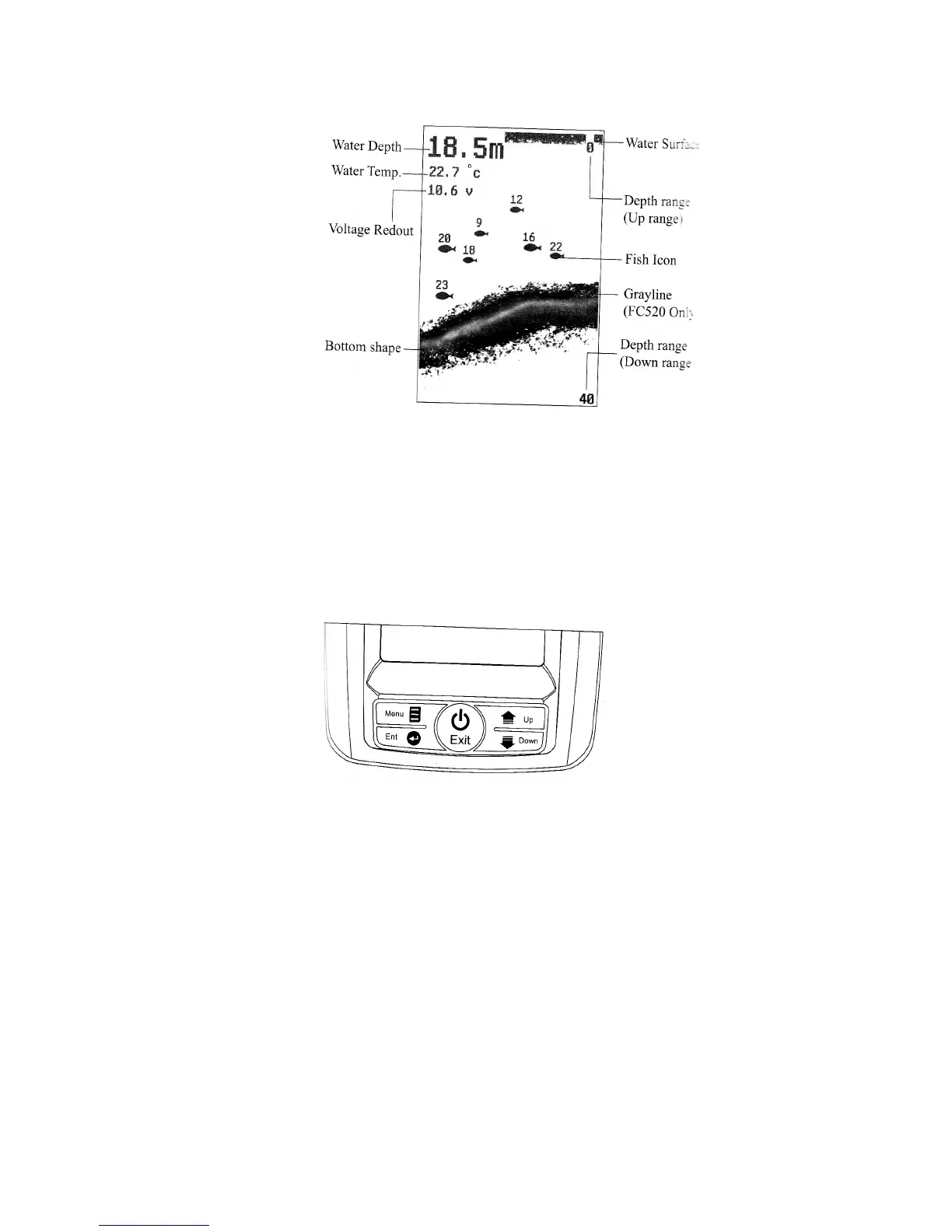
Understanding the Screen
This chart shows all the information that your FC500 fish finder displays during the operatton. The
sonar information will firstly appear on the right hand side and then will scroll across the screen
from right to left. So what you see on the screen (fish symbols, fish arches, bottom shape etc) is
formed by the sonar history.
Keybard Instruction
The FC500 fish finder will make a noise when you press the key to indicate the unit has accepted a
command.
Power and Exit Key
The Power and Exit key is used to turn the FC500 fish finder on or off. It is also used to exit a
menu setting.
Menu Key
The Menu Key is used to enter into a menu setting and switch between the menus.
Ent Key
The Ent key is used to confirm a setting.


 To Next Page