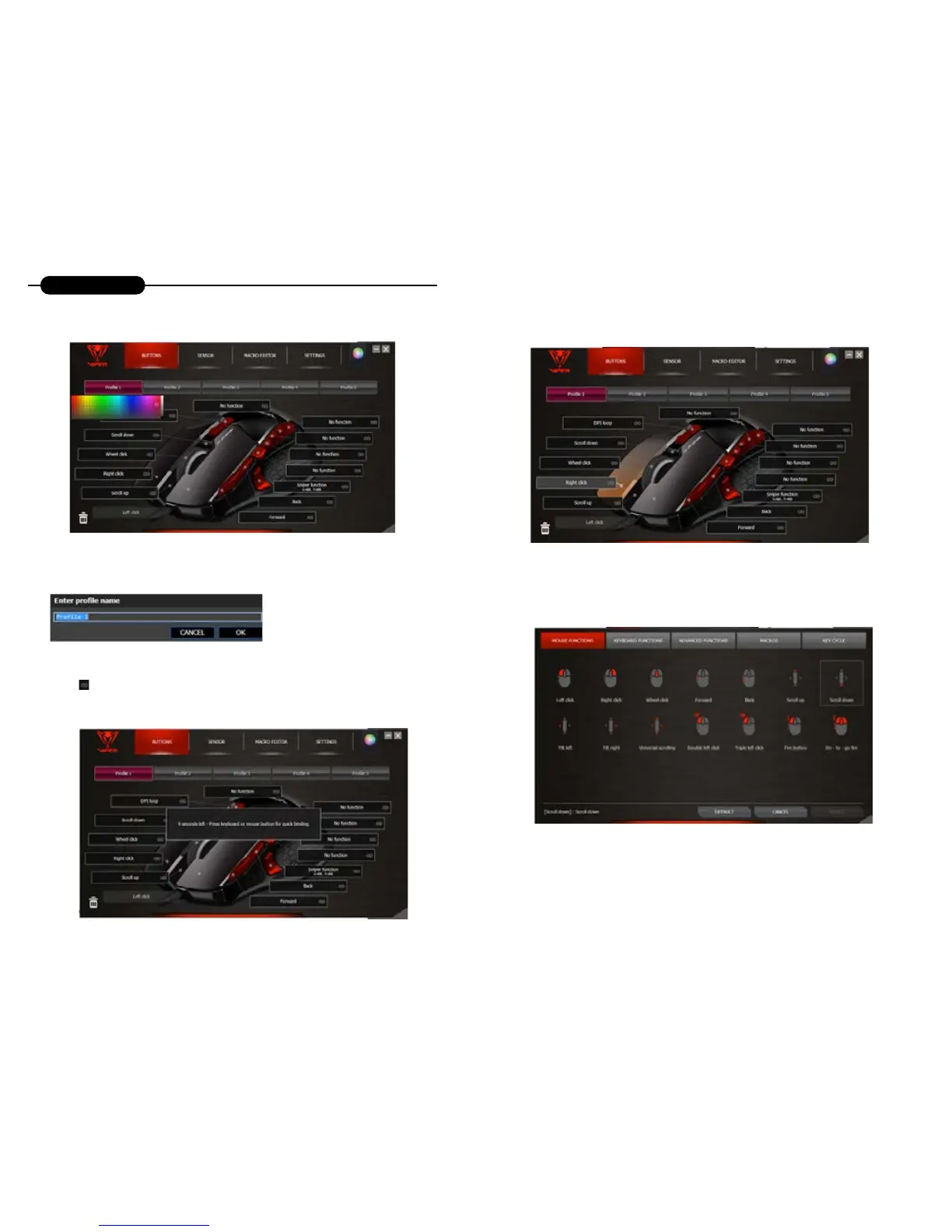
Customize Color
Click once on a prole to assign a color from the color pallet.
Rename Prole
Double click on a prole to rename it.
Quick Binding
Click on the icon to quickly apply a keyboard input or mouse click to any of the buttons. You have 9
seconds to perform the binding operation.
Customize Buttons
Click the mouse button you wish to customize to open the functions window.
The functions window gives you 5 setting options:
• MOUSE FUNCTIONS
• KEYBOARD FUNCTIONS
• ADVANCED FUNCTIONS
• MACROS
• KEY CYCLE
Notes:
Because there must be at least one left button on the mouse, the left button can be programmed only after
another button is set as the left button.
Scroll up & down cannot be set as re mode & loop.
Some functions may not be applicable to “Scroll up & down” due to its component’s characteristics.
Prole Buttons


 To Next Page