
 To Next Page
W
warenoahAug 4, 2025
Why does my Viptela vEdge 2000 show a fan alarm?
- RRobert ChristensenAug 4, 2025
A fan alarm on the Viptela Network Router is triggered if a fan stops running or if a fan starts to run below a predefined RPM threshold.

Why does my Viptela vEdge 2000 show a fan alarm?
A fan alarm on the Viptela Network Router is triggered if a fan stops running or if a fan starts to run below a predefined RPM threshold.
What does a power supply alarm mean on a Viptela Network Router?
A power supply alarm on a Viptela Network Router is triggered if one of the power supplies is not plugged in or if there is a failure on a power supply input.
What causes a CPU and DRAM temperature alarm on a Viptela vEdge 2000 Network Router?
A CPU and DRAM temperature alarm on a Viptela Network Router indicates that the temperature of the system CPU or DRAM modules has crossed the predefined threshold level, triggering the alarm.
What does a PIM temperature alarm mean on my Viptela vEdge 2000?
A PIM temperature alarm on the Viptela Network Router means that the temperature of the PIM modules has crossed the predefined threshold level, triggering the alarm.
What does a minor (yellow) alarm mean on a Viptela vEdge 2000?
A minor alarm (yellow) on the Viptela Network Router requires further monitoring and/or maintenance.
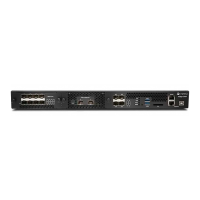
Details physical dimensions, slots, memory, storage, and ports of the router chassis.
Discusses the redundant AC power supplies, their hot-swappable nature, and specifications.
Details the four-fan tray cooling system, airflow direction, and hot-swappable fan trays.
Provides essential safety guidelines for electrical codes, grounding, and personnel.
Provides instructions on unpacking and mounting the router in a 19-inch rack.
Classifies system alarms into Major (red) and Minor (yellow) categories based on severity.
Explains hardware-triggered alarms like temperature, power supply, and fan failures.
Lists CLI commands to view chassis environment, active alarms, and system notifications.
 General
| Model | vEdge 2000 |
|---|---|
| Form Factor | Rack-mountable |
| Product Type | Router |
| Power Supply | Dual |
| Operating Temperature | 32 to 104°F (0 to 40°C) |
| Rack Units | 1U |
| Dimensions (H x W x D) | 1.72 x 17.3 x 19.2 in (4.37 x 43.94 x 48.77 cm) |
