EasyManua.ls Logo

Viqua AWP-SE1 series - User Manual

Viqua AWP-SE1 series
29 pages
Print Icon
To Next Page IconTo Next Page
Loading...
425 Clair Rd. W, Guelph, Ontario, Canada N1L 1R1
t. (+1) 519.763.1032 • tf. 1.800.265.7246 (US and Canada only)
t. +31 73 747 0144 (Europe only) • f. (+1) 519.763.5069
e-mail: info@viqua.com
www.viqua.com
Models:
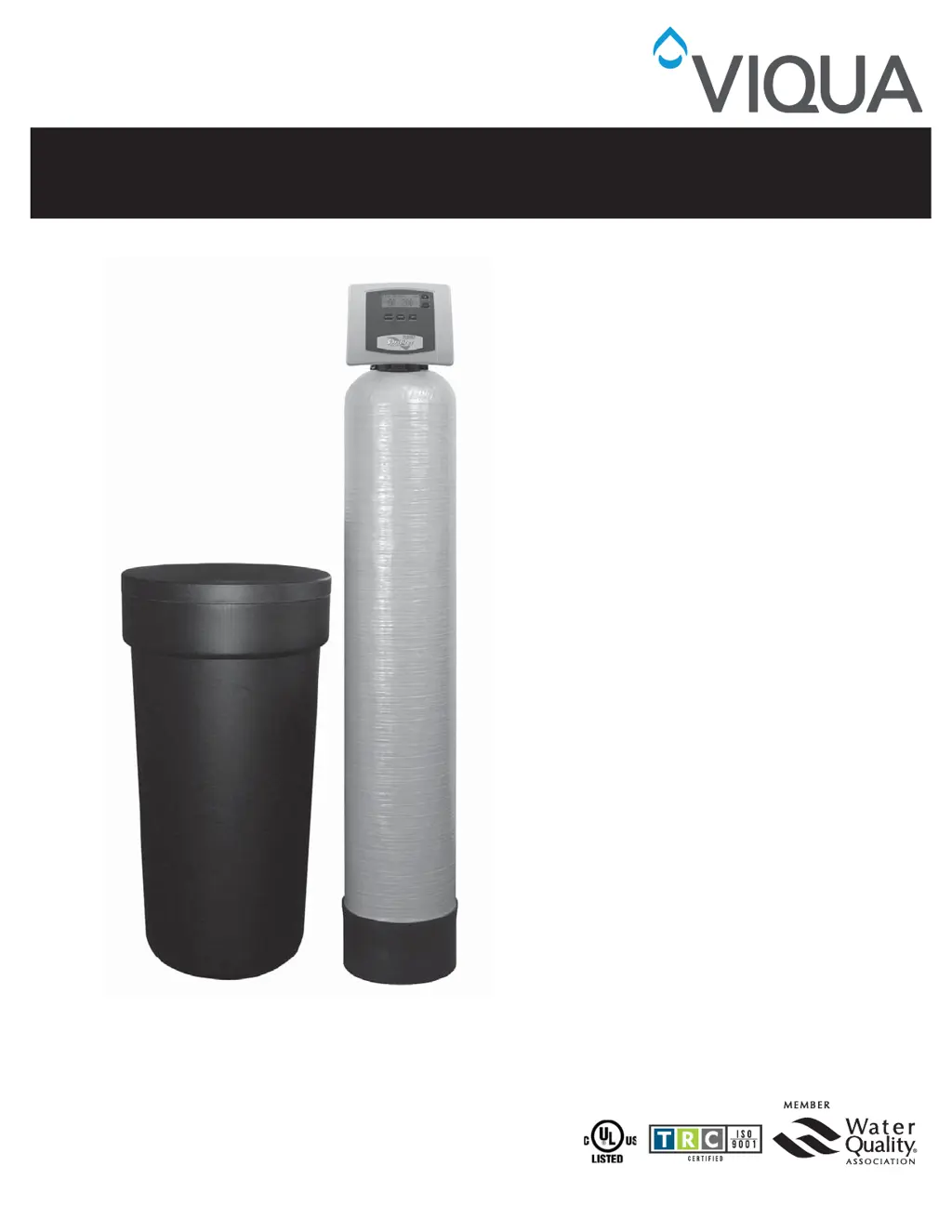
AWP-SE1 and AWP-SE2 Series
Water Conditioners
Owners Manual
520128_RevH

Questions and Answers

  • B
    brendagarciaAug 14, 2025
    What to do if the Viqua Water Filtration System displays “CHECK SALT” and the alarm sounds?
    • T
      tjohnsonAug 14, 2025
      If your Viqua Water Filtration System displays 'CHECK SALT' and the alarm is sounding, here's what you should do: * Push any button to stop the alarm and add salt to the brine tank. * Check and clean or replace the injector and screen if they are plugged. * Clear any restrictions in the drain line. * Clean or replace the chlorine generator if the probes are dirty. * Tighten fittings in the brine system if the system is drawing in air. * Clean the brine line flow control, check for bridging or hardened salt around the brine well, and increase the brine refill time if the system is 'short brining'.
  • C
    Chloe HansenAug 17, 2025
    Why is my Viqua Water Filtration System valve stalled in regeneration?
    • J
      Joshua JonesAug 17, 2025
      If the valve of your Viqua Water Filtration System is stalled during regeneration, it could be due to several reasons: * The motor is not operating, in which case you should replace it. * There is no power at the outlet; repair the outlet or use a working one. * The transformer is defective; replace it. * The PC board is defective; replace it. * The drive gear or drive cap assembly is broken; replace the gear or drive cap assembly. * The piston retainer is broken; replace the drive cap assembly. * The main or regenerant piston is broken; replace the main or regenerant piston.
  • J
    John MillerAug 20, 2025
    What to do if my Viqua Water Filtration System doesn’t display “SOFTENING” when water is flowing?
    • A
      Andrew JimenezAug 20, 2025
      If your Viqua Water Filtration System isn't displaying “SOFTENING” when water is flowing, consider the following: * Ensure the bypass valve is in the service position. * Reconnect the meter cable to the PC board. * Remove the meter and check for debris if the meter turbine is restricted or stalled. * Replace the meter if it is defective. * Replace the PC board if it is defective.
  • S
    Steven AllenAug 25, 2025
    Why does the time on my Viqua Water Filtration System not display the correct time or flash “TIME OF DAY”?
    • T
      Trevor WilliamsAug 25, 2025
      If the time on your Viqua Water Filtration System is incorrect or the 'TIME OF DAY' is flashing, here are some possible causes: * The outlet is on a switch; use an un-switched outlet. * There was a power outage, or the transformer was unplugged; reset the time of day and replace the battery. * The PC board is defective; replace it.
  • T
    Timothy WatersAug 27, 2025
    How to fix a Viqua Water Filtration System that regenerates at the wrong time of day?
    • C
      Cheryl ParkerAug 27, 2025
      If your Viqua Water Filtration System regenerates at the wrong time, here are a few things to check: * If there was a past power outage, reset the time of day. * If the time of regeneration is set incorrectly, reset it. * If the control is set at “ON 0”, check the regeneration time option in programming.
  • M
    Mallory SchneiderSep 3, 2025
    What to do if the Viqua Water Filtration System valve does not regenerate automatically when the REGEN button is pressed?
    • M
      megan18Sep 3, 2025
      If the valve on your Viqua Water Filtration System does not regenerate automatically when you press the REGEN button: * Connect the transformer and PC board power if the transformer is unplugged. * Restore power if there is no power at the outlet. * Replace the gear or drive cap assembly if the drive gear or drive cap assembly is broken. * Replace the PC board if it is defective.
  • T
    Tiffany BurtonSep 6, 2025
    How to troubleshoot a Viqua Water Filtration Systems timer that does not display “TIME OF DAY”?
    • T
      Thomas DavisSep 6, 2025
      If the timer on your Viqua Water Filtration System does not display “TIME OF DAY”, here are some things to check: * Reconnect the transformer if it is unplugged. * Repair or use a working outlet if there is no power at the outlet. * Replace the transformer if it is defective. * Replace the PC board if it is defective.
  • M
    Melinda RuizSep 9, 2025
    What to do if the Viqua AWP-SE1 timer does not display the time?
    • D
      Denise YoungSep 9, 2025
      If the Viqua Water Dispenser timer isn't showing the time, here's what you can check: * **Transformer Unplugged:** Ensure the transformer is properly reconnected. * **No Power at Outlet:** Try a different outlet or repair the existing one. * **Defective Transformer:** The transformer may need replacement. * **Defective PC Board:** Consider replacing the PC board.
  • E
    Emily FrazierDec 1, 2025
    What to do if my Viqua Water Filtration System shows an “ERROR” code 1001, 1002, or 1003?
    • D
      Derrick JohnsonDec 1, 2025
      If your Viqua Water Filtration System displays an “ERROR” code 1001, 1002, or 1003, here’s what you can do: * If the valve has just been serviced, press NEXT and REGEN for 3 seconds or momentarily unplug the power source from the PC board. * Check the piston and spacer stack for obstructions if there is foreign material stuck in the valve. * Replace the piston(s) and spacer stack assembly if there is excessive piston resistance. * Press NEXT and REGEN or momentarily unplug the PC board power if the piston is not in the home position. * Check the motor wiring if the motor gears are not fully engaged, the motor wires are broken, or there is a missing or broken gear. * Replace or clean the drive gear(s) if the center drive gear reflector is dirty or damaged, or if there is a miss...

Summary

General Information

Pre-installation Instructions for Dealers

Dealer guidance on setup, hardness, day override, and regeneration time.

Impression Series Water Softeners

User display, programming timeouts, and double regeneration procedure for softeners.

Bypass Valve Operation

Bypass valve purpose, positions, and construction for isolation and maintenance.

Bypass Valve Positions

Diagnostic and Shut Off bypass valve positions with diagrams.

Installation

Installation Safety Warnings

Safety precautions for media dust, disposal, servicing, modifications, lubricants, and sealants.

Site Requirements for Installation

Site conditions: water pressure, temperature, electrical, and physical placement.

Installation Guidelines and Placement

Guidance on drain distance, brine tank accessibility, water heater piping, and temperature limits.

Inlet;Outlet Plumbing Connections

Inlet/outlet fittings, grounding, and local codes for plumbing connections.

Drain Line Installation

Drain line connection, flow control, anti-siphon traps, and air gap requirements.

Brine Tank Connection

Connecting the brine tank using polyethylene tubing to the control valve.

Overflow Line Connection

Installing brine tank overflow line to prevent water damage.

Drain Line Safety Precautions

Safety notes for drain line connections, preventing back-siphonage.

Conditioning of Media

Flushing debris and air from the system after installation.

Sanitizing the Water Conditioner

Sanitizing the unit with household bleach after installation or service.

Operation

Programming Procedures

Steps for setting time of day and programming unit settings like hardness and regeneration.

Setting the Time of Day

Procedure for setting the current time and day on the unit's display.

Unit Programming and Regeneration Settings

Setting water hardness and days between regeneration for optimal performance.

Regeneration Time and Alarm Settings

Setting regeneration time, minutes, and alarm buzzer status.

Displays and Instructions

Explains unit displays: Time of Day, Flow Rate, Capacity Remaining, Days to Regen.

General Operation Displays

Describes four main displays and navigation using the NEXT button.

Regeneration Mode Explained

System operation during regeneration, including untreated water delivery.

Manual Regeneration Procedures

Initiating manual regeneration immediately or at the next scheduled time.

Power Loss and Battery Replacement

How power loss affects settings and backup battery replacement.

Low Salt Indicator and Alarm

Unit indication of low salt levels and managing the audible alarm.

Error Message Handling

Actions for "ERROR" messages on the display.

Brine Tank Maintenance and Salt

Maintaining salt levels and recommendations for salt type.

Salt Additive Caution

Warning: Salts with additives can damage unit media.

Start-up Instructions

Steps after installation: bypass system, turn on water.

Softener Regeneration Sequence

Standard sequence of steps during softener regeneration cycle.

Media Loss Caution

Warning: Rapid water flow to drain can cause media loss.

Water Conditioner Flow Diagrams

Visuals of water flow through the unit in different operational modes.

Troubleshooting

Timer Display Issues

Causes/solutions for timer display not showing time of day.

Incorrect Time Display

Solutions for incorrect or flashing time display issues.

CHECK SALT Indicator

Actions for "CHECK SALT" indicator and alarm.

Softening Mode Not Displayed

Troubleshooting if unit doesn't show softening mode during water flow.

Incorrect Regeneration Timing

Addresses unit regenerating at unintended times.

Valve Stalled in Regeneration

Solutions for control valve stuck during regeneration cycle.

Automatic Regeneration Failure

Troubleshooting REGEN button not triggering automatic regeneration.

Manual Regeneration Required

Diagnosing why automatic regeneration fails but manual works.

Error Code Troubleshooting

General guidance for handling unit error codes.

Error 1001: Regeneration Start Recognition

Solutions for error code 1001: regeneration start recognition.

Error 1002: Unexpected Stall

Solutions for error code 1002: unexpected stall.

Error 1003: Motor Overrun

Solutions for error code 1003: motor running too long.

Cycle Position Timeout

Troubleshooting timeouts reaching next cycle position.

Replacement Parts

Front Cover and Drive Assembly Parts

Part numbers/quantities for front cover & drive assembly components.

Piston Assembly Parts

Identifies parts and part numbers for the piston assembly.

Bypass Valve Assembly Parts

Part numbers/quantities for bypass valve assembly components.

Injector Assembly Parts

Part numbers/quantities for injector assembly and its configurations.

Chlorine Generator Assembly Parts

Part numbers/quantities for chlorine generator assembly components.

Drain Line Assembly Parts (3;4)

Part numbers for the 3/4" drain line assembly.

Water Meter and Meter Plug Parts

Part numbers/quantities for water meter & meter plug assembly.

Safety Float Assembly Parts

Parts/quantities for safety float assembly, including brine well options.

Safety Float Brine Elbow Assembly Parts

Part numbers/quantities for safety float brine elbow assembly.

Installation Fitting Assemblies

Identifies various installation fitting assemblies and their part numbers.

Various Installation Fitting Assemblies

Details various NPT, plastic, and sweat fitting assemblies and components.

Service Wrench

Describes the specialized service wrench for assembly/disassembly.

Specifications

Model Specifications

Specs for AWP SE1/SE2 models: capacity, efficiency, dimensions.

Quick Reference Guide

General Operation Displays

Overview of four main displays and navigation.

Manual Regeneration Summary

Quick steps for initiating manual regeneration.

Setting Time of Day (Quick Reference)

Concise steps to set unit's time of day.

Error Handling (Quick Reference)

Brief guidance on handling error messages.

Bypass Operation (Quick Reference)

Visual guide for positioning bypass valve handles.

Programming Adjustments (Quick Reference)

Condensed steps for adjusting hardness, regeneration days, time, alarm.

Manufacturers Warranty

Warranty Terms and Conditions

Warranty coverage for unit, tanks, and media.

Viqua AWP-SE1 series Specifications

General IconGeneral
BrandViqua
ModelAWP-SE1 series
CategoryWater Dispenser
LanguageEnglish

Related product manuals