EasyManua.ls Logo

Viqua AWP-SE2 series - User Manual

Viqua AWP-SE2 series
29 pages
Print Icon
To Next Page IconTo Next Page
Loading...
425 Clair Rd. W, Guelph, Ontario, Canada N1L 1R1
t. (+1) 519.763.1032 • tf. 1.800.265.7246 (US and Canada only)
t. +31 73 747 0144 (Europe only) • f. (+1) 519.763.5069
e-mail: info@viqua.com
www.viqua.com
Models:
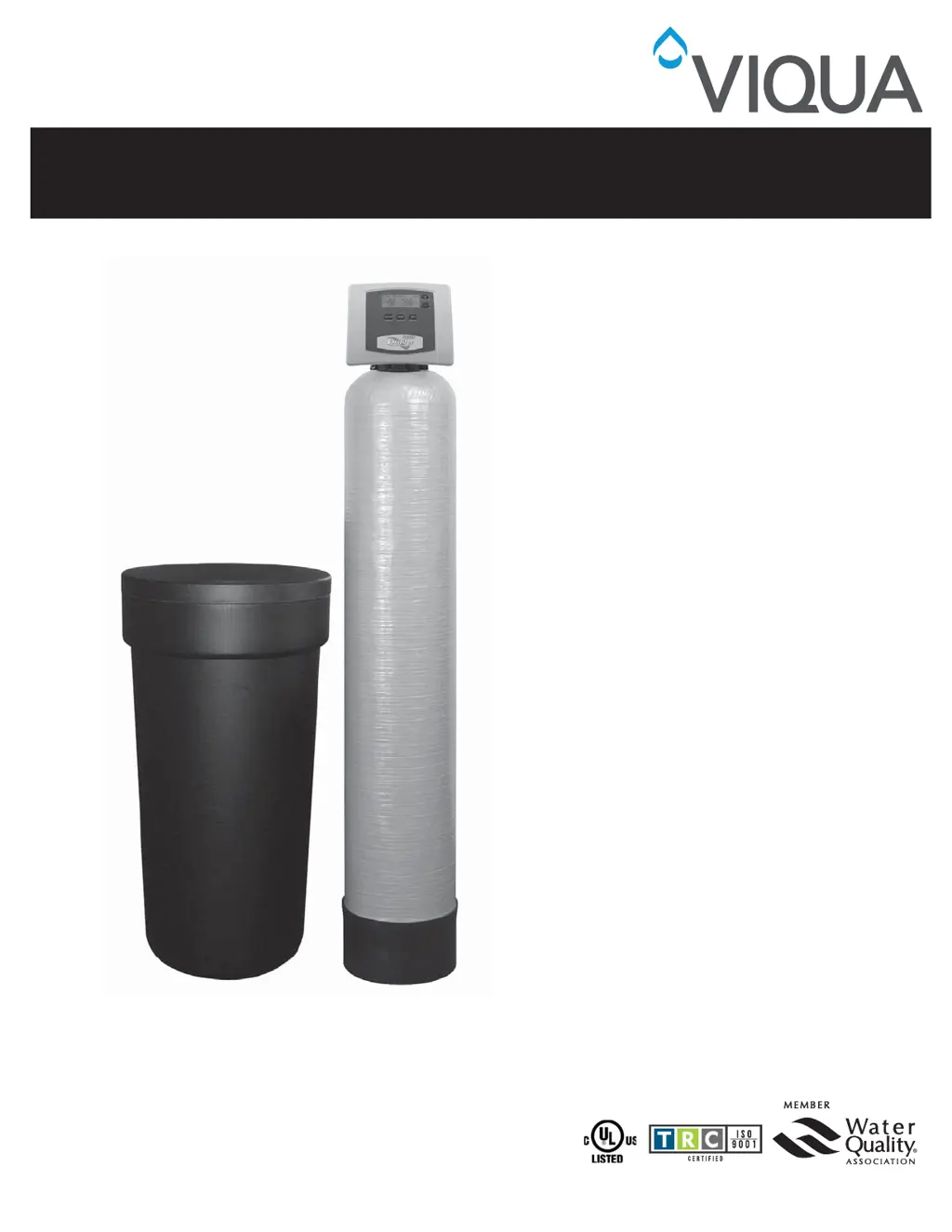
AWP-SE1 and AWP-SE2 Series
Water Conditioners
Owners Manual
520128_RevH

Questions and Answers

  • A
    Alexa TaylorAug 15, 2025
    What to do if the Viqua Water Filtration System displays “CHECK SALT” and the alarm sounds?
    • H
      henry47Aug 15, 2025
      If your Viqua Water Filtration System displays 'CHECK SALT' and the alarm is sounding, here's what you should do: * Push any button to stop the alarm and add salt to the brine tank. * Check and clean or replace the injector and screen if they are plugged. * Clear any restrictions in the drain line. * Clean or replace the chlorine generator if the probes are dirty. * Tighten fittings in the brine system if the system is drawing in air. * Clean the brine line flow control, check for bridging or hardened salt around the brine well, and increase the brine refill time if the system is 'short brining'.
  • A
    Audrey JonesAug 18, 2025
    Why is my Viqua Water Filtration System valve stalled in regeneration?
    • J
      James EllisonAug 18, 2025
      If the valve of your Viqua Water Filtration System is stalled during regeneration, it could be due to several reasons: * The motor is not operating, in which case you should replace it. * There is no power at the outlet; repair the outlet or use a working one. * The transformer is defective; replace it. * The PC board is defective; replace it. * The drive gear or drive cap assembly is broken; replace the gear or drive cap assembly. * The piston retainer is broken; replace the drive cap assembly. * The main or regenerant piston is broken; replace the main or regenerant piston.
  • B
    Brandon BakerAug 21, 2025
    What to do if my Viqua Water Filtration System doesn’t display “SOFTENING” when water is flowing?
    • N
      njacksonAug 22, 2025
      If your Viqua Water Filtration System isn't displaying “SOFTENING” when water is flowing, consider the following: * Ensure the bypass valve is in the service position. * Reconnect the meter cable to the PC board. * Remove the meter and check for debris if the meter turbine is restricted or stalled. * Replace the meter if it is defective. * Replace the PC board if it is defective.
  • R
    Robert MunozAug 25, 2025
    Why does the time on my Viqua Water Filtration System not display the correct time or flash “TIME OF DAY”?
    • J
      jane70Aug 26, 2025
      If the time on your Viqua Water Filtration System is incorrect or the 'TIME OF DAY' is flashing, here are some possible causes: * The outlet is on a switch; use an un-switched outlet. * There was a power outage, or the transformer was unplugged; reset the time of day and replace the battery. * The PC board is defective; replace it.
  • C
    Carrie JonesAug 28, 2025
    How to fix a Viqua Water Filtration System that regenerates at the wrong time of day?
    • M
      Mary ValdezAug 28, 2025
      If your Viqua Water Filtration System regenerates at the wrong time, here are a few things to check: * If there was a past power outage, reset the time of day. * If the time of regeneration is set incorrectly, reset it. * If the control is set at “ON 0”, check the regeneration time option in programming.
  • B
    Billy WagnerSep 4, 2025
    What to do if the Viqua Water Filtration System valve does not regenerate automatically when the REGEN button is pressed?
    • B
      Brian McintyreSep 4, 2025
      If the valve on your Viqua Water Filtration System does not regenerate automatically when you press the REGEN button: * Connect the transformer and PC board power if the transformer is unplugged. * Restore power if there is no power at the outlet. * Replace the gear or drive cap assembly if the drive gear or drive cap assembly is broken. * Replace the PC board if it is defective.
  • M
    Michael RiosSep 7, 2025
    How to troubleshoot a Viqua Water Filtration Systems timer that does not display “TIME OF DAY”?
    • S
      Shelby JonesSep 7, 2025
      If the timer on your Viqua Water Filtration System does not display “TIME OF DAY”, here are some things to check: * Reconnect the transformer if it is unplugged. * Repair or use a working outlet if there is no power at the outlet. * Replace the transformer if it is defective. * Replace the PC board if it is defective.
  • T
    tara11Sep 12, 2025
    What to do if the Viqua Water Dispenser timer does not display the time?
    • S
      Sierra BensonSep 12, 2025
      If the Viqua Water Dispenser timer isn't showing the time, here's what you can check: * **Transformer Unplugged:** Ensure the transformer is properly reconnected. * **No Power at Outlet:** Try a different outlet or repair the existing one. * **Defective Transformer:** The transformer may need replacement. * **Defective PC Board:** Consider replacing the PC board.
  • P
    pbrownDec 1, 2025
    What to do if my Viqua Water Filtration System shows an “ERROR” code 1001, 1002, or 1003?
    • G
      Grant OliverDec 1, 2025
      If your Viqua Water Filtration System displays an “ERROR” code 1001, 1002, or 1003, here’s what you can do: * If the valve has just been serviced, press NEXT and REGEN for 3 seconds or momentarily unplug the power source from the PC board. * Check the piston and spacer stack for obstructions if there is foreign material stuck in the valve. * Replace the piston(s) and spacer stack assembly if there is excessive piston resistance. * Press NEXT and REGEN or momentarily unplug the PC board power if the piston is not in the home position. * Check the motor wiring if the motor gears are not fully engaged, the motor wires are broken, or there is a missing or broken gear. * Replace or clean the drive gear(s) if the center drive gear reflector is dirty or damaged, or if there is a miss...

Summary

General Information

Pre-installation Instructions

Instructions for dealers before installation, setting parameters like hardness and regeneration time.

Bypass Valve Operation

Explanation and operation of the bypass valve positions: Normal, Bypass, Diagnostic, and Shut Off.

Installation

Media Conditioning and Sanitization

Procedures for flushing media, sanitizing the unit, and initial system setup steps.

Operation

Programming Procedures

Guide to setting time, hardness, regeneration frequency, and alarm buzzer settings.

System Displays and Operation

Overview of system displays, operational modes, and understanding regeneration status.

Maintenance and Troubleshooting

Handling power loss, errors, salt indicators, and brine tank maintenance.

Start-up and Flow Diagrams

Initial setup steps, including brine tank refill, and visual representations of water flow.

Troubleshooting

Replacement Parts

Control Valve Components

Diagrams and part numbers for front cover, drive, piston, and bypass valve assemblies.

System Assemblies and Fittings

Diagrams and part numbers for injector, chlorine generator, drain line, meter, and safety float assemblies.

Installation Fittings

Diagrams and part numbers for various connection fittings used during installation.

Service Wrench

Details and usage instructions for the specialized service wrench (CV3193-01).

Specifications

Quick Reference Guide

General Operation Summary

Summary of system displays, basic operation, and key functions.

Programming and Settings

Quick guide to setting time, hardness, regeneration, and alarm buzzer.

Error and Bypass Procedures

Summary of error codes and instructions on how to bypass the system.

Manual Regeneration Steps

Concise steps for initiating manual regeneration immediately or for the same night.

Manufacturers Warranty

Viqua AWP-SE2 series Specifications

General IconGeneral
BrandViqua
ModelAWP-SE2 series
CategoryWater Dispenser
LanguageEnglish

Related product manuals