2
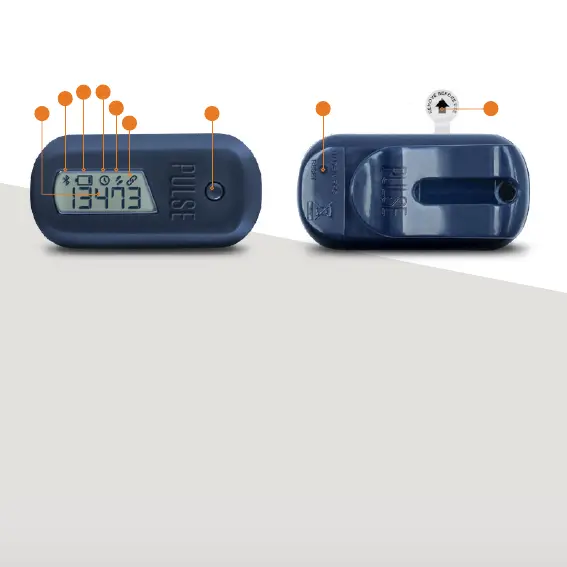
YOUR PULSE
1. PULSE BUTTON
Standard mode: Reset button
Sync mode: Sync/Pair button
2. MAIN DISPLAY
Displays activity counter or time
3. BLUETOOTH ICON
Flashes when pairing or syncing
4. LOW BATTERY ICON
Displays when battery falls under 25%
5. CLOCK ICON
Displays when showing the time
6. ACTIVITY ICON
Displays when tracking your activity
7. LINK ICON
Displays for Sync mode
8. FACTORY RESET
Resets to Standard mode
9. BATTERY INSULATION STRIP
Remove to activate your Pulse
2
3
4
5
6
7
1
8 9


 To Next Page