STANDARD MODE
TO SWITCH TO SYNC MODE:
1. Take note of your current activity to avoid losing it.
2. Go to page 4 and follow ‘Sync set-up’ to switch to Sync mode.
7
1 2
43
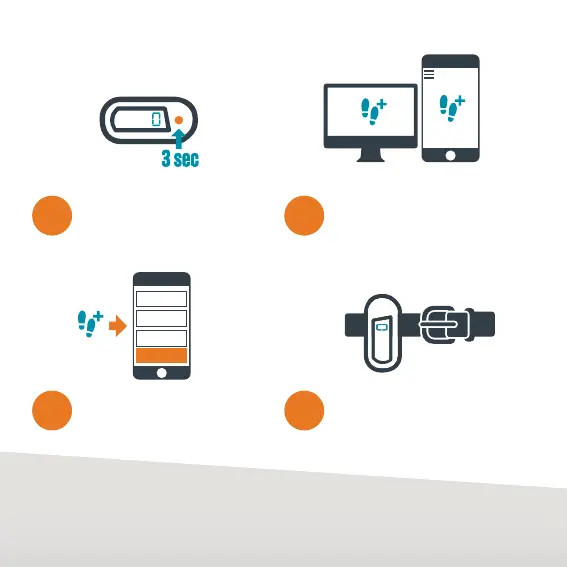
Add any cycling or swimming
distances and ‘Submit’ your
activity.
Enter your activity every day
via the Global Challenge app
or website.
Wear your Pulse each
day to track your activity.
STEPS
SWIM
CYCLE
SUBMIT
Reset your Pulse each day
by pressing the button for
3 seconds. ‘0’ will appear,
ready for a brand new day.


 To Next Page