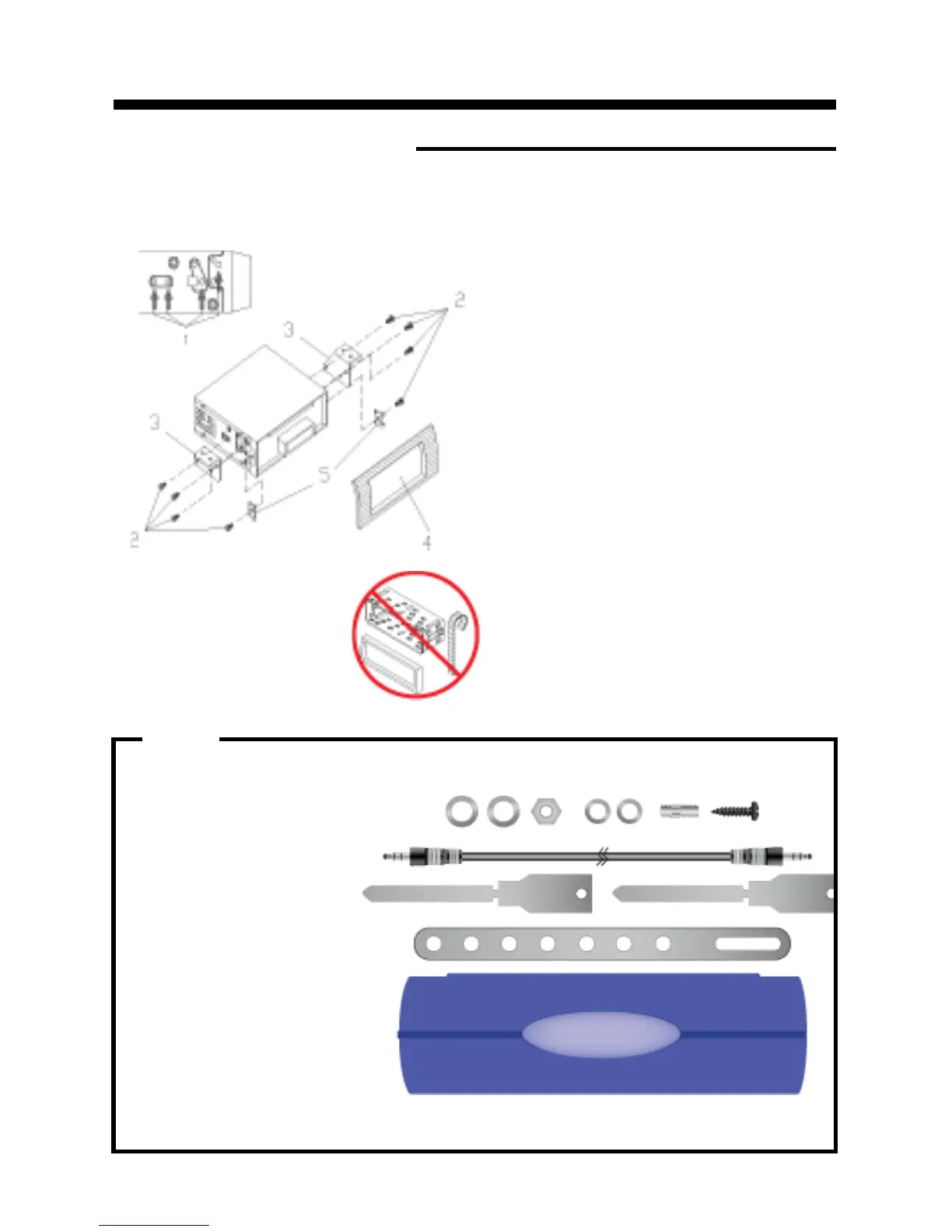
DIN REAR-MOUNT (Method B)
Installation using the screw holes on the both sides of the unit.
1. Screw holes on the side of the unit.
2. Screws. Use either truss screws (5 x
8mm) or flush surface screws (4 x 8mm),
depending on the shape of the screw holes
in the bracket.
3. Vehicle’s Factory Mounting Bracket
4. Dashboard or Console
5 Hook (Remove this part)
Note: The mounting sleeve, outer trim
ring, and the mounting strap are not used
for this method of installation.
INSTALLATION
6
PARTS
2 Keys
2 Hex Nuts
2 Lock Washers
1 Sheet Metal Screw
1 Metal Support Strap
1 Flat Washer
1 Mounting Bolt
1 Faceplate Case
1 1/8" Stereo Cable


 To Next Page