EN - 20
User Manual
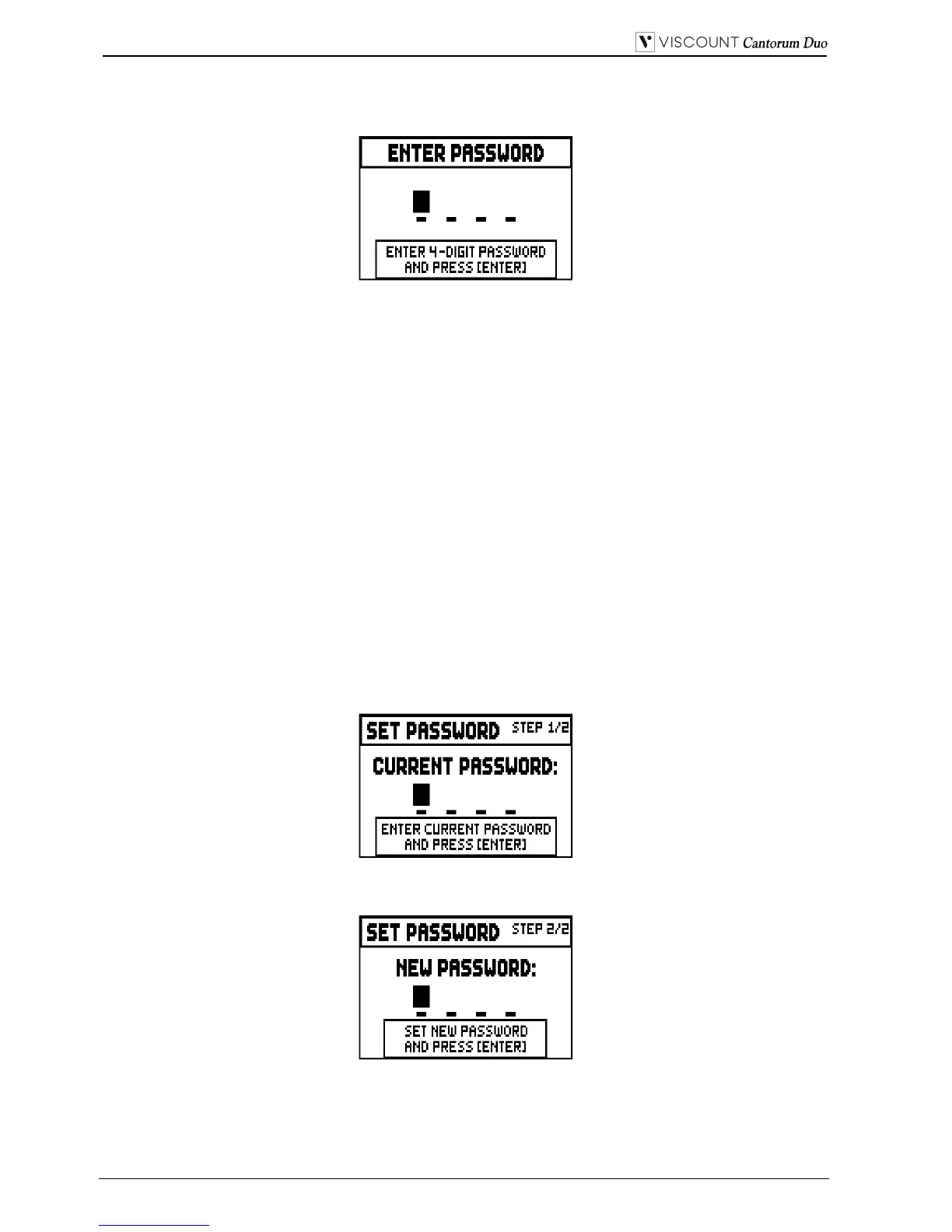
To activate one or more lock options select the LOCKED field, then press [EXIT] to enter the unlock
code (password):
Press [VALUE +] and [VALUE -] to select the characters.
Use the [FIELD ] and [FIELD ] buttons to move the cursor. Press [ENTER] to save the code, and
[EXIT] to abort. The factory setting code is "0000".
When the organ has been succesfully locked, the display shows the message “SECURITY OPTIONS
SUCCESSFULLY CHANGED”.
When a section is blocked, it is possible to enter it, but in this case the following messages will appear:
- “SETTINGS ARE LOCKED”: entering the SETTINGS menu;
- “STYLES ARE LOCKED”: entering the STYLES menu;
If combinations, Tutti and Crescendo are blocked, the [S] piston light is off.
To unlock the combination save functions, and/or to unlock the settings you need to access the
SECURITY function, then unlock the locked options by selecting the UNLOCKED field, then press
[EXIT] to enter the unlock code. If the password is correct, the message “SECURITY OPTIONS
SUCCESSFULLY CHANGED” will appear, otherwise “WRONG PASSWORD RETRY” that is the
system requires the right password to proceed.
Furthermore, the password can be modified while a lock function is already active. To do so, select the
SET PASSWORD field. Enter the current password to proceed:
and now enter the new password:


 To Next Page