To execute the calibration, follow this procedure:
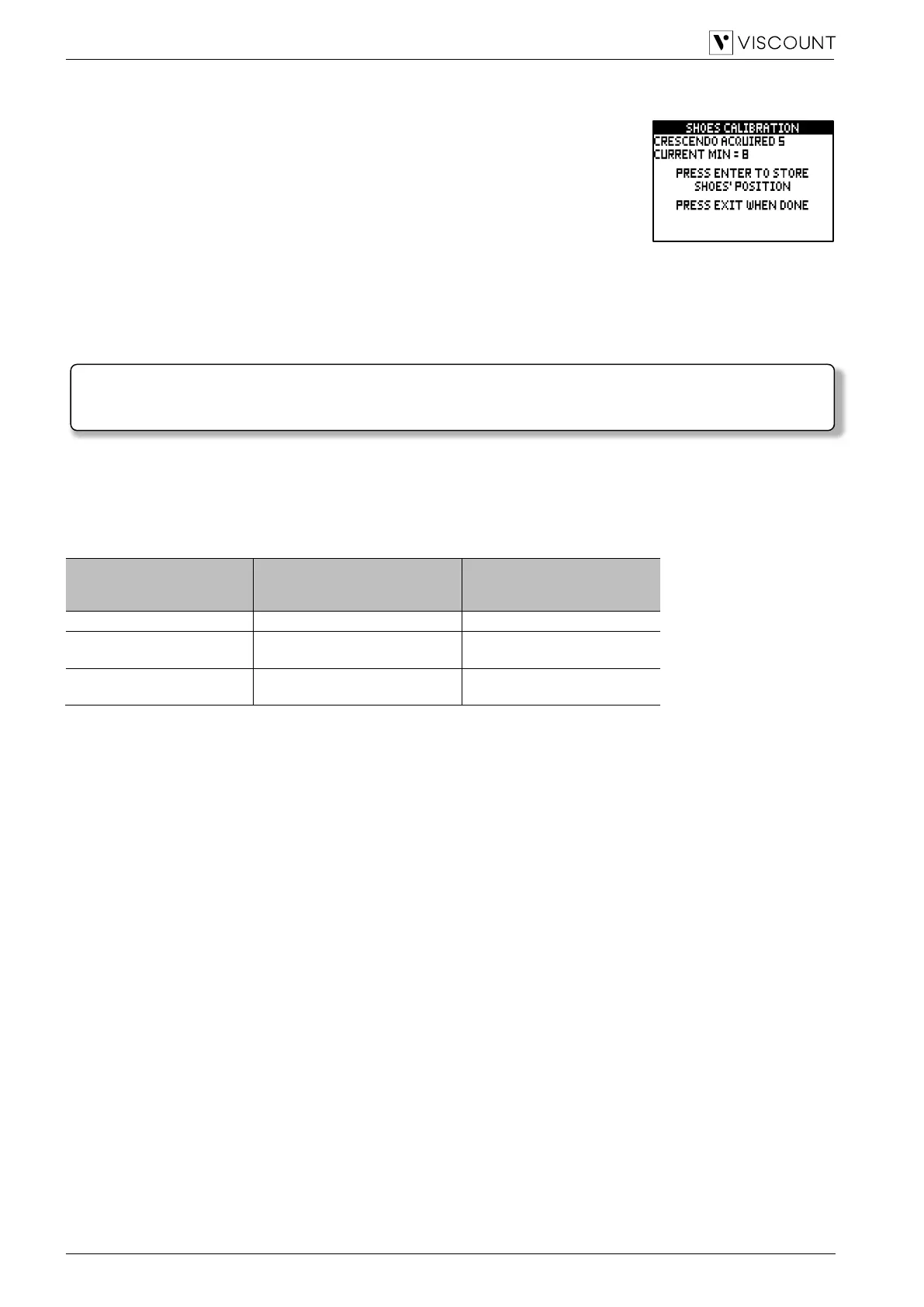
1. in the calibration screen the following fields are displayed:
- [pedal name] Acquired: name and value of the pedal currently under
calibration.
- Current Max: maximum value stored in memory.
- Current Min: minimum value stored in memory.
CURRENT MIN and CURRENT MAX will be shown only when the pedal is,
respectively, either at minimum or maximum position.
2. set the pedal into maximum or minimum position and press [MENU/ENTER],
3. place the pedal in the opposite position (from maximum to minimum or vice versa) and press [MENU/ENTER].
4. Perform this operation on all connected pedals. When the operation is complete, press [EXIT] to store the
calibration.
TIPS FOR USE WITH VISCOUNT MIDI PEDAL BOARDS
For correct use of Viscount MIDI pedalboards with Cantorum Trio – Duo – Uno Plus, we recommend setting the
parameters of the SHOES / PEDALBOARD function as shown in the following table:
Also be careful to the following:
- The Viscount 27N MIDI, 30N MIDI and 32N MIDI pedalboards are those for specific use with classic organs.
- The Viscount 18 and 25 pedalboards are those normally used with Legend organ series.
- Using a Viscount 27N MIDI, 30N MIDI or 32N MIDI pedalboard, the parameter values shown in the table are
to be used with the default pedalboard settings.
- Using a Viscount 27N MIDI, 30N MIDI or 32N MIDI pedalboard, the cables with jack connector coming from
the expression pedals of the pedalboard must be connected to the pedalboard’s [EXPR. 1] and [EXPR. 2]
connectors and not to the [CRESC.] and [EXPR.] connectors of the Cantorum Trio – Duo – Uno Plus.
Furthermore, usually in [EXPR. 1] the left pedal must be connected, in [EXPR. 2] the right. In case of reversed
connection, also reverse the settings of the CRESCENDO and EXPRESSION parameters of the SHOES /
PEDALBOARD function.
- Using a Viscount 27N MIDI, 30N MIDI or 32N MIDI pedalboard, press [EXIT] in the calibration screen
displayed after setting the parameters of the SHOES / PEDALBOARD function, as it is not necessary.
- Using a Viscount 18N or 25N pedalboard, the cable with EXPRESSION jack connector coming from the
pedalboard’s expression pedal must be connected to the Cantorum Trio – Duo – Uno Plus [CRESC.]
connector for Crescendo control or [EXPR.] for expression control. It is also possible to connect the ROTARY
cable to the [SUSTAIN] connector of the Cantorum Trio – Duo – Uno Plus to control the Sustain effect of the
orchestral voices.
- Please note that if the channel set in the RX parameter of the TX/RX CHANNELS function is the same as the
one set in the PEDALBOARD parameter of the SHOES & PEDALBOARD function, the notes received on that
channel are transposed based on the setting of the TRANSPOSER parameter in the TUNING menu, are not
played if the Automatic Pedal function is active, the velocity is recalculated based on the setting made in the
KEYBOARD VELOCITY function and are retransmitted from the MIDI [OUT] and/or USB [TO HOST] port
even if the notes are not transmitted by a MIDI pedalboard.


 To Next Page
 Loading...








